
Windows Copilot on Windows 11 (and Windows 10) is getting a big update with several notable changes, including increased character count, support for attaching files like PDF, and notebook integration. Microsoft told me that these features are rolling out via server-side update, and some of you with Copilot Pro might also see 16,000 characters.
When Microsoft shipped Copilot on the web and Windows, it was limited to just 2,000 characters, which was later bumped to 4,000. With a new update, Microsoft has increased Copilot’s character count to 8,000 in “Creative” mode. If you own a Copilot Pro subscription, you’ll see 16,000 in Creative mode.
I use Copilot with and without the Pro subscription, and I noticed the new character limit across multiple accounts. I’ve created a table that explains the changes rolling out to Copilot on the web and Windows 11. It’s worth noting that the increased character count is not restricted to Copilot in Windows and also shows up on the web or Edge.
Version
Type
New Creative Limits
New Balanced Limits
New Precise Limits
Copilot
New Limits
8,000
4,000
8,000
Old Limits
4,000
2,000
4,000
Copilot Pro
New Limits
16,000
8,000
16,000
Old Limits
4,000
2,000
4,000
Pretty nice, right? You’ll see the new characters count automatically, but if you’re still stuck with the old limits, here’s what I suggest doing:
Open Microsoft Edge and go to copilot.microsoft.com.
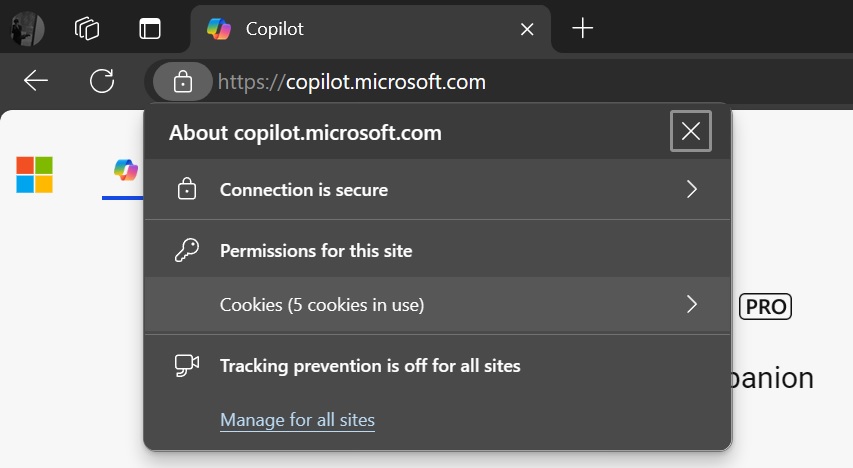
Click Cookies (5 cookies in use”) and clear all cookies. This may include your Copilot, Bing and Microsoft accounts.
Login to the account again, and you’ll see the new character limits on the web.
After clearing cookies, you can refresh Copilot in Windows by clicking the refresh button to see the updated version.
You can now upload files like PDFs to Copilot
Copilot attach files feature | Image Courtesy: WindowsLatest.com
As shown in the above screenshot, you can now drag and drop PDFs and other files to the Copilot window. You can also drag and drop Word documents, Excel sheets, and more.
This works on Windows 10, too.
You can upload documents and ask Copilot to summarize them, explain them, or translate them into another language. You can even ask Copilot to scan the document using Bing search and fact-check the content.
Copilot in Windows with attachment feature | Image Courtesy: WindowsLatest.com
Microsoft is testing a similar feature in Edge where you can right-click any document, click “Ask Copilot”, and quickly summarize, explain or explain the selected phrase:
Ask Copilot with menu in Edge | Image Courtesy: WindowsLatest.com
Notebook in Copilot for Windows
As mentioned at the outset, Copilot (without the subscription) supports up to 8,000 characters only, which may not be enough for everyone.
Although Microsoft told me that it’s still experimenting with new character count and may increase it again in the future, you can now use “Notebook” in Copilot on Windows.
Notebook in Copilot for Windows | Image Courtesy: WindowsLatest.com
The Notebook feature in Copilot has a character count of 18,000 with or without a subscription, but it doesn’t save your conversation.
The post Copilot on Windows 11 & 10 doubles characters limit, gets upload files feature, notebook appeared first on Windows Latest
Windows Copilot, available on both Windows 11 and Windows 10, is receiving a significant update with various noteworthy changes. These changes include an increased character count, the ability to attach files such as PDFs, and integration with notebooks.
The post Copilot on Windows 11 & 10 doubles characters limit, gets upload files feature, notebook appeared first on Windows Latest Read More Windows Latest