
[[{“value”:”
Beelink EX Mate Pro: 30-second review
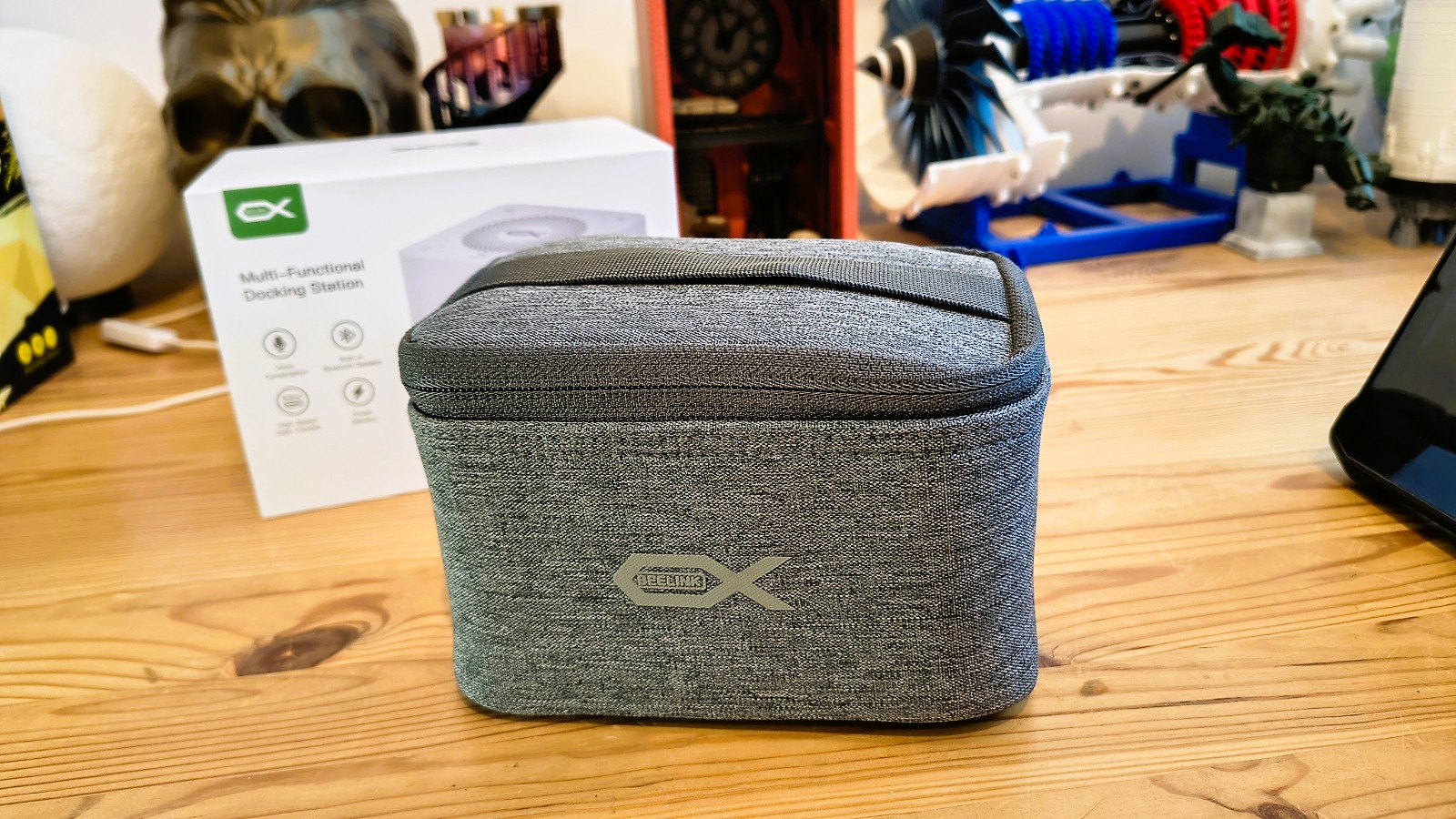
While I’ve covered many Beelink mini PCs, this is the first dock I’ve encountered from this brand. And, unsurprisingly, it’s constructed in what appears to be a typical small NUC case.
The small white cube connects to a desktop or laptop via USB4 with the provided cable, and once connected, you can use the USB, HDMI, LAN ports, and built-in speaker on the Beelink EX Mate Pro.
Most docks are rated for connection speed and the number of downstream ports, and while USB4 is a fast technology, the Beelink EX Mate Pro doesn’t offer many additional connections beyond the uplink. There are just three USB, one HDMI and one 2.5GbE LAN port. However, if you are comfortable with disassembly, there are also four M.2 slots inside that support 2280 NVMe modules up to 8 TB. Therefore, connecting provides not only access to the downstream devices but also inserted storage.
Almost as an aside, the top of the dock has touch controls for audio sent through the internal speaker, and the dock can connect to phones via Bluetooth and stream music from them.
At around $200, the Beelink EX Mate Pro All-In-One Docking Station, to use its full title, seems inexpensive for the functionality it offers, and many laptop owners would find it incredibly useful.
Probably not enough features to make it to the best laptop docking stations but still an interesting option.
Beelink EX Mate Pro: Price & availability
- How much does it cost? $199
- When is it out? On ‘Pre-Sale’, orders to ship within 35 days
- Where can you get it? Direct from Beelink
Those looking for USB docking stations that support 80Gbps have a remarkably small selection currently.
There is the Beelink EX Mate Pro All-In-One Docking Station, reviewed here, that costs $199 directly from the makers. There is also the Mate SE, also from Beelink, priced at $119.
Beyond those choices, the only way to get an 80Gbps dock is by using Thunderbolt 5, and on some of those docks, you can even access 120Gbps. However, if you have a laptop with TB5, then you wouldn’t be interested in the Beelink EX Mate Pro, and presumably, you will have a much larger budget to get a TB5 dock.
The bottom line is that USB4 v2 as a marketing category barely exists yet. If the 80Gbps bandwidth is what you are after, a Thunderbolt 5 dock will get you there today with far more choice and better-established driver support. The Beelink EX Mate Pro is genuinely interesting, but it is very new and essentially untested at this point.
- Value: 4 / 5
Beelink EX Mate Pro: Specs
|
Compatibility |
USB-C, USB4, USB4v2 |
|
Number of Ports |
6 |
|
Ports |
1x USB4v2 upstream |
|
|
1x USB4v2 downstream |
|
|
1x USB 3.2 Gen 2 Type-A |
|
|
1x USB 2.0 Type-A |
|
|
1x 2.5GbE RJ45 Ethernet port |
|
|
1x HDMI 2.0 |
|
Downstream power |
1x 15W USB4v2, 1x 7.5W USB-A, 1x 2.5W USB 2.0 |
|
Upstream power |
96W USB4v2 |
|
Size |
99 x 99.2 x 98.3 mm (W x D x H) |
|
Weight |
1051g with case and cables |
|
Accessories |
Soft carry case, power cable, HDMI cable, USB4v2 (80Gbps) cable, User Guide |
Beelink EX Mate Pro: Design
- NUC case
- Limited port selection
- No external PSU
- Requires tools to go inside
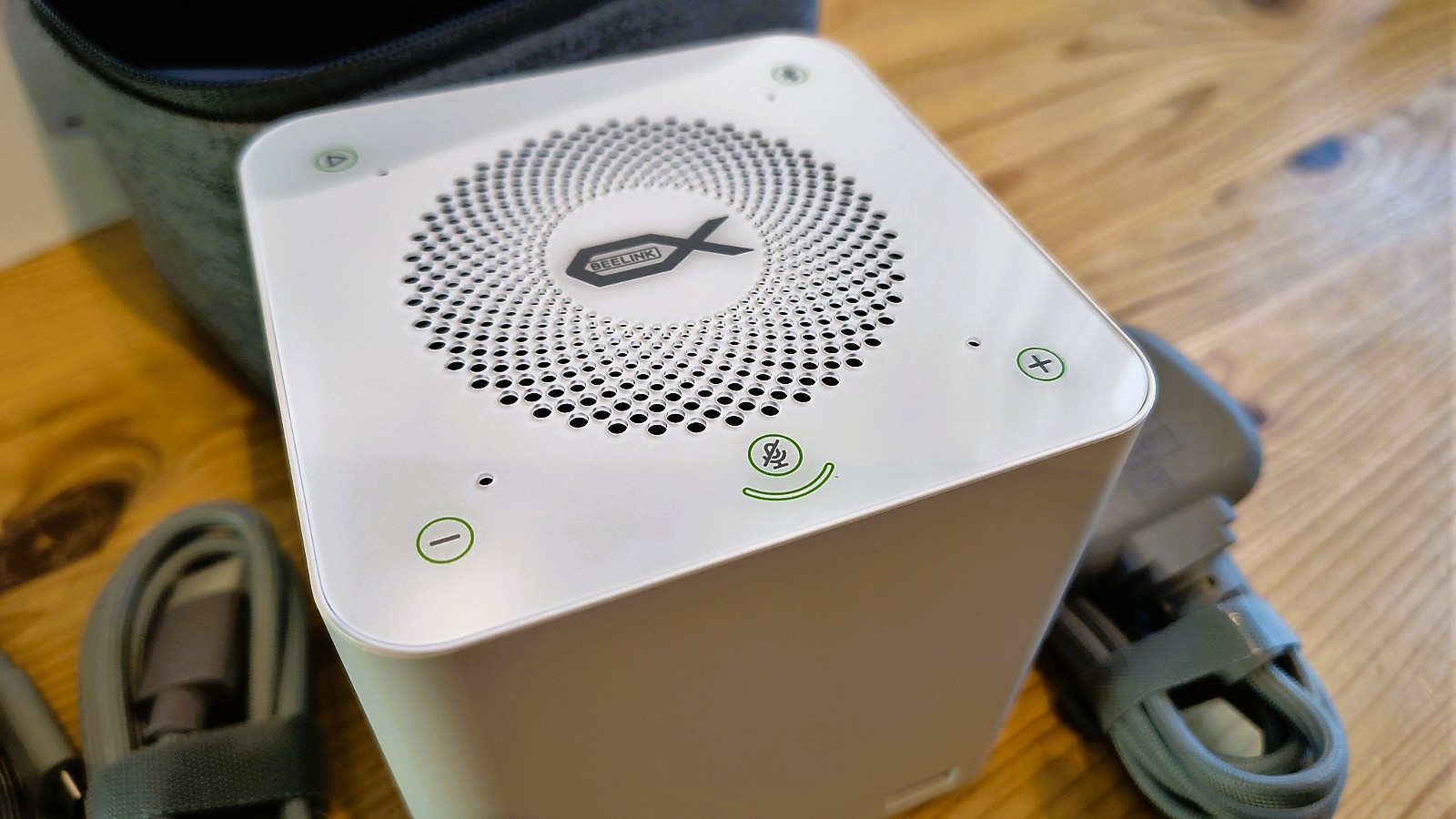
My first reaction to the Beelink EX Mate Pro was that I’d seen this enclosure previously. And, indeed, a quick look through the Beelink catalogue turned up the Beelink ME mini, which from the outside is practically identical.
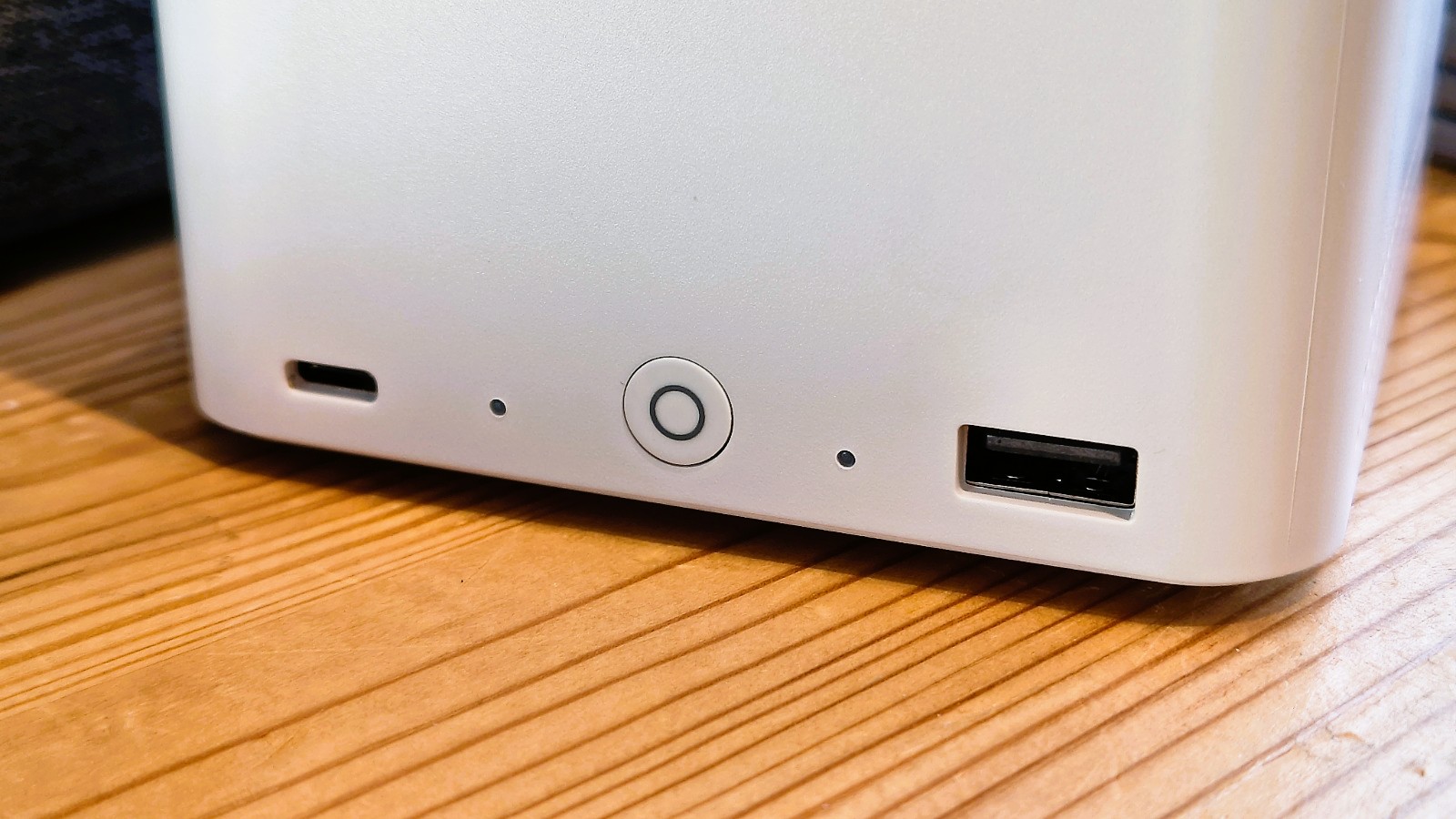
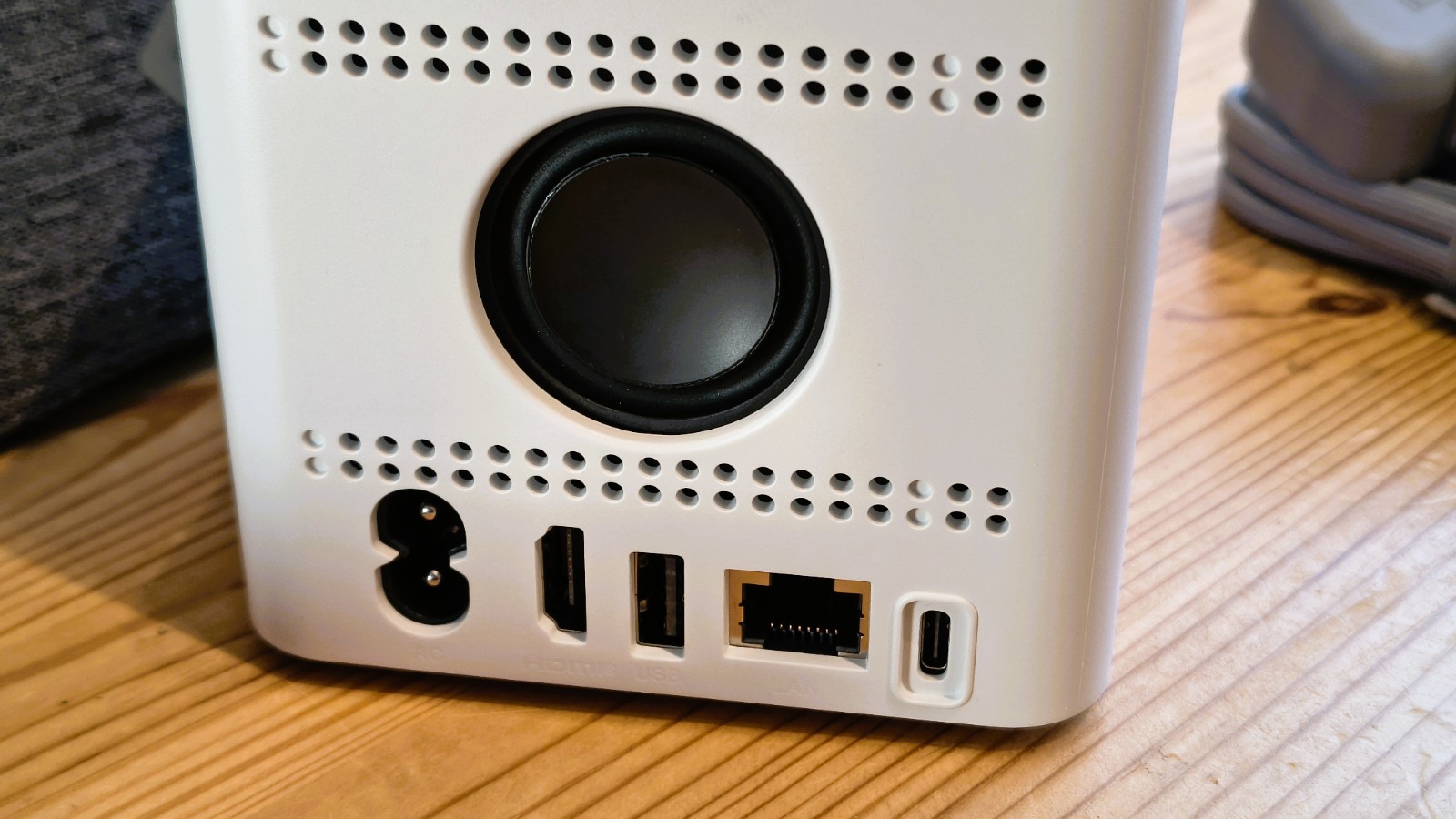
On the front are the power button and two USB ports, one each of USB 4 v2 and USB 3.2 Type-A. Where on the back are the power connection, an HDMI 2.0 port, a single USB 2.0 port, a 2.5GbE LAN port, and the USB4v2 uplink port to the computer?
There is also a visible driver cone for a speaker, and the top surface of the machine has buttons to control volume, switch between PC and Bluetooth modes, and mute the built-in microphone.
Considering that this is only a roughly 10cm cube, I was reasonably surprised to discover that it didn’t come with an external laptop-style PSU, but that the 140W PSU is internal.
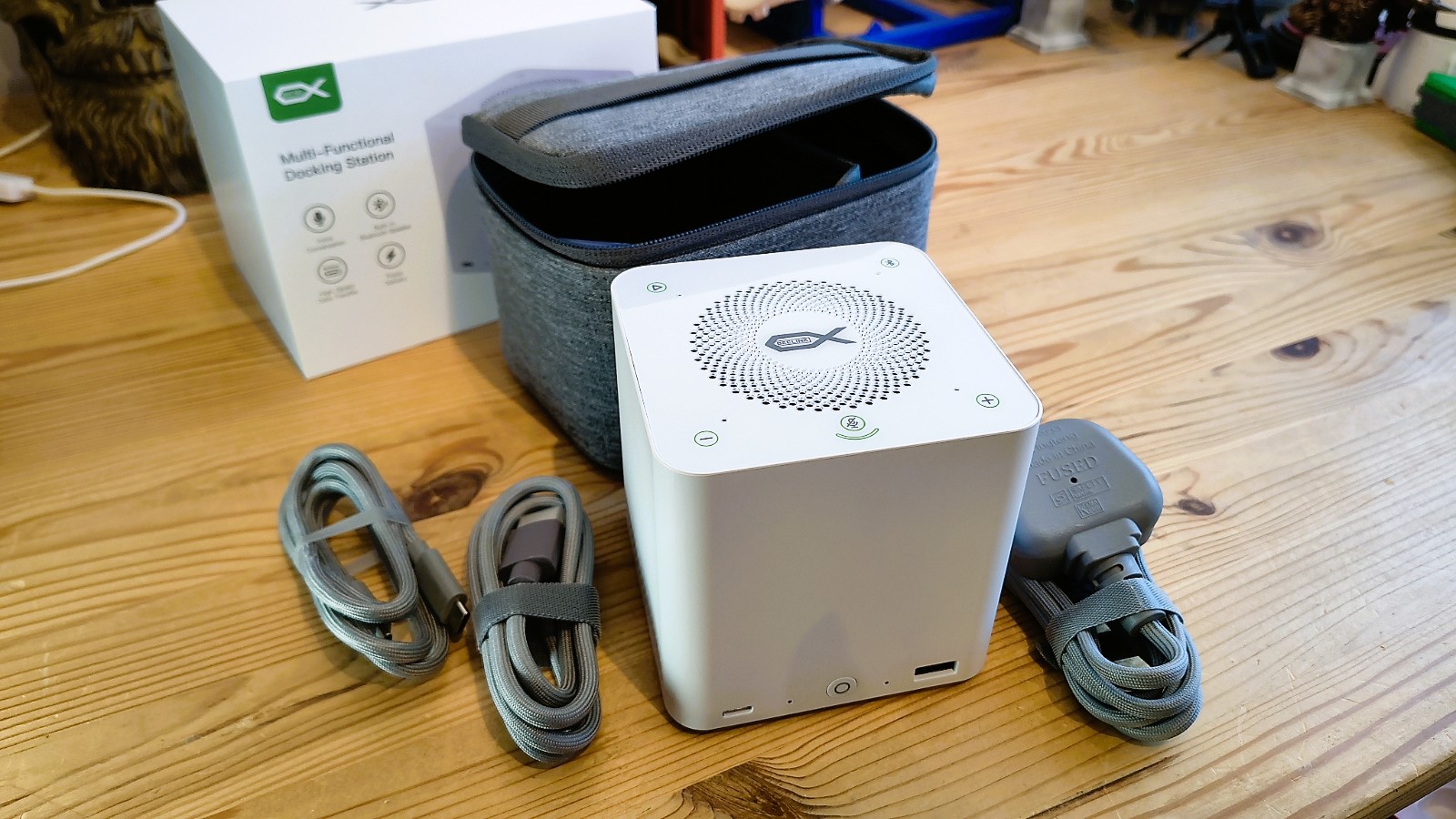
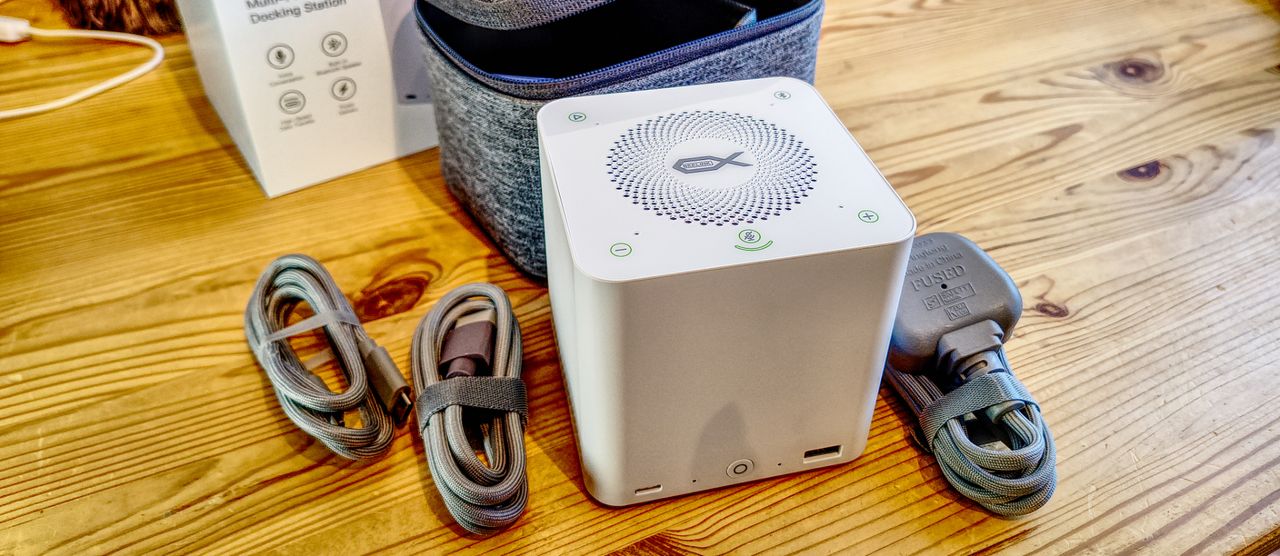
This compact design allows the unit and the three cables it comes with to fit neatly inside the provided soft carry case, so someone travelling for business can take it with them. As most docks are designed to live on a desk and ideally never get moved, the portability of this solution is a significant difference.
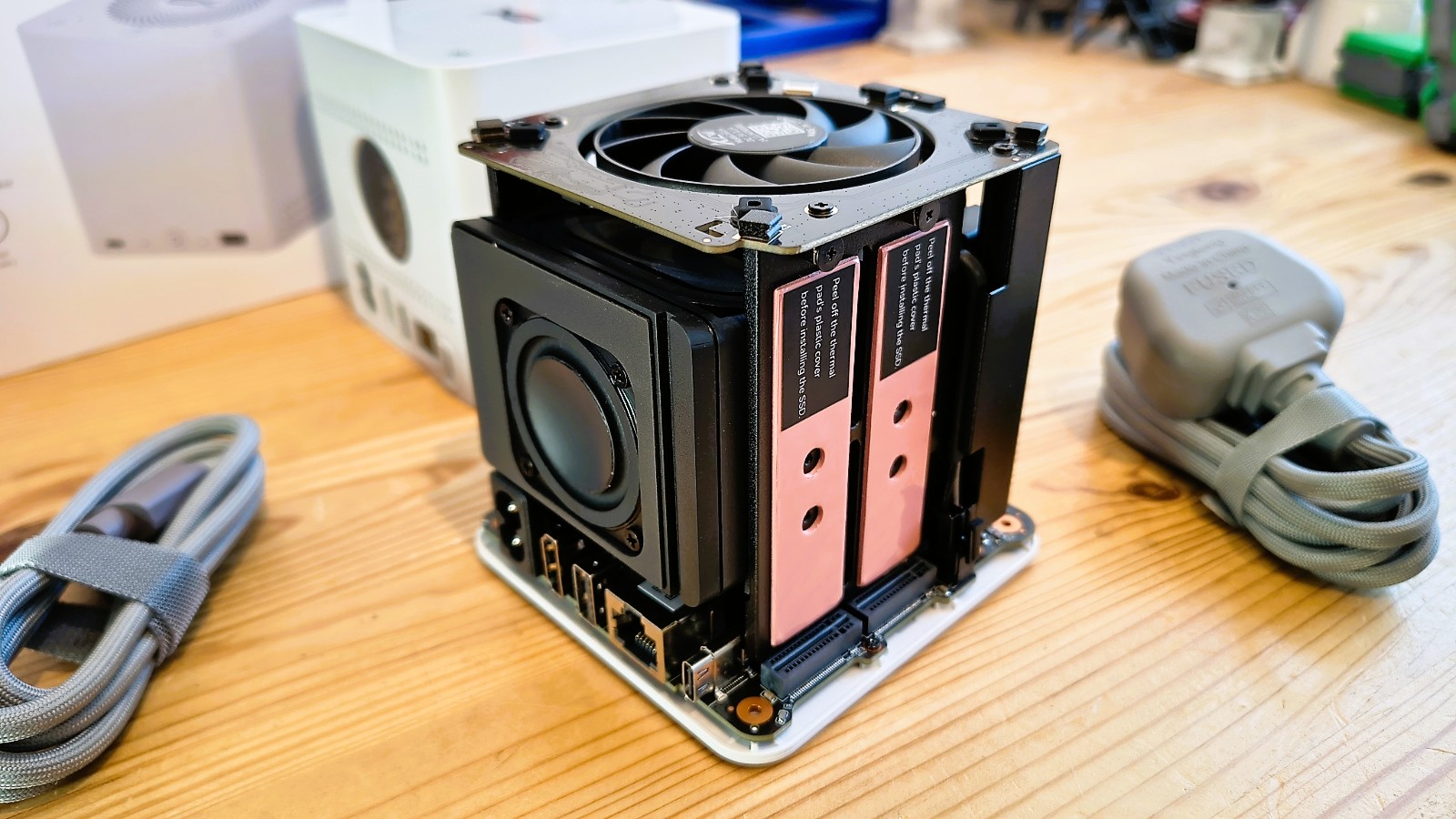
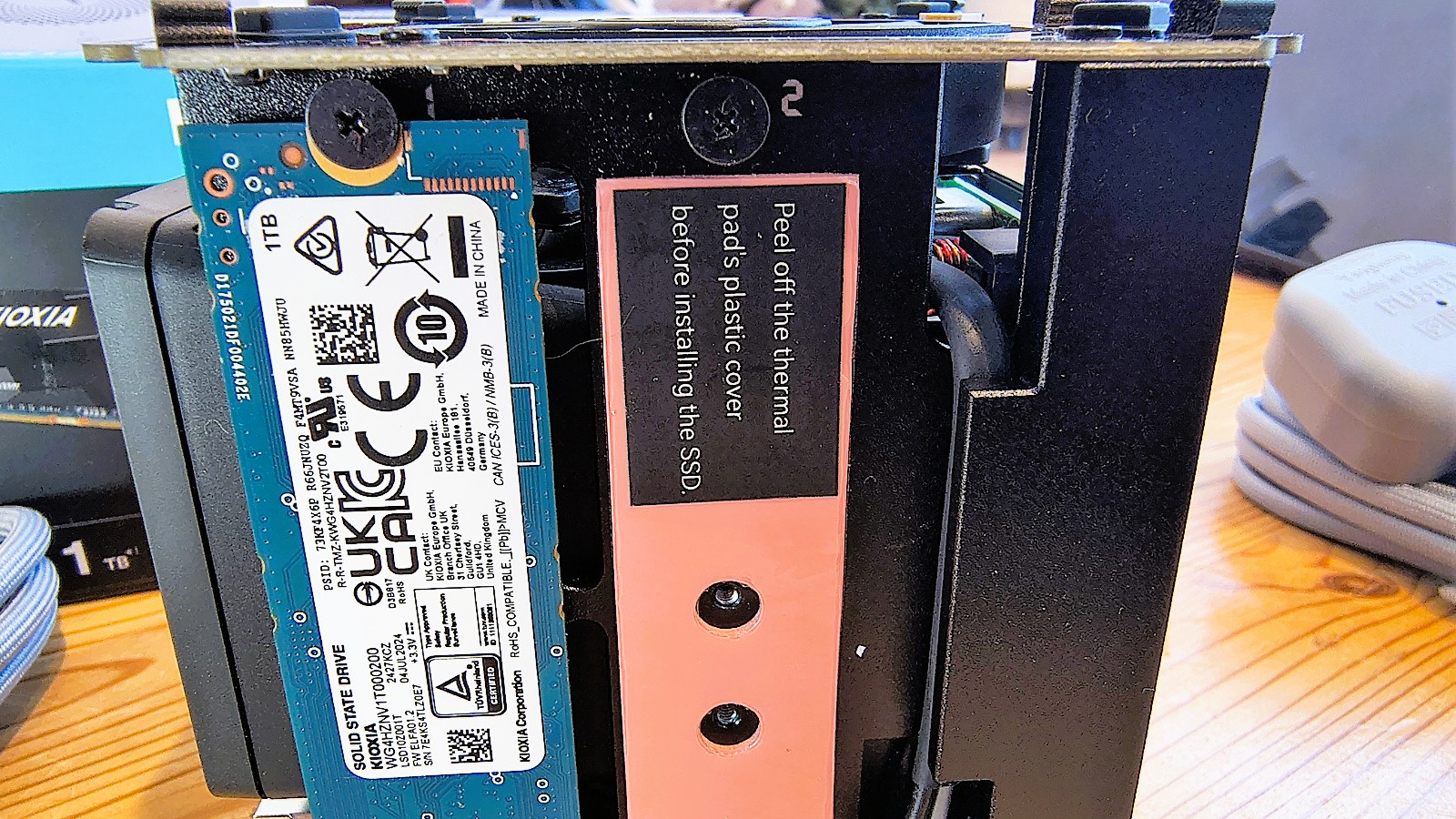
Another aspect of this dock that’s not typical is that it has M.2 slots inside, four in total. However, getting to these isn’t straightforward, and it’s not something you would want to be doing repeatedly.
The four screws that hold the top section of the EX Mate Pro on are hidden under rubber plugs in the corners of the underside. Once these are removed, the outside of the case slides up and reveals the four M.2 slots, two on the left and right.
These have thermal pads already attached, so installation involves removing the SSD retaining screw and then pushing the modules in before replacing the screw. These slots are only designed for 2280 NVMe modules, and the orientations assume that the chips are on the upper surface, which makes them upside down when compared to a normal motherboard install. If you accidentally put them with the chips facing out, the polarizing slot on the M.2 edge connector won’t allow the SSD to be inserted, making it almost impossible to get this wrong.
Once you’ve installed whatever storage you want to use, you can drop the top back on, put the screws in, and even the rubber plugs, if you haven’t already lost them.
Overall, I wish getting to the M.2 slots were a little easier, but in the grand scheme of things, it’s a minor inconvenience.
- Design: 4 / 5
Beelink EX Mate Pro: Features
- Bandwidth management
- Gen 3 x 2 M.2
- Power management
When I review USB or Thunderbolt docks, I’m always struck by how the makers will add more connections than can reasonably be supported by the bandwidth of the host connection.
But in the context of the Beelink EX Mate Pro, there are such a limited number of ports that this is much less of an issue.
The host connection is USB4v2, the 80Gbps implementation of the original USB4 standard, a technology that AMD has supported with their AI 300 series processors.
USB4 v2 can theoretically reach 80Gbps bidirectionally, but that full speed is optional rather than mandatory. The minimum requirement for USB4 certification is just 20Gbps. That creates a genuine problem for buyers. A port labelled USB4v2 on a laptop could be running at a quarter of the headline speed, which would affect how quickly devices attached to the dock can operate, including internal M.2 modules.
For my testing, I used an AI 300 system with USB4 40 Gbps ports, but the availability of machines with 80 Gbps implementations isn’t good at this time. But equally, Thunderbolt 5 isn’t common either. I suspect that USB4v2 is likely to be more popular in the long run since it’s not explicitly welded to Intel chips.
However, on the Beelink EX Mate Pro, unless you want to use every single port on it, 40Gbps USB4 is a generally good experience.
One interesting detail about this hardware is how the M.2 sub-system is implemented, since these drives have the potential to consume large amounts of the potential bandwidth available.
All four are treated as PCIe Gen 3 with 2 lanes. Therefore, putting Gen 4 drives in here wouldn’t improve performance, and Gen 3 drives would be limited to half their normal four-lane bandwidth.
In some ways, I wish Beelink had used a PCIe switch that could allocate bandwidth dynamically on the M.2 slots. If they had done that, the eight lanes of Gen 3 connectivity could have been traded to two G3 ports with all four lanes, or even a single port of Gen 4 with four lanes. But instead, each gets two Gen 3 lanes fixed.
If you want better speed from the M.2 slots, you could ask Windows to use software RAID 0, striping two or more drives for greater bandwidth. However, I’m not sure I’d want to do this, since any drive failure would be catastrophic for the whole array. As a whole, I don’t think software RAID is a wonderful idea, but some people might be keen to either use it to merge multiple drives, enhance performance or resilience (mirrors).
But these are all options, and having choices is good.
That’s also true of the USB4v2 downlink that could take all the bandwidth and leave nothing for the other ports.
The upside of this decision is that you can run dual monitors from this dock, using the HDMI 2.0 port and the USB4v2, or you could also attach a USB4 external DAS or SSD.
As docks go, other than the M.2 slots, this system has limited ports and, therefore, features.
One area I didn’t especially love was the speaker solution, as it didn’t enhance my audio experience beyond what I already experience from my monitors. But having something that can play music over Bluetooth from a phone, or direct from the PC, might be useful to some. Having an inherent microphone also avoids the need to carry it along if the audio quality is acceptable to you.
As much as docks are about bandwidth management, they are also about the distribution of power. The internal PSU on the Beelink EX Mate Pro has 140W to play with, enabling it to offer 96W on the USB4v2 uplink. That’s plenty for most laptops, unless you have a mobile workstation that wants 140W.
But the USB ports on the dock can also draw power: 15W on the USB4v2 and USB 3.2 ports, and 2.5W on the USB 2.0 port. Therefore, if you plug devices into these, you might find that it comes out of the 96W laptop’s recharging budget, since the remaining 44W is probably needed for other things.
With relatively few ports and a somewhat idiosyncratic port selection, the Beelink EX Mate Pro focuses on laptop users who need these particular functions. I can’t see desktop or Mini PC users wanting some of these capabilities, but it depends on how they use their systems, I guess.
- Features: 4 / 5
Beelink EX Mate Pro: Performance
- 80Gbps upstream bandwidth
- M.2 and USB4v2
It should be obvious that the performance of any external dock depends on the bandwidth available to connect to it and how that bandwidth is divided among the ports in use.
Because of the huge number of possibilities, I decided that what was most relevant is how fast NVMe drives are when placed in the M.2 slots. And what sort of speed can you expect from external SSDs using the USB4v2 downlink port?
For my M.2 testing, I used a single Kioxia Exceria Plus G3 that’s rated for a sequential read speed of around 5000 MB/s. That speed level is only possible when this NVMe drive is run on a Gen 4 slot with 4 lanes. On a Gen 3 slot with two lanes (a quarter of the bandwidth), it managed only 1655 MB/s reads and 1556 MB/s writes using CrystalDiskMark as the benchmark. This underlines that investing in Gen 4 over Gen 3 is largely pointless if you intend to put them inside this hardware.
But where I saw much better performance was with the USB4v2 port, attaching a Corsair EX400 2TB USB4 SSD. That delivered an impressive. 3912MB/s reads and 3703MB/s writes, which is close to the fastest that I’ve ever achieved with this external drive.
For the sake of completeness, I also tested it with an OWC Envoy Pro FX, a 4TB external drive that was made for Thunderbolt 4. It achieved 3029MB/s reads but only 1290MB/s writes, curiously.
Overall, the performance of this dock with its external USB4 v2 port was more impressive than that of the M.2 internal drives. Although it’s important to realise that the speeds I achieved with the external drives would have been largely similar if they had been directly connected to the host system.
The Corsair EX400 achieved 4059MB/s reads and 3748MB/s writes when connected directly to the host, as an example.
- Performance: 4 / 5
Beelink EX Mate Pro: Final verdict
The Beelink EX Mate Pro is an interesting option, especially for those who stay out of the office but need the additional ports and storage options that a device like this can add.
It’s not a replacement for a dedicated desktop dock with ten or more ports, but then it’s not priced like one either.
To get the most from this equipment, you need a minimum of a USB4 port with 40Gbps (not 20Gbps) and ideally a full USB4v2 implementation with 80Gbps. That last option isn’t common yet, but hopefully, more laptops will appear with those in the near future.
At under $200, this isn’t an expensive choice if you have the right ports on your laptop and want to add some extra ones that the maker of that device left off.
However, it isn’t clear yet if the future of external connections lies with Thunderbolt or USB, since the latest technologies from both camps have yet to see widespread use.
Beelink EX Mate Pro: Report card
|
Value |
Inexpensive for a USB4v2 dock |
4 / 5 |
|
Design |
A repurposed NUC case with no external PSU |
4 / 5 |
|
Features |
Limited ports outside, but four M.2 slots inside |
4 / 5 |
|
Performance |
Works well enough for USB4 hosts and devices |
4 / 5 |
|
Overall |
Inexpensive option if you have USB4v2 |
4 / 5 |
Should I buy a Beelink EX Mate Pro?
Buy it if…
You have USB4v2
Like Thunderbolt 5, almost nobody has USB4v2 currently, though this device will work well enough with USB4 if it has 40Gbps available.
You need 96W charging
While 96W isn’t enough for some mobile workstation-class machines, it’s plenty for the majority of laptops, enabling you to work and charge simultaneously. View Deal
Don’t buy it if…
You don’t have USB4
If you only have USB-C (USB 3.2), or a USB4 port with only 20Gbps bandwidth, I’d avoid this dock, since the performance of the M.2 storage and the through ports won’t be ideal.
You need many ports
As docks go, this one doesn’t have many ports, limiting what you can reasonably connect to it. If you need a USB4 external drive and two monitors connected, then this dock doesn’t support that at the same time.
“}]]
 The Beelink EX Mate Pro All-In-One Docking Station is a USB4 dock that can mount four M.2 NVMe drives internally. Read More Latest from TechRadar US in Reviews