
[[{“value”:”
Soundcore Nebula P1: One-minute review
The Soundcore Nebula P1 is a fun product. It takes some of the cool ideas the brand had with the Nebula X1 and boils them down into a much cheaper projector.
The result is a $799 / £699.99 / AU$1,299.99 1080p projector with a modest 650-lumen output. This makes it a bit limited, as you’ll need a dark space and can’t shine too big an image. But for pop-up movie nights and fun little setups in the backyard, it’s up to the task. It even has slight waterproofing to protect against unforeseen weather.
Its wireless satellite speakers are the Nebula P1’s big party trick, giving it a nice, wide soundstage that most of its competitors simply can’t match. That said, anyone who already owns a pair of Bluetooth speakers with a stereo mode probably can work something out themselves.
The Nebula P1 is a good package, but it relies on the whole package to drive home that value. It’s not far off from the Hisense M2 Pro, and the JMGO N1S Pro 4K has seen some sales that put it dangerously close in price to the P1, and both of those have far superior projection. But where portability and outdoor-worthiness count, the P1 still has an advantage.
Soundcore Nebula P1 review: Price & release date
- Release date: October 2025
- Price: $799 / £699 / AU$1,299
The Soundcore Nebula P1 launched in late 2025 with an initial price of $799 / £699 / AU$1,299. Since then it has seen occasional discounts, which are fairly common for products in this category. These have lowered it to around $700 several times and gone as low as $639. Deals like these are worth watching out for, as they’ll save you a considerable amount and help the Nebula P1 stand clear of some of its tougher competition.
Soundcore Nebula P1 review: Specs
|
Screen sizes supported |
|
|
Brightness (specified) |
650 Lumens |
|
Optical technology |
3 Laser DLP |
|
Smart TV |
Google TV |
|
Connections |
1x USB-A, 1x 3.5mm audio out, 1x HDMI 2.1 (with eARC), 1x USB-C power |
|
Dimensions |
4.9 x 5.1 x 11.2 inches / 124 x 130 x 284mm |
|
Weight |
5.3 lbs / 2.4kg |
Soundcore Nebula P1 review: Design & features
- Integrated gimbal stand
- Detachable Bluetooth speakers
- USB-C power
The Soundcore Nebula P1 takes some of the lessons the company learned with the Nebula X1 and pairs it with some of the tricks designed for the Nebula X1 Pro. But it’s shrunk all of this down and simplified it to fit in a smaller, more portable, and (chiefly) more affordable package.
The Nebula P1 weighs 5.3 lbs / 2.4kg compared to the Nebula X1 Pro $4,000+ behemoth, takes up less than 300 cubic inches / five liters of space, and still combines a projector with a wireless sound system, albeit only a 2.0-channel one.
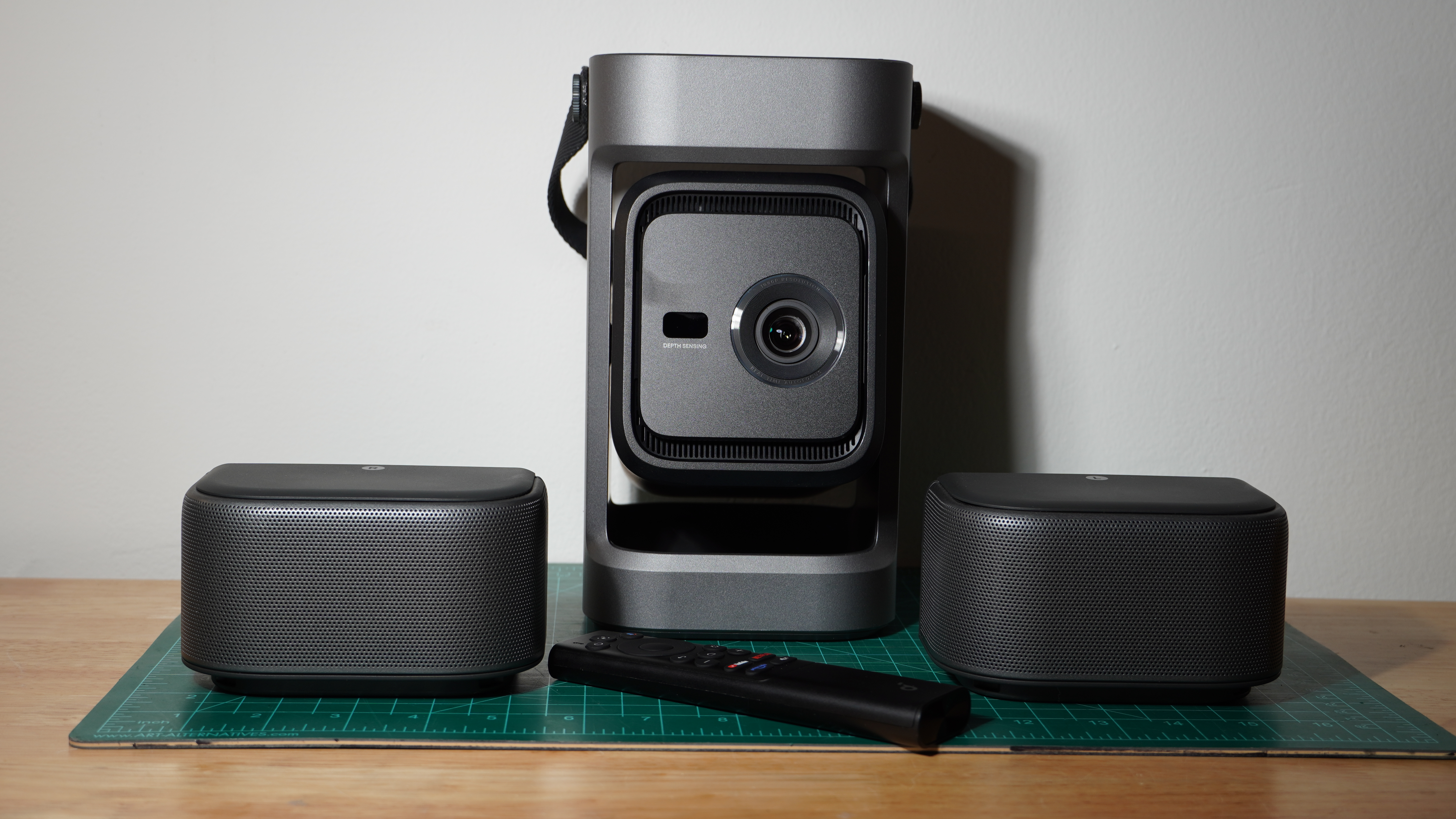
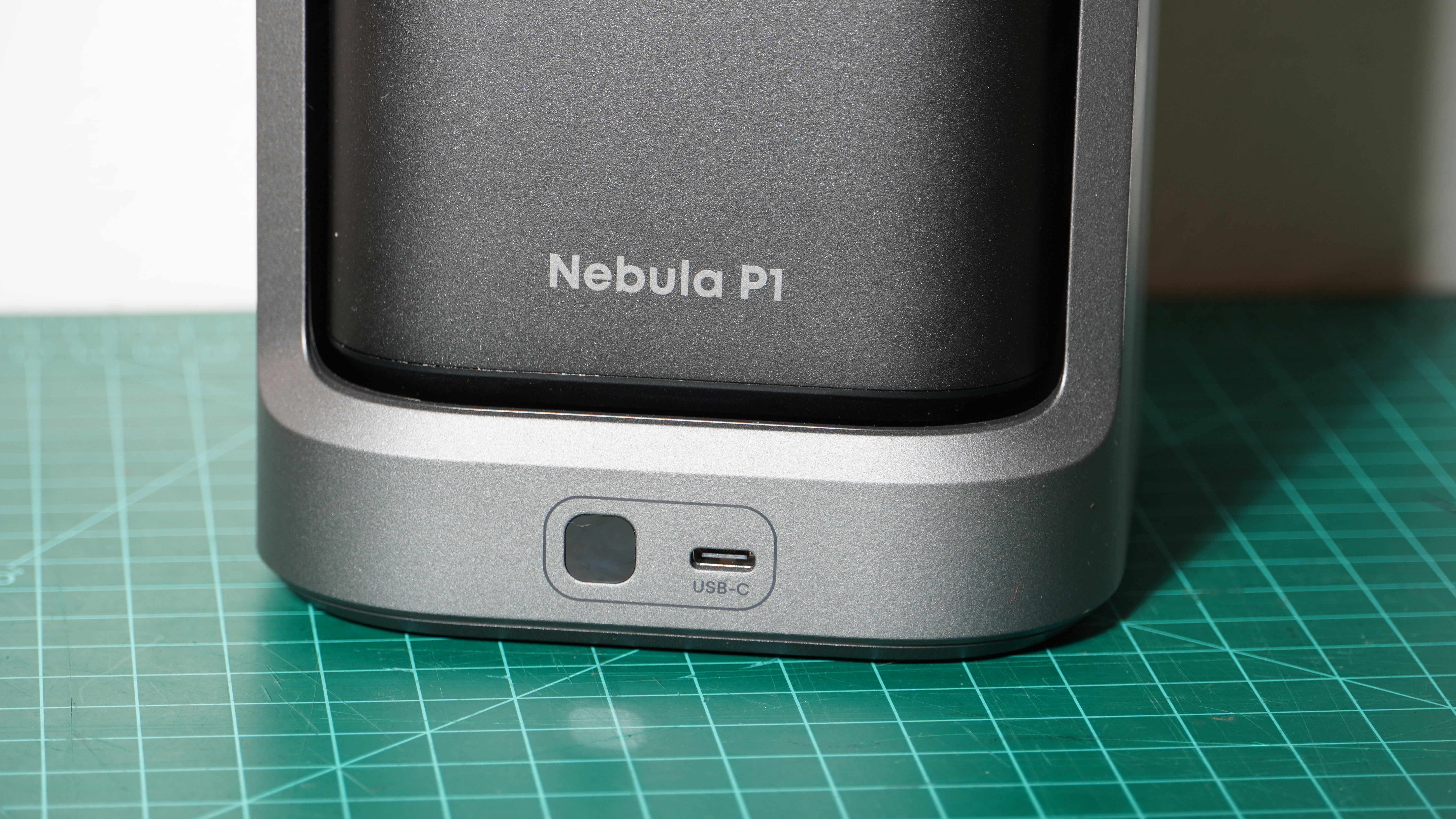
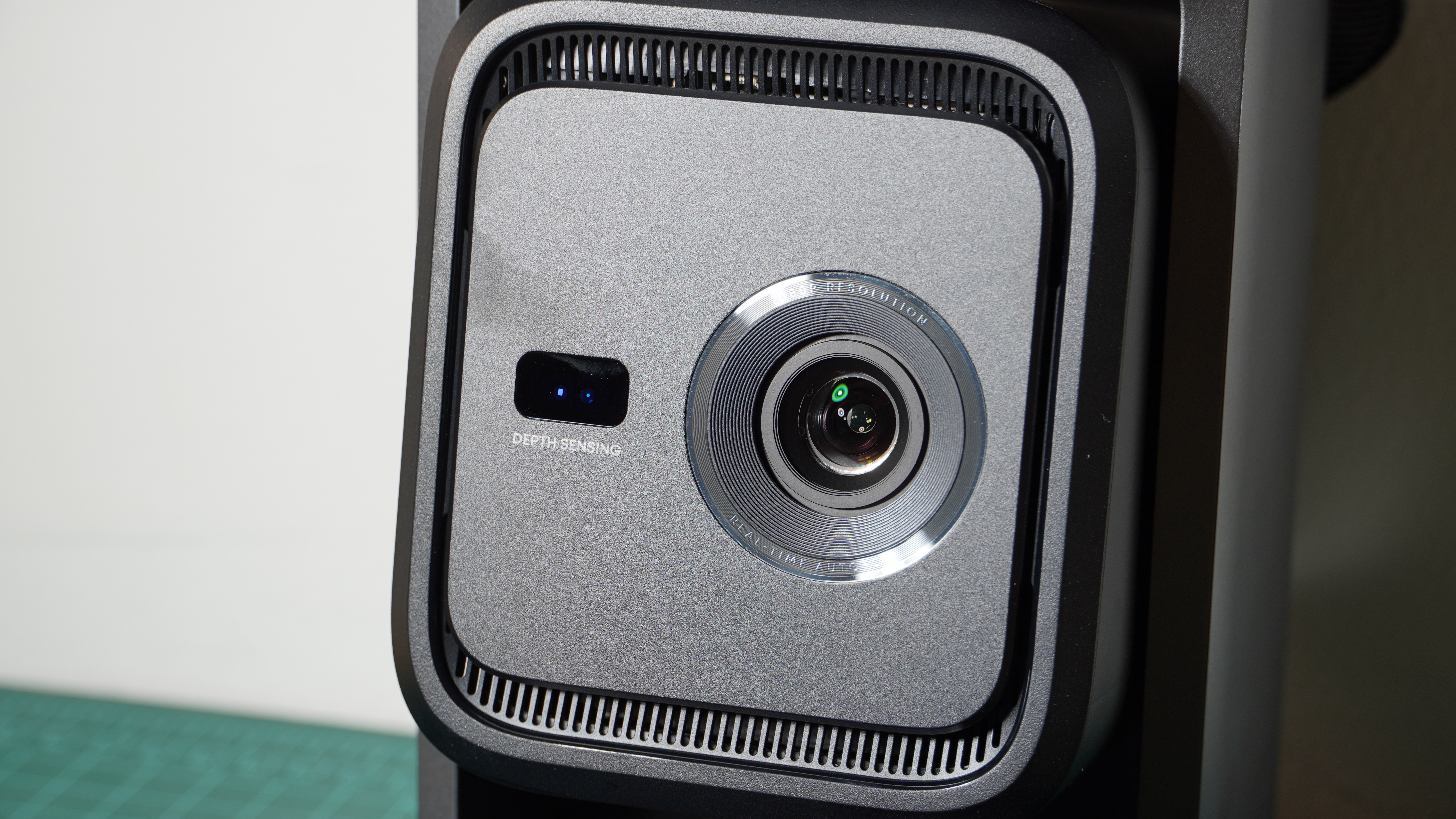
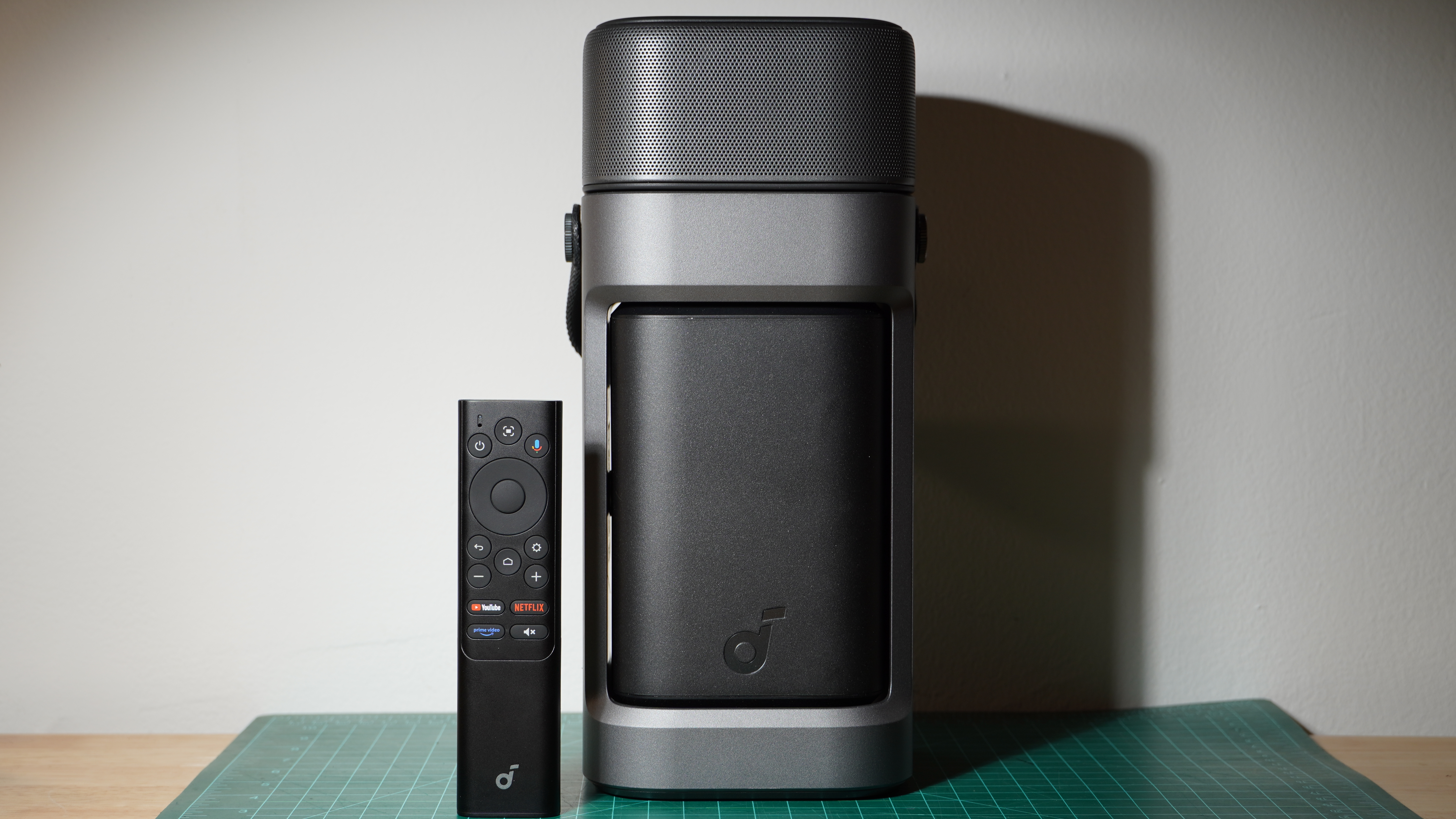
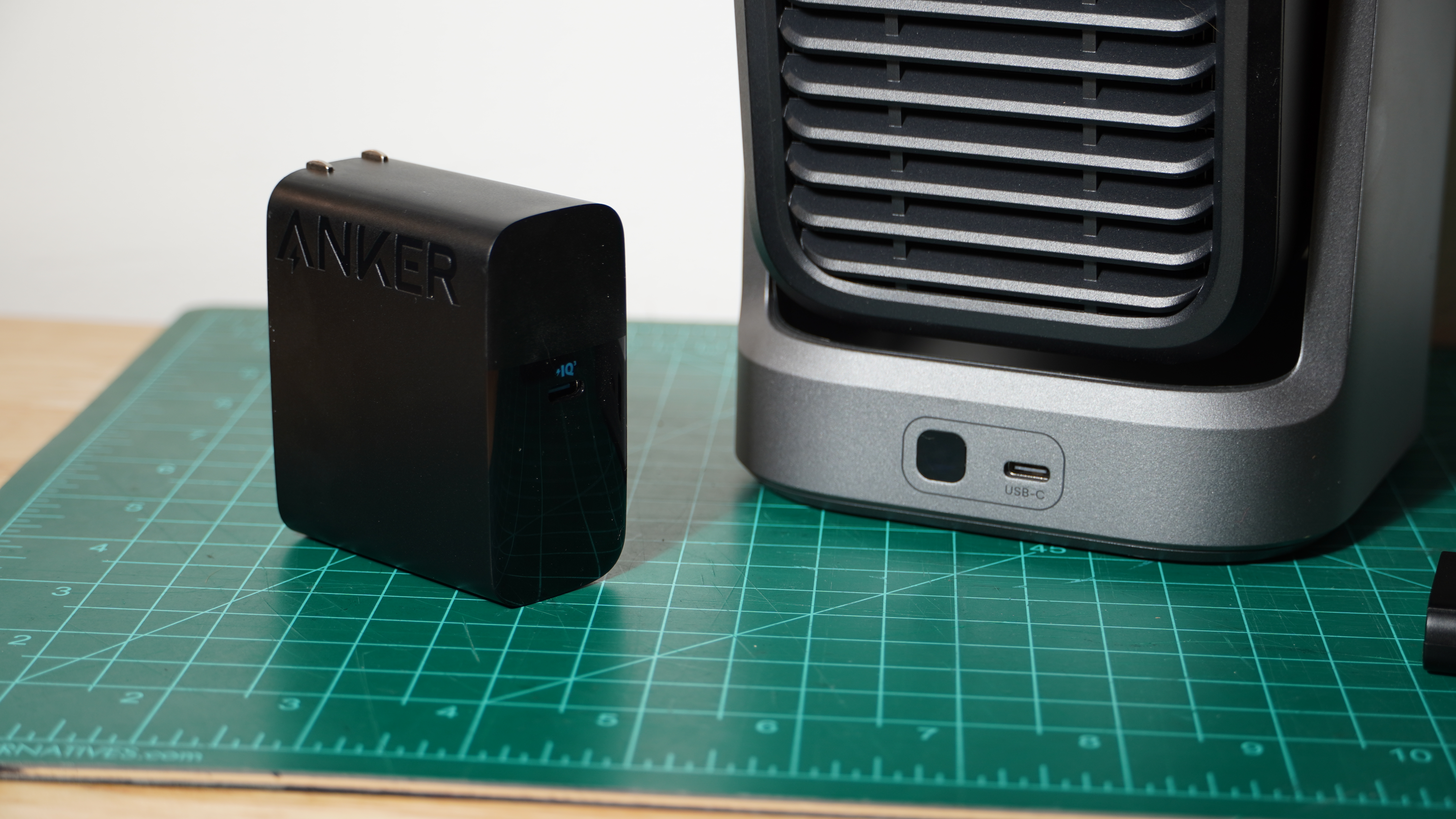
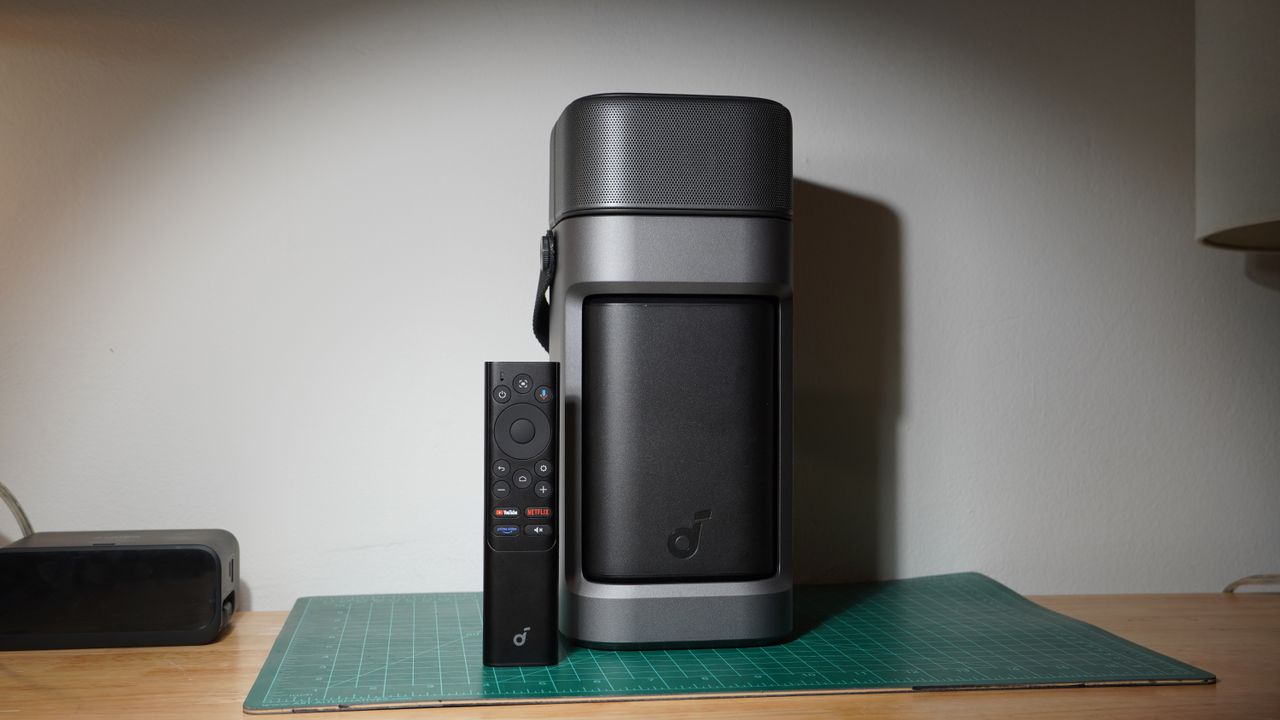
It’s a funky little projector. The whole unit comes together in a little column just about five inches / 127mm wide and deep and under a foot / 300mm tall. The actual projection unit sits within a frame and swivels vertically to untuck, revealing its lens in the front and its HDMI, USB-A, and 3.5mm ports on the rear. It keeps power separate, coming through a USB-C port at the base of the frame via an included Anker power brick (it can also work with separate power adapters of high enough wattage).
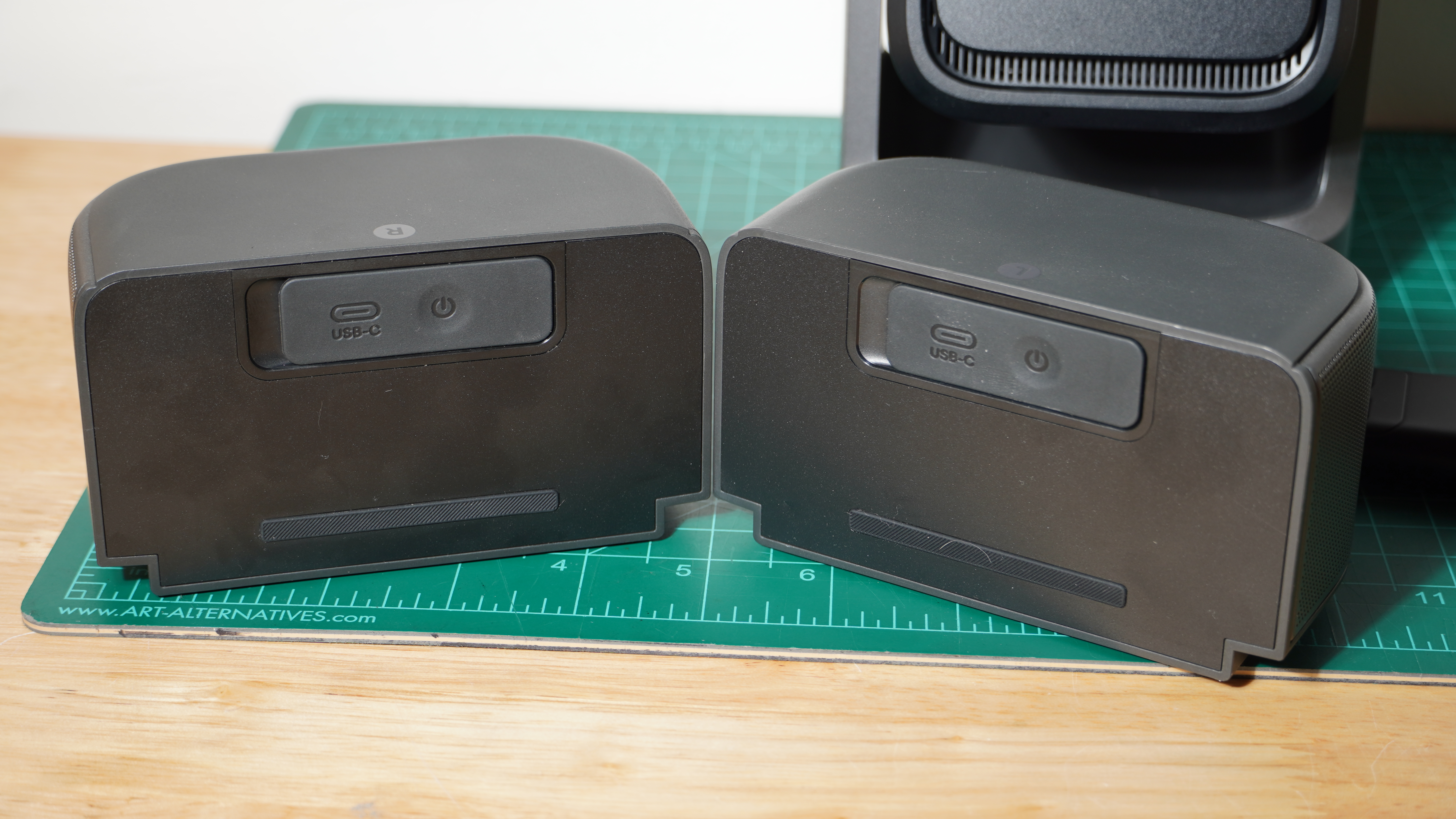
The top of the projector holds two small speaker units. These are rather loosely secured with small clasps at each corner controlled by a small switch on the back of the unit. They haven’t fallen loose during testing, but they might if you tried to carry the projector by the speakers. Fortunately, with its built-in carrying strap, the Nebula P1 is easy to tote.
Once you’ve plunked the Nebula P1 down, you just aim the projection where you want it, and then grab the wireless speakers and set them in ideal positions for quality stereo audio — something that’s sorely lacking in this kind of projector despite claims otherwise.
The projector has Google TV built in, so it doesn’t need to rely on an external HDMI source. And the 20-hour battery life of the speakers should get you through some epic binge watching. With IP33 protection on the projector and IP54 on the speakers, you can even set up outdoors without worrying about a few stray raindrops ruining the show, though you’ll still want to guard your power source.
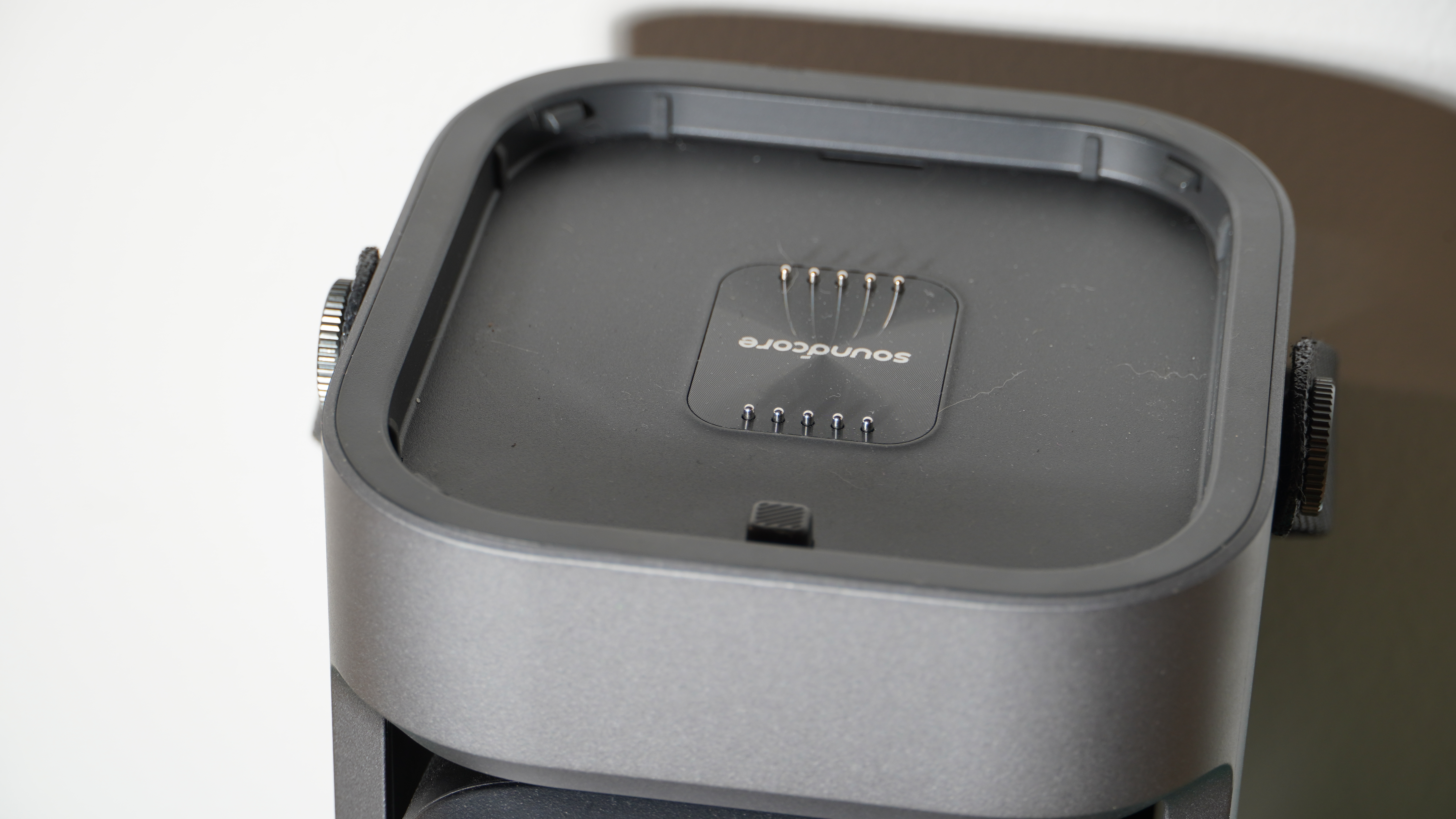
When you’re done watching, the projector can fold back up. The speakers can plop back onto the top where they’ll charge via pogo pins, and you’re good to go. Also, as the speakers automatically sleep when the projector shuts down, they won’t just die if you ever forget to put them back on the charging pad. They also have USB-C charging ports as a backup. And, yes, they still work if they’re on top of the projector.
Unfortunately, they do slowly drain over time and the pogo pins aren’t perfectly reliable. After letting them sit for a longer time on top of the projector, I came back to watch something and found that one of the speakers had not recharged and was dead.
There are a few small gripes with the design of this system. For one, it makes a common mistake of gimbal-mounted projectors: ignoring other necessary corrections. It’s easy to aim the projector vertically, but if it’s sitting on a sideways slant, however subtle, there are no feet to adjust and correct this.
The frame also stands in the way of being able to point the projector straight up at ceilings. Putting the HDMI port on the back of the projection unit rather than the frame, while likely done to simplify internal circuitry, means the cable can push on the unit and shift its angle. The speakers also don’t clearly indicate when they’ve securely latched back into place.
Aside from the gimbal and focus, the Nebula P1 relies on digital image adjustments. That is to say, if you need to make corrections like keystone, zoom, or rotation, you’ll be forced to crop the projection.
The Nebula P1 supports fairly extensive adjustments, but since they reduce usable pixels, it’s best to find a setup that requires as little adjustment as possible. While a lot of projectors will try to do extensive correction and framing automatically with a front-facing camera, the Nebula P1 only does keystone and focus, relying on a user’s phone camera and app connection for any further automatic correction.
A compact little unit, the Nebula P1’s remote control offers standard Google TV controls and shortcuts to YouTube, Netflix, and Prime Video. Conveniently, it has a motion sensor that illuminates many of its face buttons automatically, which really helps in the kind of dark environment you’ll be using a projector.
- Design & features score: 3.5/5
Soundcore Nebula P1 review: Picture quality & performance
- Decent picture with the right setting
- Intelligible audio with a (potentially) wide soundstage
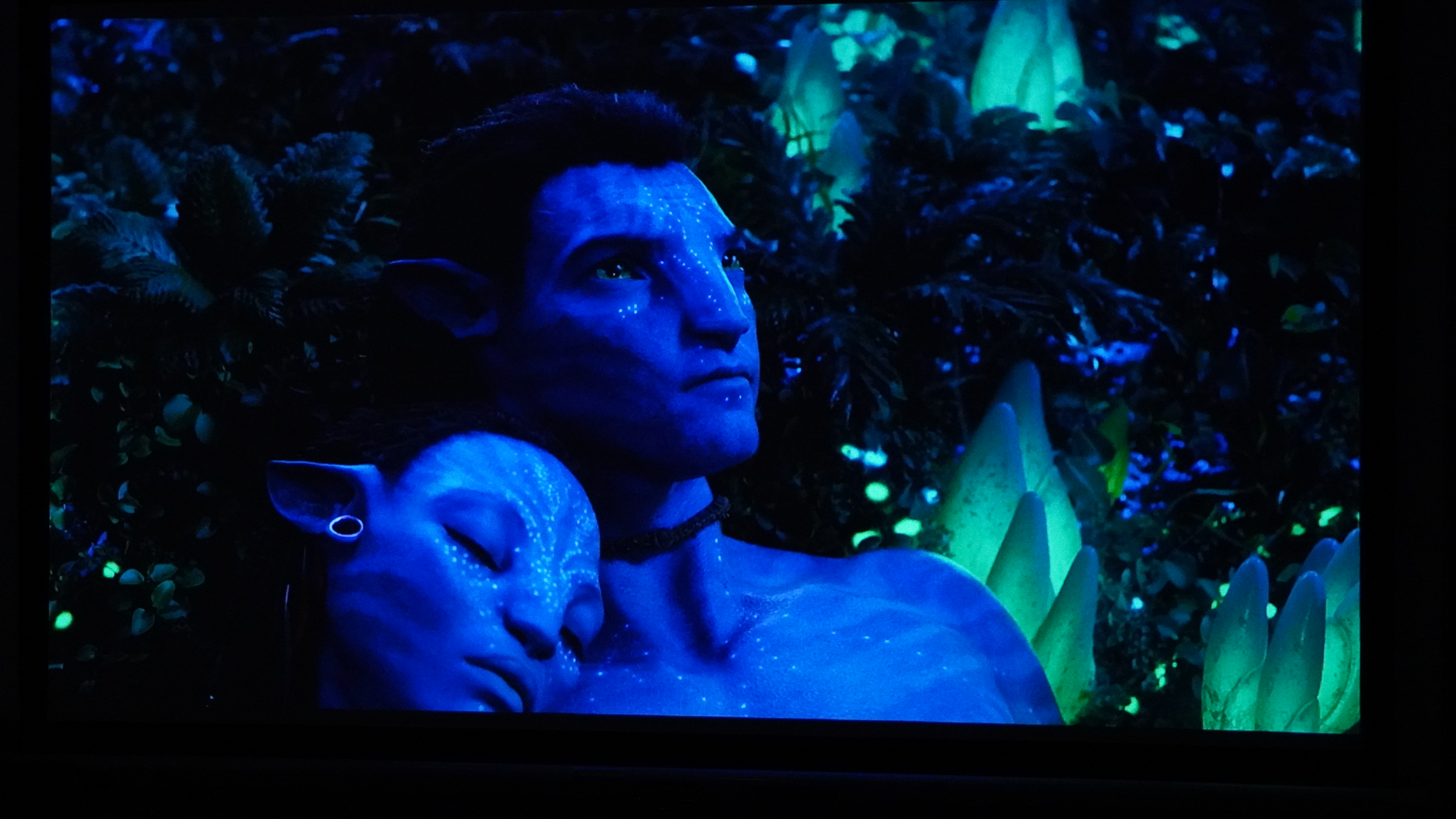
The Soundcore Nebula P1 may not have the specs to compete with the movie theaters, but it serves up a respectable picture for some fun at-home watching or outdoor movie night setups.
It’s not super bright, so it really calls for dim or completely dark spaces for the best experience, but you can get by watching bright and colorful content even with some ambient light in the room. HDR content can even pop in a dark environment. The projector’s color is solid and most things look lifelike without oversaturation. It doesn’t match the range covered by triple-laser projectors, but it’s not altogether disappointing. For a projector of its price, the Nebula P1 performs pretty well.
Perhaps its biggest setback is its 1080p resolution, which is exceedingly common in projectors under $1,000. If you go too large, much past about a hundred-inch image, you can start to see the gaps between the pixels with a screen door effect that is all the more prominent on bright pictures. But as long as you don’t project too big an image or sit too close, that’s also a setback that’s easily avoided.
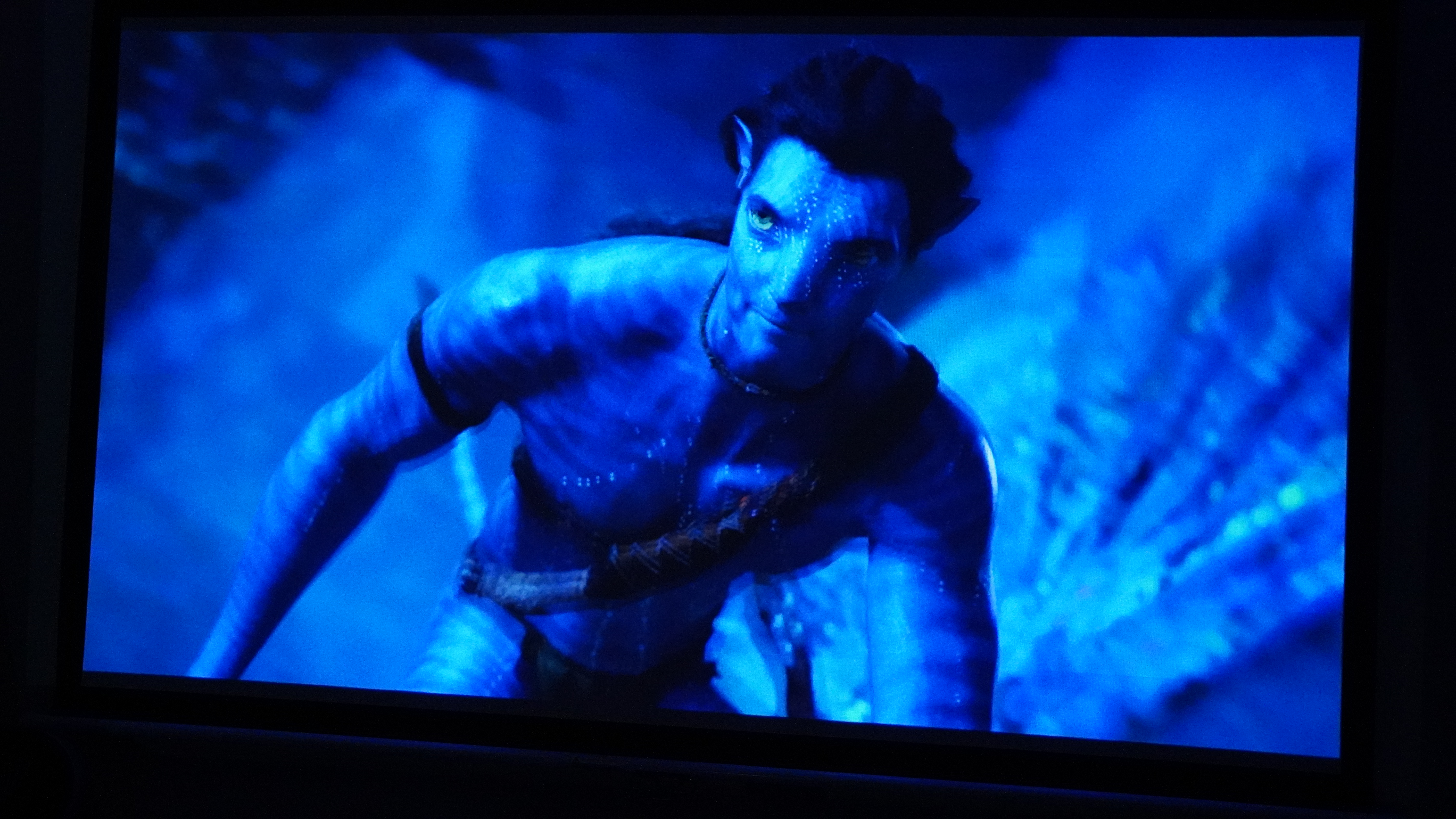
By default, the projector has a few regrettable behaviors, but these can be tamed. Firstly, almost every picture profile has poor-looking motion interpolation enabled. While this usually looks bad enough, it’s especially bad here because the processing isn’t quite up to the task of quality interpolation. Films and animation immediately look better with this disabled.
The projector also shows a tendency to over-sharpen to make up for its 1080p resolution. This isn’t always apparent, but when the projector displays scenes with lots of fine details — building textures, hair strands, and the like — there’s a lot of visible and distracting aliasing. Dialing down the sharpening to level ‘4’ thoroughly improved this without creating too soft a picture.
The NebulaMaster picture preset might seem like it should be the ideal one, but it has a knack for taking the issues I found and wrapping them all into one. The projector performs much better in the Movie setting.
Unfortunately, the contrast isn’t stunning. Black levels don’t sink to a pitch black or even close to it. You’ll just see a hazy gray in large black areas, which makes dark, night scenes look a fair bit poorer than brighter ones. That’s not uncommon for budget projectors, and even premium models can struggle with black levels.
Gaming performance is also mixed. Using the projector’s special gaming picture mode, input latency is very low, making it easy enough to play fast-paced games like Hades without issue. That said, the game mode doesn’t allow for digital image correction, and thus undoes any keystone and zoom. In any other picture mode, correction is allowed, but input lag is plain as day and won’t make for a good experience outside of games that don’t require quick reaction.
Moving onto sound, the speakers focus highly on the mids, which helps ensure speech is intelligible. But explosive bass depth is off the cards, and music lacks fullness, while the sound profile can be a bit harsh sometimes with a little extra sibilance. On the plus side, thanks to the ability to spread the speakers out as much as you want, it’s possible to get a very wide soundstage. The speakers can also operate sitting atop the projector, but then you’ll miss out entirely on decent stereo.
- Picture quality & performance score: 4/5
Soundcore Nebula P1 review: Value
While the Nebula P1 serves as something of a small analog to the Nebula X1 Pro, it doesn’t quite break the bank in the same way at just $799 / £699 / AU$1,299. This puts it on the affordable side of the market, and it does a fair bit for a model in this range. With serviceable brightness, a neat audio trick that avoids being gimmicky, and useful portability, it brings plenty to the table for the money.
Ultimately, the portability and sound are what help pull it away from other competitors that can do more in delivering a solid picture without costing much more.
JMGO has a fleet of projectors that have been enjoying steep discounts, making a projector with 4K visuals, the wide color gamut of RGB lasers, and substantial brightness all attainable for $1,000. But the easy portability, ability to run on USB power, and wide soundstage possible from wireless satellite speakers set the Nebula P1 apart.
- Value score: 4/5
Should I buy the Soundcore Nebula P1?
|
Attributes |
Notes |
Rating |
|---|---|---|
|
Design and features |
The Nebula P1 is nifty with the way it integrates all its little elements. It’s not too sparing on features, and it’s conveniently portable. A little sleeve to carry the charger and remote and to better protect the whole unit on the move would have been a plus, as would a strong clamp for the wireless speaker. |
3.5/5 |
|
Picture quality and performance |
The Nebula P1 offers a good level of brightness, satisfying color, and a sharp enough picture for casual viewing at up to 100 inches. For the money, it’s quite respectable. The picture benefits from some quick adjustments, as the defaults have glaring issues, but there’s not too much fuss. |
4/5 |
|
Value |
The Nebula P1 brings a lot to the table for $799 / £699 / AU$1,299, and even more when considering frequent discounts. With decent visuals, useful satellite speakers, and portability, it’s a nice little bundle. |
4/5 |
Buy it if…
You want wide stereo everywhere you go
The wireless speakers of the Nebula P1 are more than a gimmick. They really make shows and movies more immersive than typical projector speakers. Plenty of projectors offer portability, but few have this trick for quality stereo sound.
You want an on-the-go system with flexibility
With its carrying handle, wireless speaker system, and the ability to run on various USB-C power sources, the Nebula P1 is a more compelling on-the-go projector than a lot of its competition.
You might get caught in the rain
While there are a lot of projectors that can compete with the Nebula P1’s visuals, not a lot of them are as ready to risk a few raindrops. The Nebula P1 has enough water protection to let you relax a little bit while watching outside even when the forecast calls for a chance of rain.
Don’t buy it if…
You want a massive, stunning picture
With limited brightness and 1080p resolution, the Nebula P1 just isn’t ready to drop jaws displaying a large picture. For that, you’ll likely want more than double the brightness and 4K resolution.
You already have decent speakers
A lot of Bluetooth speakers will let you link them into a stereo pair, and if you’ve already got a good set, there’s a good chance they’ll be competitive with the P1’s speakers. In that case, you can put your money toward a projector that’s more focused on quality visuals and less on sound.
You’re planning on a permanent, indoor setup
The Nebula P1 has put a lot of effort into its portability and outdoor worthiness. If you’re not looking to take advantage of that, your money can go further with a different projector.
Soundcore Nebula P1 review: Also consider
|
Soundcore Nebula P1 |
JMGO N1S |
Samsung The Freestyle 2nd Gen |
JMGO N1S Ultra 4K
|
|
|---|---|---|---|---|
|
Price |
$799 / £699 / AU$1,299 |
$999 / £799 (around AU$1,130) |
$799 / £649 / AU$1,302.85 |
$1,999 / £1,478.70 / AU$2,999 |
|
Screen sizes supported |
Up to 180 inches |
40 to 180 inches |
30 to 130 inches |
85 to 180 inches |
|
Brightness (specified) |
650 lumens |
900 lumens |
230 ANSI lumens |
2,400 ANSI lumens |
|
HDR support |
HDR10 |
HDR10 |
HDR10+, HLG |
HDR10, HLG |
|
Optical technology |
4-LED DLP |
3 Laser DLP |
LED DLP |
RGB Laser DLP |
|
Smart TV |
Google TV |
Google TV |
Tizen |
Google TV |
|
Connections |
1x HDMI 2.1 ( with eARC), 1x USB-A , 1x 3.5mm |
HDMI 2.1 ( with eARC), 1x 3.5mm |
Micro-HDMI, USB-C (power) |
HDMI x2 (x1 eARC), USB-A (power), 3.5mm |
JMGO N1S
If you already have speakers you like (or a pair of stereo-capable Bluetooth speakers), you can get a more exciting picture from the JMGO N1S. It’s a bit brighter and looks all the more gorgeous thanks to its RGB laser projection, even if it’s still just 1080p. That said, finding one is hard, and a 4K version with a bunch of other enhancements is also available for under $1,000 (see below).
Samsung The Freestyle 2nd Gen
Samsung has shown a knack for flexibility, and The Freestyle 2nd Gen is good in that regard. But the Nebula P1 takes the lead on brightness, sound, and easy-of-use, even if it won’t be so easy to power off a battery. Read our full Samsung The Freestyle 2nd Gen review
JMGO N1S Ultra 4K projector
This is the real threat to the Nebula P1. While the JMGO N1S Pro had a $1,999 price when it launched, it has seen that price drop by over 50%. At that price, it’s wild to see bright, RGB laser projection and a 4K picture. It’s not as portable since it requires AC power, but it does include a carrying case. And for image quality, it’s leagues better. Read our full JMGO N1S Ultra 4K projector review.
How I tested the Soundcore Nebula P1
- Tested at home in multiple, real-world viewing conditions
- Presented the display with a variety of media and formats
- I have tested numerous projectors and displays over the last half-decade
I tested the Soundcore Nebula P1 at home, in real-world conditions. This saw it faced with ambient light coming in from numerous windows, in-room lighting, as well as ambient noise that both the projector and speaker systems had to overcome.
The projector was tested both against a bare, white wall and an Akia Screens CineWhite screen. It was presented with streamed content, HDR and non-HDR, and PC gameplay.
My testing evaluates the projector’s performance with respect to its price and competition from other models colleagues at TechRadar and I have tested.
I have been testing projectors since 2021 and displays for even longer.
- First reviewed: August 2026
- Read TechRadar’s review guarantee
“}]]
 The Soundcore Nebula P1 combines modest projection, a unique wireless sound system, and a portable design to prove a worthy option among serious competition. Read More Latest from TechRadar US in Reviews