
[[{“value”:”
Bigme B6 Color: Two-minute review
If you’re looking for a cheaper Kindle Colorsoft alternative, then there’s a strong chance you’ll come across the Bigme B6 Color.
This ereader is cheaper but still boasts a six-inch color e-ink screen, 64GB of storage, and 4GB of RAM paired with a MediaTek Helio P35 processor.
That’s an entry-level smartphone SoC from 2018 and would be a poor choice for a standard tablet, but it is actually pretty powerful for an ereader, being significantly faster than the chip found in the Colorsoft or other similarly priced competitors like the Kobo Clara Color.
The Bigme B6 Color needs that added juice because, unlike mainstream options, it runs on a modified version of Android 14 like a standard tablet rather than a locked-down custom OS.
This means you can expect oodles of added functionality like downloading apps from the Google Play Store or reading online articles in the surprisingly capable web browser. If, like me, you’re coming over from a Kindle, you’ll still be able to access your entire library via the Kindle App in addition to exploring new options like Kobo Books or Google Play Books.
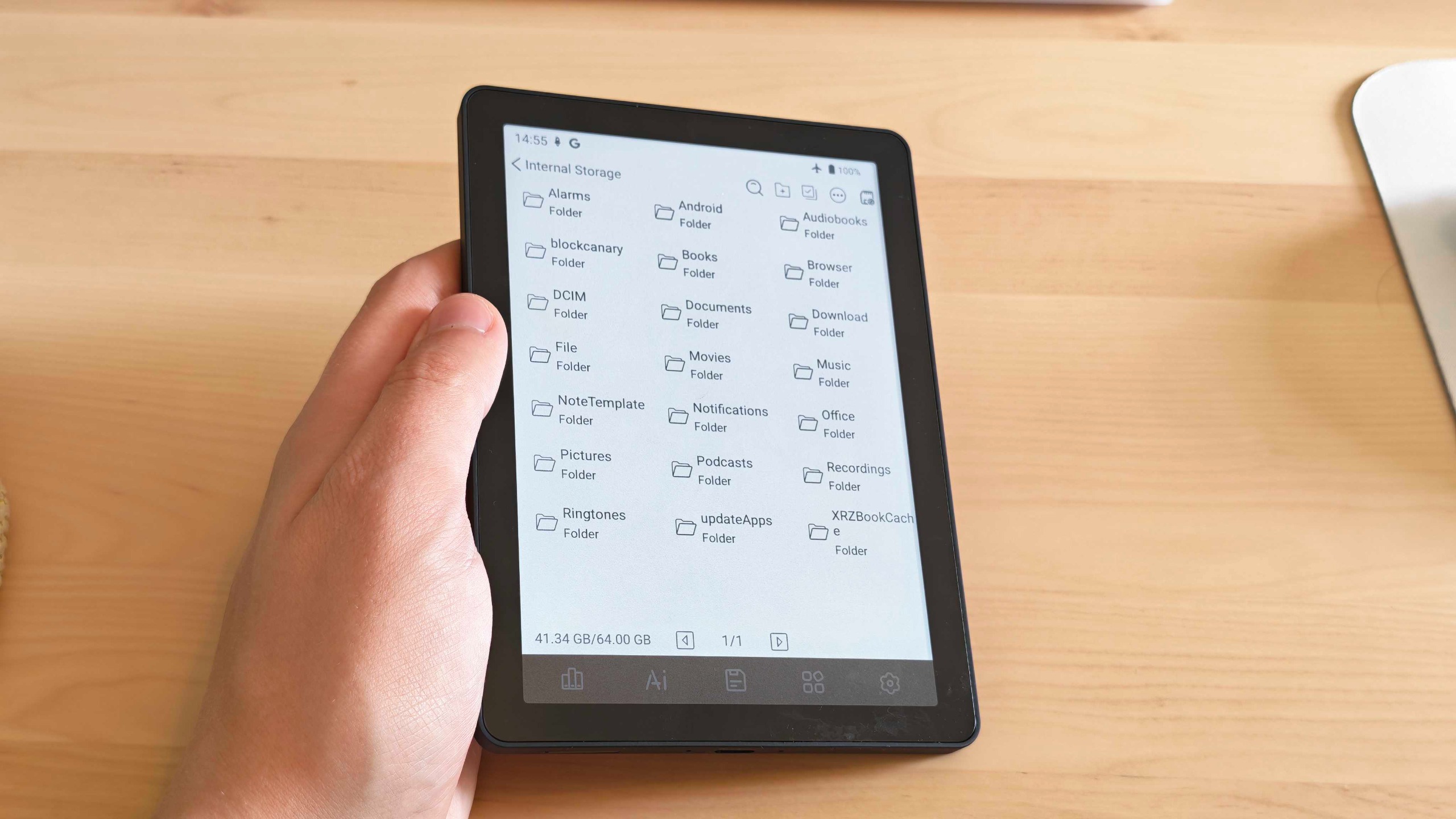
The freedom of Android means getting your own ebook files on the Bigme B6 Color is a breeze via the included Type-C cable or by making use of its microSD card slot.
The Bigme B6 Color also boasts a little mono speaker. It’s a bit tinny, but it means you can use the device to listen to audiobooks and podcasts in a pinch. It’s impressively versatile, and all of this functionality is packed into a sleek and premium form factor that is easily pocketable and can be used one-handed.
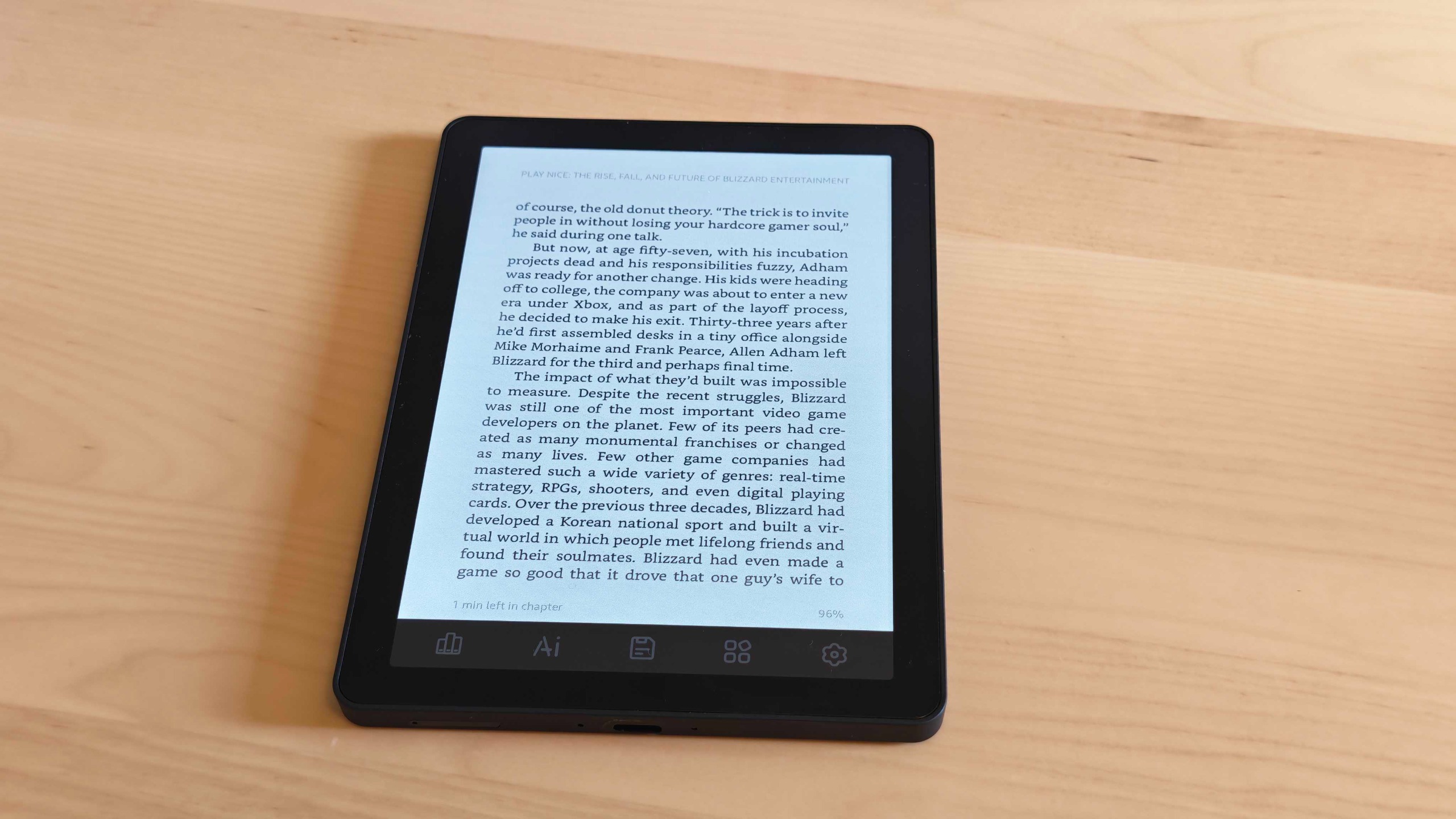
But what’s the reading experience actually like? Text is sharp, and there is minimal ghosting when flicking between pages, so novels are a breeze — even at night, thanks to a backlight with a good level of brightness and adjustable warmth levels.
I’ve had a perfectly pleasant experience with comic books and manga as well. Monochrome illustrations look pin sharp, while the color screen elevates color splashes. I do wish the colors were a little richer, though, as they’re slightly more washed out than on the Colorsoft.
It’s sometimes spoiled by the many bugs in the operating system, but the biggest issue with the Bigme B6 Color is undoubtedly its battery life. Android is much more power-hungry than most ereader operating systems, and it really shows here. With the brightness cranked up, the battery meter steadily ticks down with every page turn.
I managed to squeeze only about five hours out of a single charge flicking through manga on the Kindle app. That was closer to ten hours for a basic PDF novel stored in the system files, which would at least see you through a full week of reading, but it’s still a fraction of the multi-week usage a Kindle Colorsoft or Kobo Clara Color would give you.
To make matters worse, the battery life drops quickly when the ereader isn’t even in use. Tossed in my bag with its screen off, it lost about 10% charge each day, so you’re forced to shut it down fully every time you put it away or risk sitting down for a long train ride and finding it out of juice (something that happened to me more than once in even my relatively short testing period).
Bigme B6 Color review: Price & availability
- Costs around $179 / £149 / AU$280
- Available via the Bigme website and other retailers
- Comes with a case
At the time of writing, I can find the Bigme B6 Color on sale for around $179 / £149 / AU$280. You can find it on the Bigme website in all regions. Shoppers in the US can also find it at Amazon and Newegg, while in the UK it’s also available via JoyBuy. In Australia, you can find it on AliExpress too.
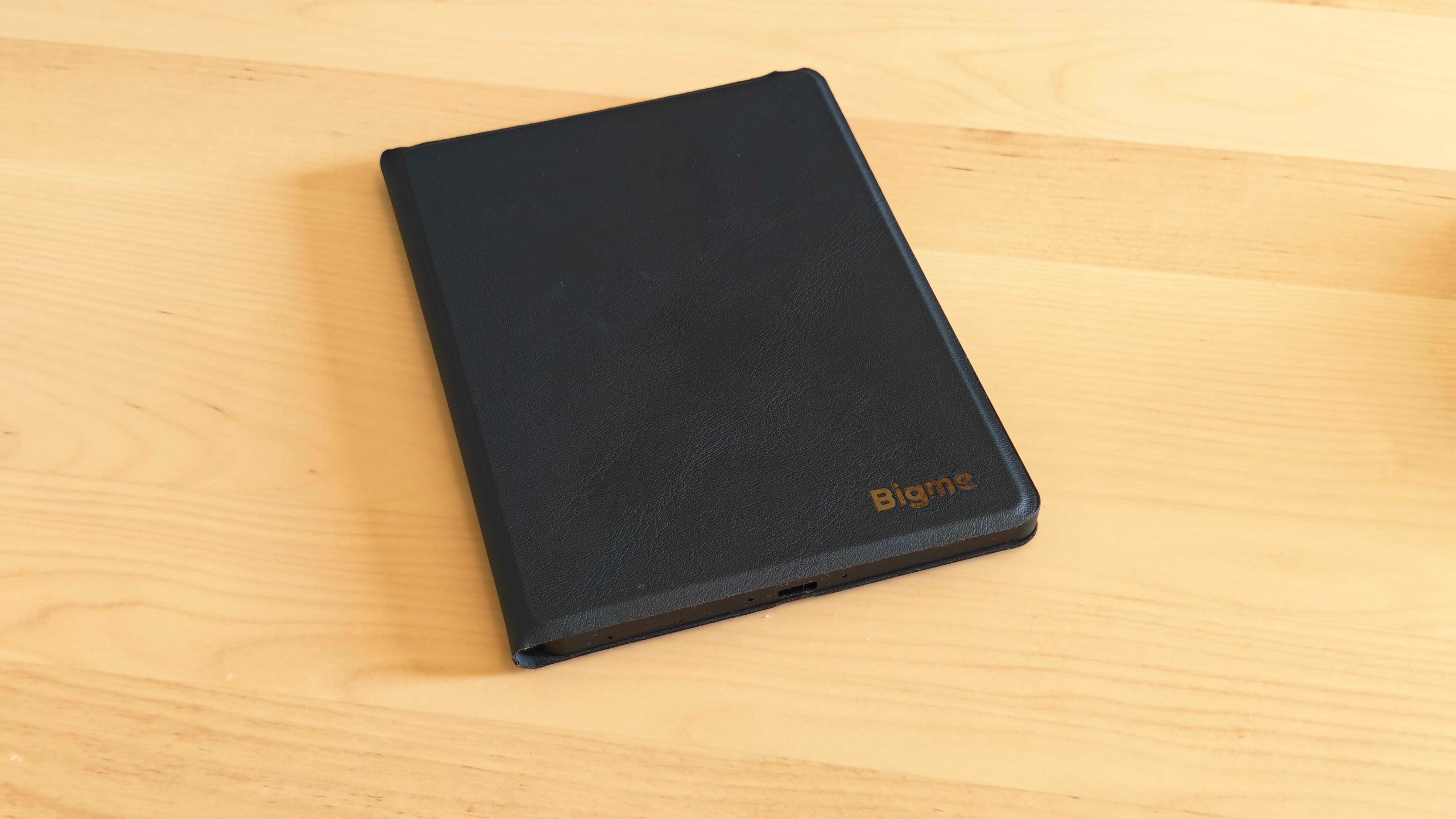
There are three colors available: black, white, and light green. It also comes bundled with a magnetic protective case. It’s a nice case too; my review unit came in black with a navy one, and it attaches neatly to the back via strong magnets and puts the ereader to sleep when closed.
The Bigme B6 Color comes with 64GB of storage, and the value is extremely strong when you consider that the Kindle Colorsoft costs $279.99 / £269.99 / AU$449 for just 32GB of storage and doesn’t come with a case.
- Value score: 4.5/5
Bigme B6 Color review: Specs
|
Display type: |
Kaleido 3 Color E-Ink |
|
Screen size: |
6-inch |
|
Resolution: |
300ppi in B&W; 150ppi in color |
|
CPU: |
MediaTek Helio P35 |
|
Frontlight: |
Warm and cold |
|
Storage: |
64GB (expandable) |
|
Battery: |
2,100 mAh |
|
Speaker: |
Mono |
|
Water protection: |
None |
|
Software: |
Android 14 |
|
Connectivity: |
WiFI, Bluetooth |
|
File support: |
Epub, PDF, etc. |
|
Dimensions: |
108 x 149.3 x 6.98mm (4.25 × 5.88 × 0.27 inches) |
|
Weight: |
~176g (~6.2oz) |
Bigme B6 Color review: Design & display
- Compact and lightweight
- Color display
- Physical buttons… sort of
The Bigme B6 Color is sleek and compact at 108 x 149.3 × 6.98 mm (or 4.25 × 5.88 × 0.27 inches). It’s easy to slip into a pocket or bag.
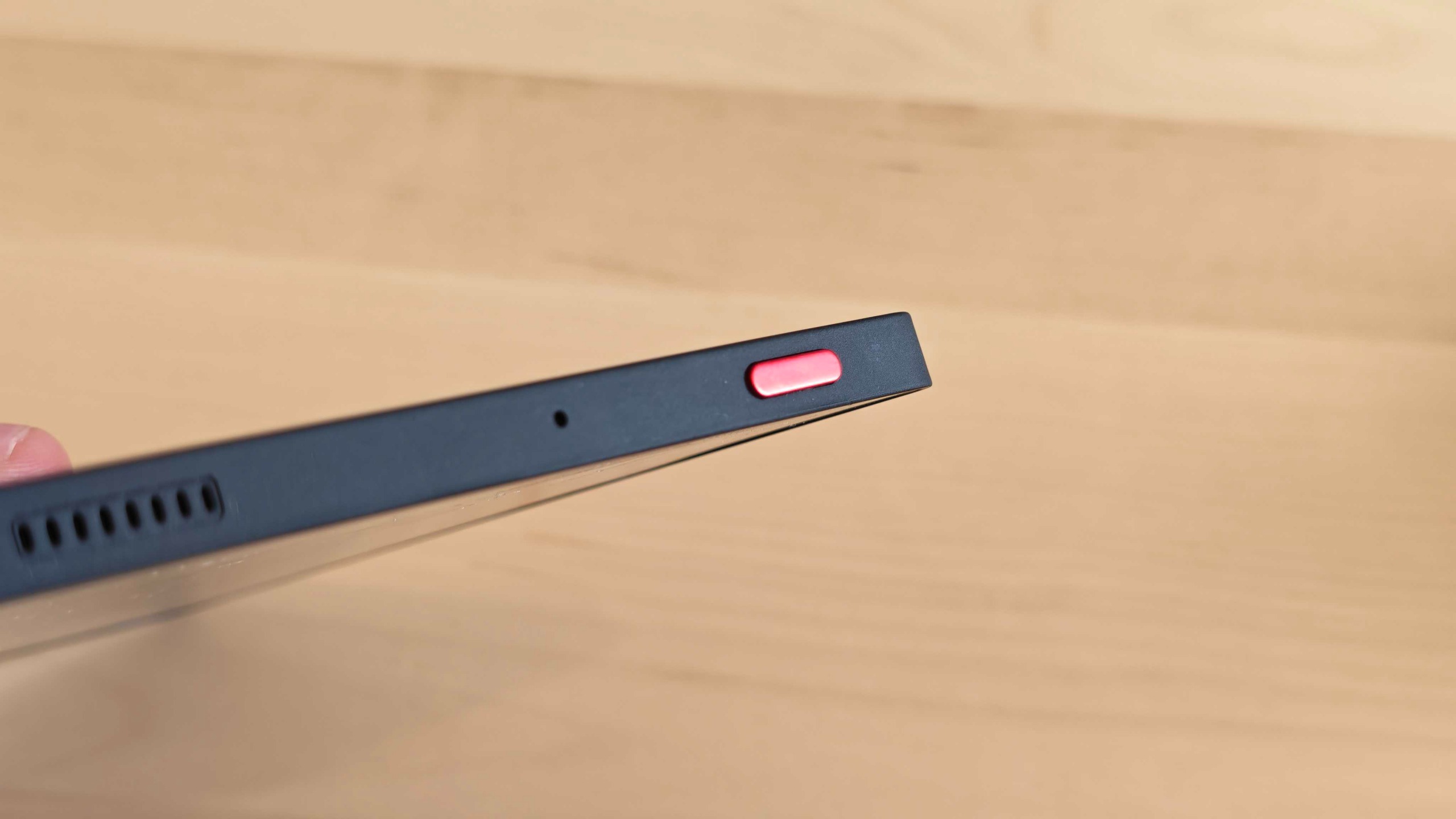
The back and sides are a matte plastic material that feels pleasant in the hands, while the bezel around the screen is shinier and smoother. The black model that I’ve been testing is quite plain-looking aside from a silver Bigme logo on the rear and a red power button.
If you look closely at the top, you’ll see a small grille for the speaker and a microphone hole. Flipping it over to the bottom reveals the USB Type-C charging port, a small LED charging indicator, and a slot for the microSD card.
Given that Bigme is a smaller brand, I’m really impressed with the build quality overall.
It’s lightweight at under 200g / 7.1oz but reassuringly solid in the hands. The materials used feel equivalent to those by Amazon or Kobo-maker Rakuten — something really worth commending given just how much cheaper the Bigme B6 Color is than those brands’ equivalent models.
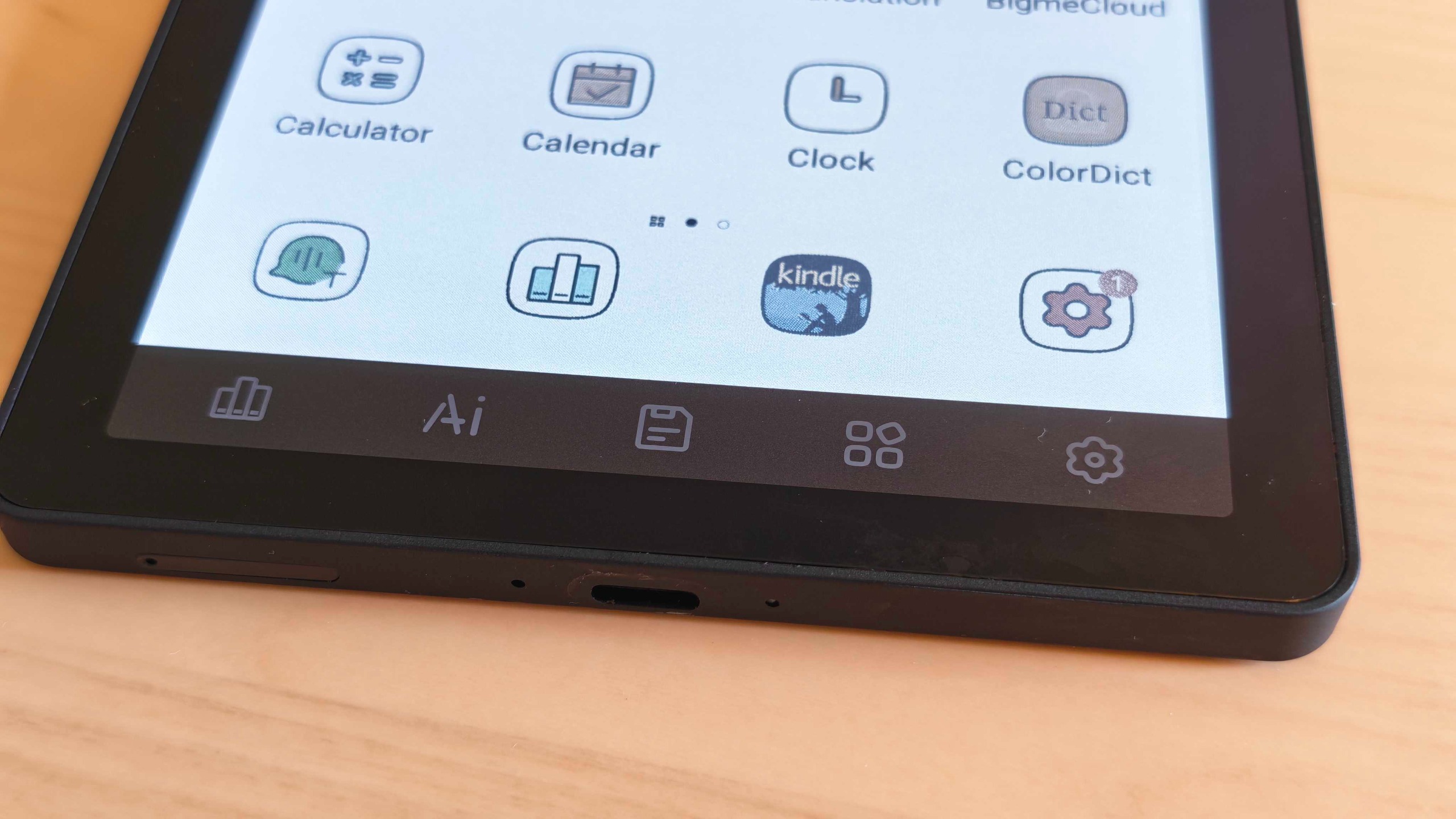
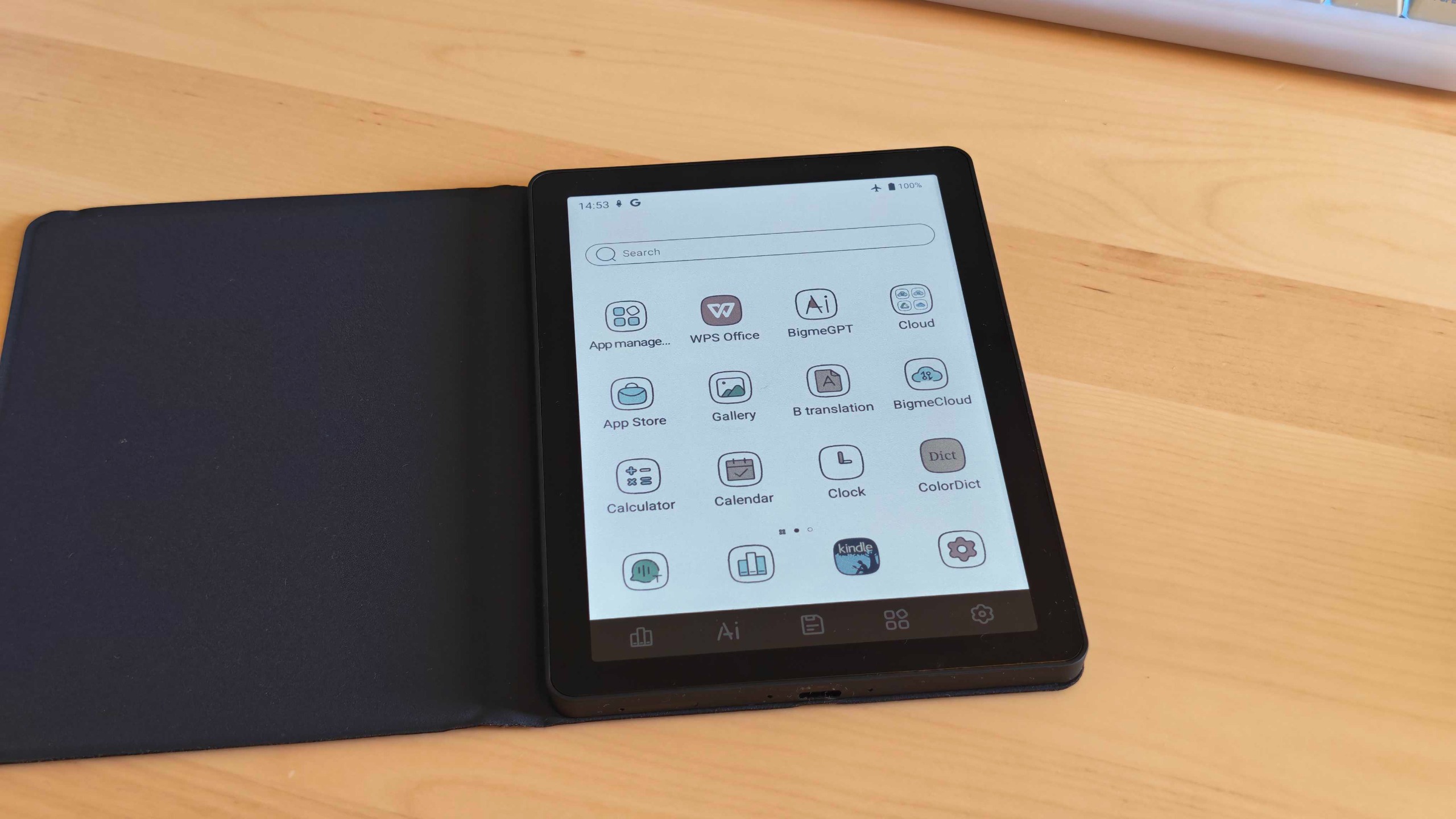
The ereader’s six-inch color e-ink display sits above a little row of grey buttons. These aren’t proper buttons in the traditional sense, and they don’t click like those of a Kindle Oasis. Rather, they’re little shortcuts printed on the screen that are tied to certain system apps.
The first opens your library, which shows any ebooks or PDFs you have saved on the device’s storage. The next is an AI button tied to BigmeGPT, an AI assistant of questionable value, but I’ll get on to that in more detail later.
The middle one opens the file manager, and the next takes you to the home screen. The fifth and final button is a settings shortcut.
I’m in two minds about these. On the one hand, some of them are useful to have, like the home screen button or library shortcut, but others, like the AI button, haven’t been pressed more than once or twice in my entire time testing the device.
I couldn’t find a way to rebind the buttons in the system settings, sadly, though even if you could, you would still be stuck with the printed icons.
- Design score: 3.5/5
Bigme B6 Color review: Android software & apps
- Freedom of Android
- Google Play Store access
- Stock apps are poor
Unlike a conventional ereader, the Bigme B6 Color runs on Android 14 and comes with the Google Play Store installed. This allows you to download a wide range of Android apps, all the way from chat services like Discord to social media apps such as Instagram and Facebook, or even some games.
Of course, the screen is a major limitation, and although you can technically watch the latest TechRadar YouTube video on your device, the low refresh rate makes for a pretty unpleasant experience.
That said, Android has some big advantages, namely allowing you to download a wide range of ereader apps. The Kindle app, for example, works fantastically and delivers a comparable experience to using an ereader made by Amazon. Favorites like Libby, which lets you access books from local libraries, are accessible too, and you can even use the ereader’s web browser to download files directly from sites like Internet Archive. Audiobook and podcast apps are also excellent.
The freedom is fantastic and will be a breath of fresh air if you’re used to locked-down ecosystems.
This isn’t a stock version of Android, though. Everything is wrapped in a custom skin created by Bigme, and it’s far from a smooth experience.
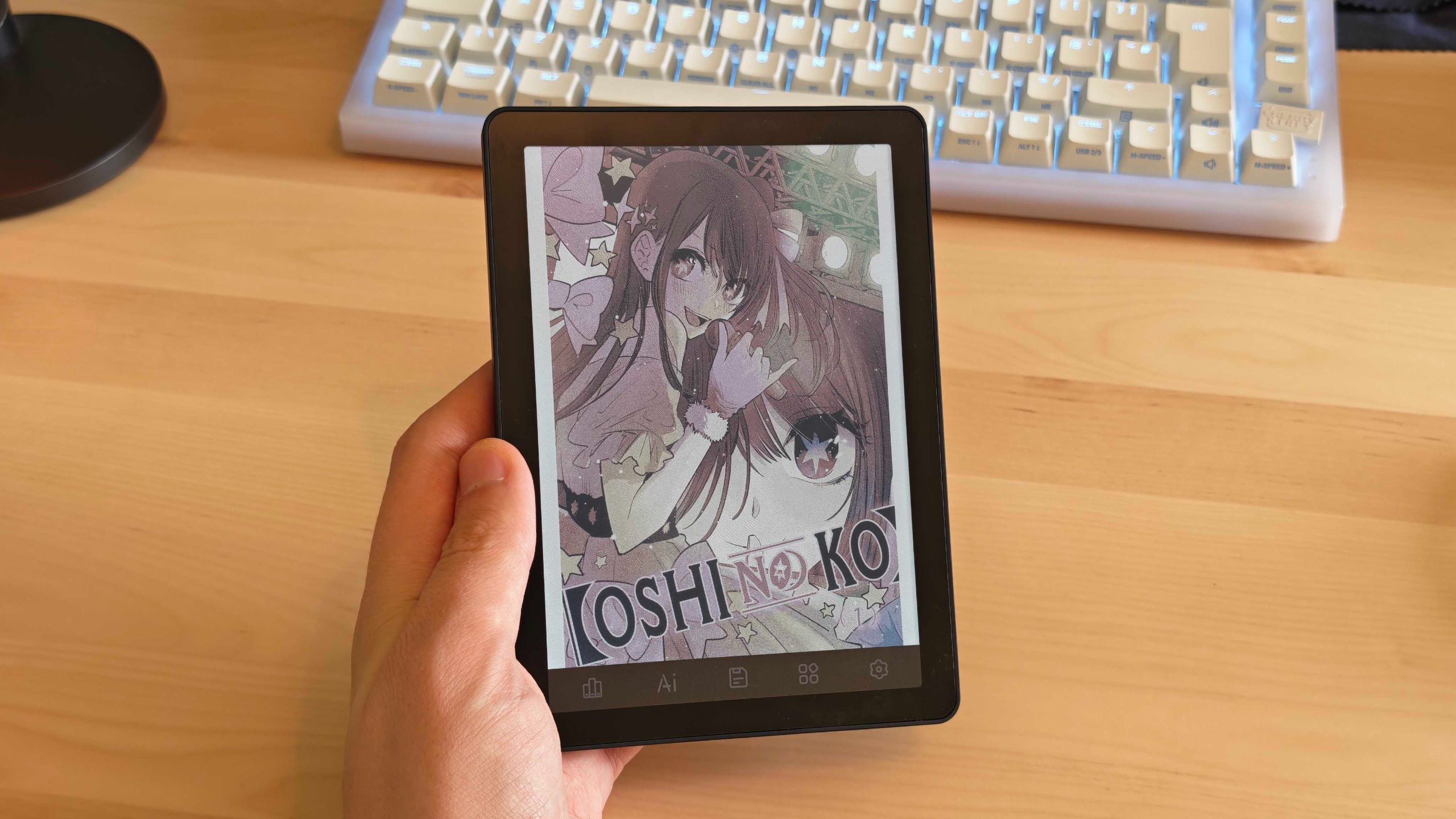
There are lots of stock apps, and some are quite buggy. The built-in BigmeGPT AI, for example, crashes instantly if you lose your internet connection. It’s not particularly useful when it does work either, offering only basic text and image generation features.
There’s also the screen saver app that lets you change the image on your lock screen. I used BigmeGPT to generate a few wacky pictures to use as screensavers, only to discover that it doesn’t seem to work very well when you select an image from system files, often defaulting to the default option (a childish cartoon of some bears sleeping in a forest) instead.
Other stock apps include a basic calendar, music player, dictionary, voice recorder, and translator. They all seem to work alright, but are so basic I can’t imagine them being very useful.
The overall interface also has some issues. System notifications will randomly pop up in Chinese from time to time, and it can all freeze up while you’re in menus. I even had the settings app crash entirely on a few occasions.
- Software score: 3/5
Bigme B6 Color review: User experience
- Reading is great
- But the battery life dampens the experience
- Not a tablet replacement
Despite the rough edges in the software, if your number one concern is the reading experience, the Bigme B6 Color does deliver. 300ppi resolution is more than sufficient for the small 6-inch screen and means that text looks very crisp. The backlight is effective too, offering sufficient brightness for reading in dimmer spaces or even a pitch-black room.
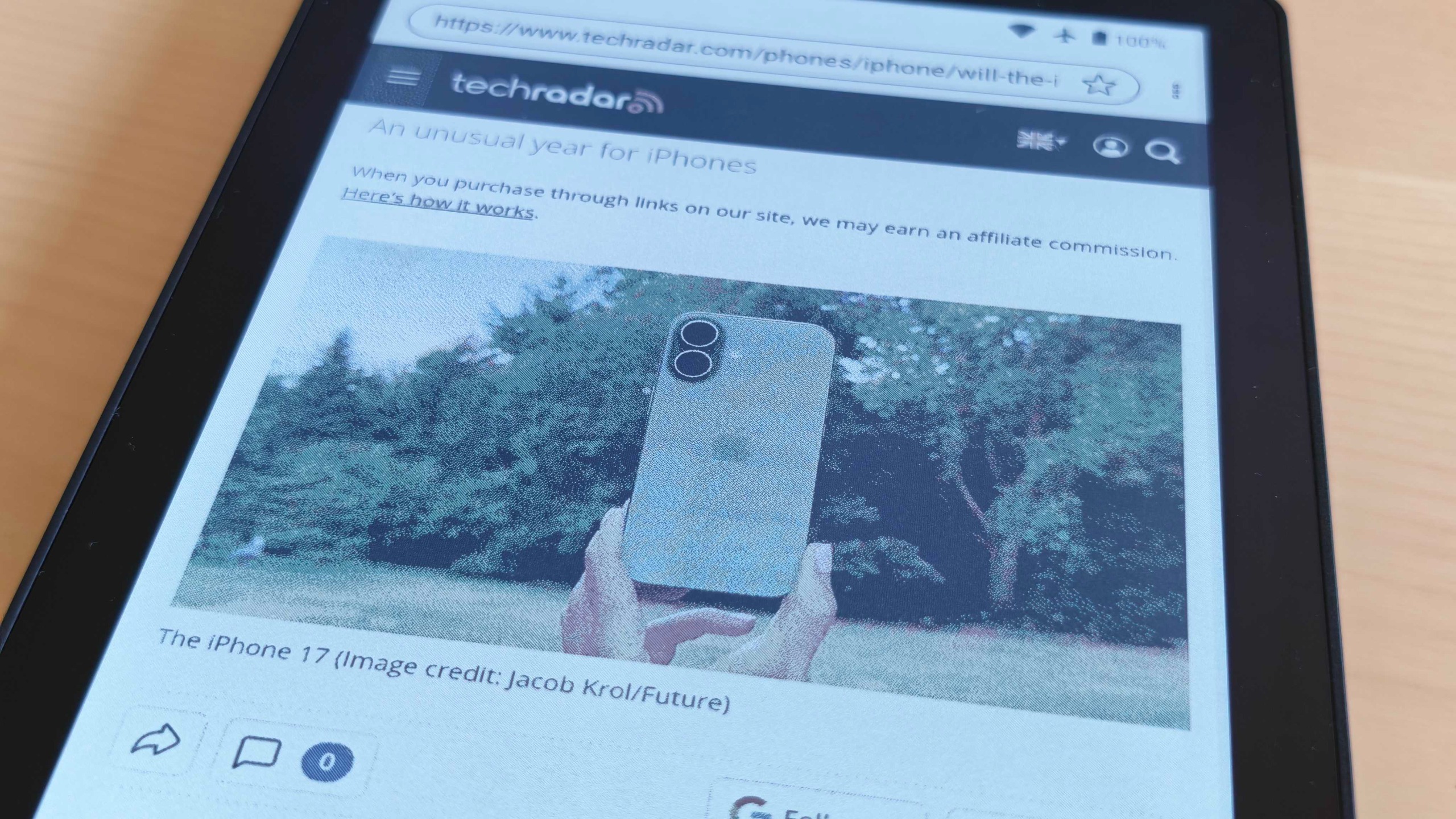
As I mentioned earlier, the colors could be better as they look more washed out than those of the Colorsoft, but they’re still decently accurate and help liven up illustrations. Browsing the web is also surprisingly smooth, though the refresh rate does hamper the experience. Even so, you can still browse news websites easily if you want to catch up with current events on the go.
The biggest issue encountered while trying to use the Bigme B6 Color as my main ereader was its battery life. It really does run out quickly, and I struggled to adjust to plugging it in for a top-up every night, having become used to only charging my Kindle every few weeks.
Although it does run Android, I wouldn’t view the Bigme B6 Color as a replacement for a conventional tablet. You technically can use productivity apps (WPS Office even comes installed out of the box to tempt you), but the experience is poor, again, thanks to that slow refresh rate. To Bigme’s credit, the brand advertises the B6 Color as an ereader rather than anything else — so I’m not deducting any points for this.
- User experience score: 3.5/5
Bigme B6 Color review: Performance
- Snappy performance
- Usable web browser
- You can even watch YouTube videos
The Bigme B6 Color performs fantastically with its 4GB of RAM and MediaTek Helio P35 chipset.
Don’t get me wrong, these would be awful specs for a phone — but on a relatively cheap ereader? Everything is butter smooth as far as an e-ink screen allows. Loading is fast, pages turn with no lag, and it doesn’t immediately lose your place if you send an ereader app to the background. It boots from sleep almost instantly as well.
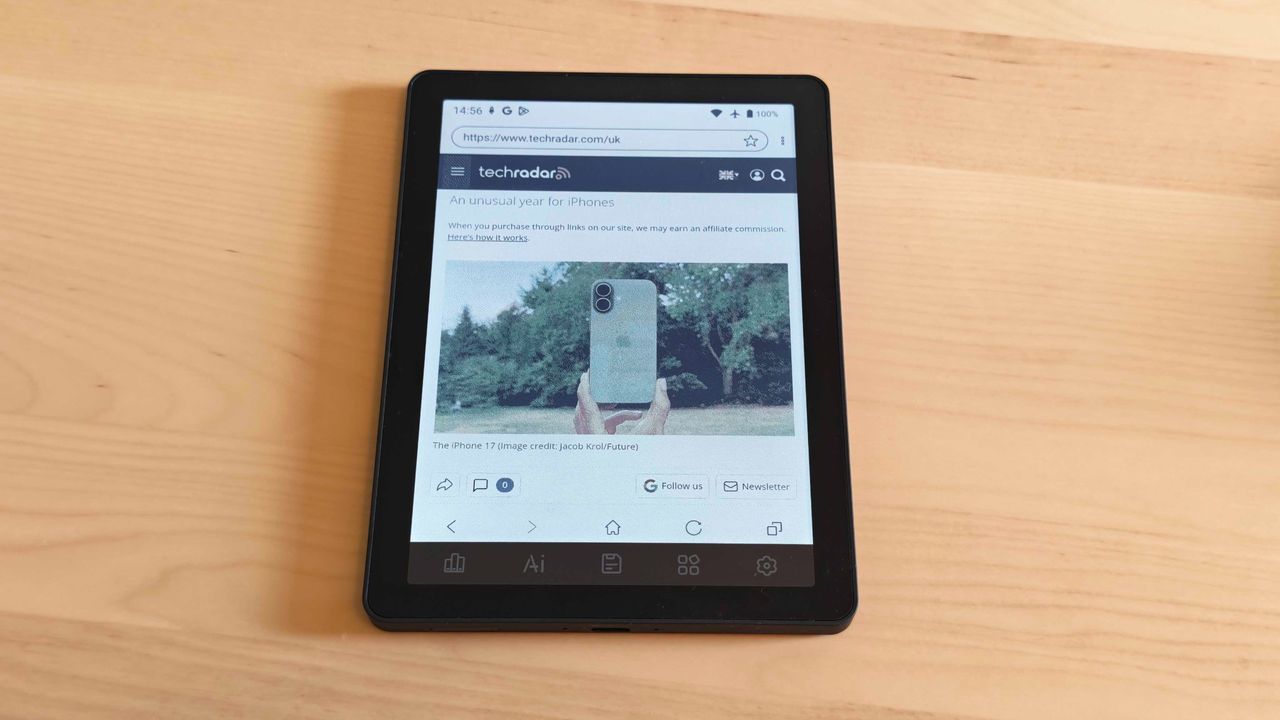
I have had no issue accessing my favorite news websites (including TechRadar, of course) using the built-in browser. I even managed to get YouTube videos playing on it, which is pretty impressive for this kind of device. After using the Bigme B6 Color, my usual Kindle feels unbearably sluggish.
Storage is generous out of the box to boot, and, having downloaded a load of books and a handful of apps, I still have more than 40GB of free space left.
Not shabby at all for this price!
- Performance score: 4.5/5
Should I buy the Bigme B6 Color?
|
Bigme B6 Color |
Amazon Kindle Colorsoft |
Kobo Clara Color |
|
|
Display type: |
Kaleido 3 Color E-Ink |
Kaleido 3 Color E-Ink |
Kaleido 3 Color E-Ink |
|
Screen size: |
6-inch |
7-inch |
6-inch |
|
Resolution: |
300ppi in B&W; 150ppi in color |
300ppi in B&W; 150ppi in color |
300ppi in B&W; 150ppi in color |
|
CPU: |
MediaTek Helio P35 |
Unspecified dual-core MediaTek |
MediaTek MT8113T |
|
Frontlight: |
Warm and cold |
Warm and cold |
Warm and cold |
|
Storage: |
64GB (expandable) |
32GB |
16GB |
|
Battery: |
2,100 mAh |
2,310 mAh |
1,500 mAh |
|
Speaker: |
Mono |
None |
None |
|
Water protection: |
None |
IPX8 water-resistance |
IPX8 water-resistance |
|
Software: |
Android 14 |
Proprietary |
Proprietary |
|
Connectivity: |
WIFI, Bluetooth |
WIFI, Bluetooth |
WIFI, Bluetooth |
|
File support: |
EPUB, PDF, etc. |
EPUB, PDF, AZW3 |
EPUB, EPUB3, FlePub, PDF, MOBI, JPEG, GIF, PNG, BMP, TIFF, TXT, HTML, RTF, CBZ, CBR |
|
Dimensions: |
108 x 149.3 x 6.98mm (4.25 × 5.88 × 0.27 inches) |
127.6 x 176.7 x 7.8 mm (5.02 x 6.96 x 0.31 inches) |
112 x 160 x 9.2 mm (6.3 x 4.4 x 0.36 inches) |
|
Weight: |
~176g (~6.2oz) |
219g (7.73oz) |
174g (6.1oz) |
Buy it if…
You want an affordable color Android ereader
The Bigme B6 Color is surprisingly cheap for a color ereader running on Android. It’s a good buy if you don’t want to be locked down to one specific ecosystem.
You don’t mind some jank
The software here takes some getting used to and can be buggy at times, but that shouldn’t be much of an issue if you’re used to fiddling with Android systems.
Don’t buy it if…
You need long battery life
The Bigme B6 Color’s biggest flaw is its battery life. Avoid picking one up if you need an ereader you can toss in a bag in sleep mode for a few weeks or one you don’t have to charge every day or two.
Bigme B6 Color review: Alternatives
Kindle Colorsoft
Far superior battery life makes the Kindle Colorsoft a great alternative to the Bigme B6 Color. You lose the freedom of Android, but gain a much sleeker and smoother experience in return. Bear in mind it is much more expensive, though.
Read our in-depth Kindle Colorsoft review
Kobo Clara Color
The Kindle Clara Color isn’t much more expensive than the Bigme B6 Color. Its processor is much slower, however, and it has far more limited storage.
Read our in-depth Kobo Clara Color review
How I tested the Bigme B6 Color
- Used as main e-reader for a month
- Popular e-reader apps tested
- Compared to similar models by brands like Amazon
To review the Bigme B6 Color I used it as my primary e-reader for just over a month. This meant using it for about forty minutes each way on my commutes to and from our office in London, during which I enjoyed a variety of novels, comic books, and manga.
Throughout my time with the e-reader I compared my experience to my hands-on usage of similar devices, including the Amazon Kindle, Amazon Kindle Colorsoft, and Kobo Clara Color.
Read more about how we test.
First published September 2026
“}]]
 This Kindle Colorsoft alternative beats Amazon’s offering on value, but it still has some big shortcomings. Read More Latest from TechRadar US in Reviews