
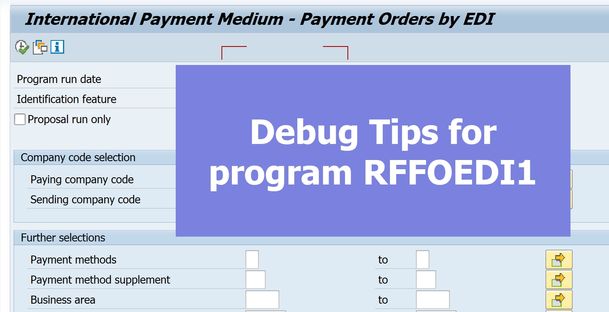
RFFOEDI1 is the program of ‘International Payment Medium – Payment Orders by EDI’, which can be used to generate checks from F110 through IDOC with the message type PAYEXT for payment or DIRDEB for direct debit.
If someone needs to manipulate any field values for the generated IDOC, may need to deeply investigate its include program RFFORI14. This article just lists some tips that may help to familiarize with this IDOC processing during debugging.
1. Function modules initial with ‘FI_EDI_PAYEXT_PEXR2001’
There are 3 major function modules used for IDoc processing inside RFFORI14:
‘FI_EDI_PAYEXT_PEXR2001_NEW‘ will do the initialization per bank for payment instructions, and populate the IDoc header segments from table REGUH (Settlement data from the payment program).’FI_EDI_PAYEXT_PEXR2001_OUT‘ will populate the IDoc item segments from table REGUP (Processed items from payment program) and send payment instructions out by calling ‘MASTER_IDOC_DISTRIBUTE’.’FI_EDI_PAYEXT_PEXR2001_END‘ will deal with the final work when sending payment instructions and provide a final chance to manipulate values through 3 user exits at include program LIEDPF0J.
2, Populating IDOC item segments
To determine whether the payment is for Payment with the message type PAYEXT or Direct Debit with the message type DIRDEB, which relies on the Indicator of ‘Payment Method Used for Incoming Payments.
It comes from table T042Z-XEINZ at the level of Country Key combined with Payment Method.
Take the processing for payment as an example, the routine ‘ITEM_PAYEXT’ will perform the item segment filling.
Then just check which segment you are interested in:
FORM ITEM_PAYEXT.
PERFORM FILL_SEGMENT_IDPU1 USING IDOC_PAYEXT.
PERFORM FILL_SEGMENT_IDPU5_SG USING IDOC_PAYEXT.
PERFORM FILL_SEGMENT_EDP03 USING IDOC_PAYEXT.
PERFORM FILL_SEGMENT_EDP02 USING IDOC_PAYEXT.
PERFORM FILL_SEGMENT_IDPU2 USING IDOC_PAYEXT.
PERFORM FILL_SEGMENT_IDPU3_SG USING IDOC_PAYEXT.
ENDFORM. “ITEM_PAYEXT
There are 3 user exits available here inside routine ‘STORE_PEXR_SEGMENT’:
One pre-condition for the above 3 user-exit is range RG_SEGNAM populated by routine ‘FILL_RG_SEGNAM‘ at include LIEDPF14. Table FEDICUS controls the segments which need need active user-exit accordingly.
3. Reset after IDOC has been generated
It’s precious to have a perfect test case, and you may need to verify new changes back and forth. So just learn how to reset the IDOC and make it ready for the next execution.
RFFOEDI1 is the program of ‘International Payment Medium – Payment Orders by EDI’, which can be used to generate checks from F110 through IDOC with the message type PAYEXT for payment or DIRDEB for direct debit. If someone needs to manipulate any field values for the generated IDOC, may need to deeply investigate its include program RFFORI14. This article just lists some tips that may help to familiarize with this IDOC processing during debugging. 1. Function modules initial with ‘FI_EDI_PAYEXT_PEXR2001’There are 3 major function modules used for IDoc processing inside RFFORI14:’FI_EDI_PAYEXT_PEXR2001_NEW’ will do the initialization per bank for payment instructions, and populate the IDoc header segments from table REGUH (Settlement data from the payment program).’FI_EDI_PAYEXT_PEXR2001_OUT’ will populate the IDoc item segments from table REGUP (Processed items from payment program) and send payment instructions out by calling ‘MASTER_IDOC_DISTRIBUTE’.’FI_EDI_PAYEXT_PEXR2001_END’ will deal with the final work when sending payment instructions and provide a final chance to manipulate values through 3 user exits at include program LIEDPF0J. 2, Populating IDOC item segmentsTo determine whether the payment is for Payment with the message type PAYEXT or Direct Debit with the message type DIRDEB, which relies on the Indicator of ‘Payment Method Used for Incoming Payments.It comes from table T042Z-XEINZ at the level of Country Key combined with Payment Method.Take the processing for payment as an example, the routine ‘ITEM_PAYEXT’ will perform the item segment filling. Then just check which segment you are interested in: FORM ITEM_PAYEXT.
PERFORM FILL_SEGMENT_IDPU1 USING IDOC_PAYEXT.
PERFORM FILL_SEGMENT_IDPU5_SG USING IDOC_PAYEXT.
PERFORM FILL_SEGMENT_EDP03 USING IDOC_PAYEXT.
PERFORM FILL_SEGMENT_EDP02 USING IDOC_PAYEXT.
PERFORM FILL_SEGMENT_IDPU2 USING IDOC_PAYEXT.
PERFORM FILL_SEGMENT_IDPU3_SG USING IDOC_PAYEXT.
ENDFORM. “ITEM_PAYEXT There are 3 user exits available here inside routine ‘STORE_PEXR_SEGMENT’:One pre-condition for the above 3 user-exit is range RG_SEGNAM populated by routine ‘FILL_RG_SEGNAM’ at include LIEDPF14. Table FEDICUS controls the segments which need need active user-exit accordingly.3. Reset after IDOC has been generatedIt’s precious to have a perfect test case, and you may need to verify new changes back and forth. So just learn how to reset the IDOC and make it ready for the next execution. Read More Application Development Blog Posts articles