
[[{“value”:”
For years, typing in a six-digit code sent to your phone has been the universal standard for verifying your identity online. But that era is officially coming to an end in the Windows ecosystem.
In a statement to Windows Latest, Microsoft independently confirmed that it’ll stop sending SMS codes for personal accounts.
Now, first spotted by Windows Latest, Microsoft has officially announced that it is pulling the plug on SMS codes for personal accounts. According to a support document quietly published earlier this year, the company is actively phasing out text messages as a method for both two-factor authentication and account recovery.
While the tech giant subtly hinted at this shift in a previous security advisory earlier this year, stating it was “committed to advancing security standards,” the newly released documentation explicitly confirms the end of SMS verification.
Moving forward, Microsoft is forcing a transition to passwordless alternatives, mandating the use of passkeys, authenticator apps, and verified secondary email addresses.
Why Microsoft is abandoning SMS authentication
Redmond’s decision to kill off SMS verification comes down to the undeniable fact that text messages are no longer a secure way to protect your digital identity.
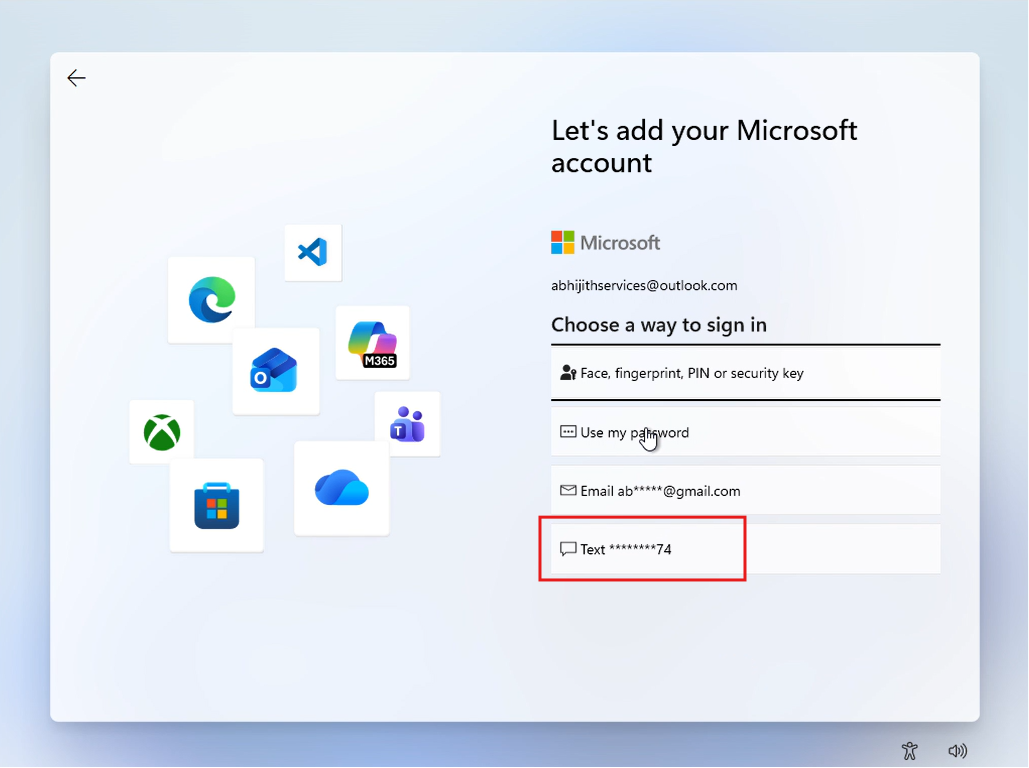
In their official advisory, Microsoft states that “SMS-based authentication is now a leading source of fraud.”
“Microsoft is committed to advancing security standards, and as such, we will start phasing out SMS as a method of authentication and account recovery for personal Microsoft accounts,” Microsoft noted in an advisory spotted by Windows Latest. “Microsoft believes that the future of authentication is passwordless, secure, and user-friendly.”
Text messages were never designed with modern cybersecurity in mind. They are transmitted in plain text across vulnerable cellular networks, making them highly susceptible to interception.
Furthermore, hackers frequently use SIM-swap attacks, a tactic where a malicious actor tricks your mobile carrier into transferring your phone number to a device they control. Once the transfer is complete, the hacker instantly receives all of your SMS two-factor authentication codes, allowing them to easily hijack your accounts.
To combat this, Microsoft believes the future of account security is entirely passwordless. The company is replacing SMS with passkeys, which are a modern, phishing-resistant security standard.
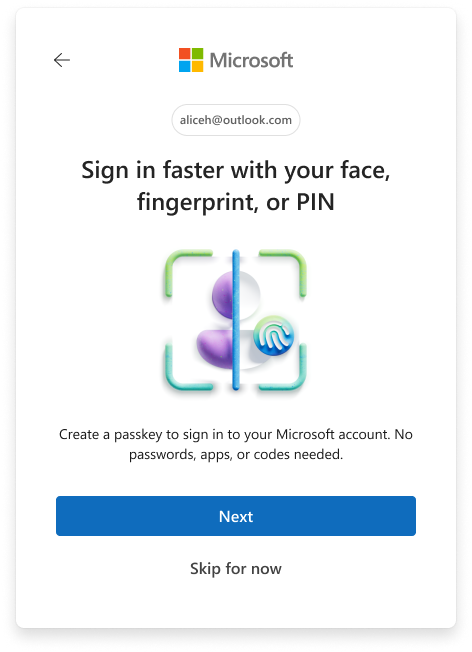
Unlike traditional passwords or text codes that can be intercepted, passkeys use your device’s built-in biometric hardware.
When you sign in using a passkey, you authenticate your identity using Windows Hello facial recognition, a fingerprint scanner, or a localized device PIN. This creates a cryptographic key pair where the private key never leaves your physical hardware, rendering remote phishing attacks virtually impossible.
Depending on your setup, passkeys can be device-bound, meaning the private key never leaves the physical hardware (like your laptop’s TPM chip), or they can be synced across your devices via services like Apple iCloud Keychain or Google Password Manager. This cross-device compatibility ensures that if you lose your phone, your verified email and synced passkeys will still allow you to recover your account safely.
The problem of a forced passwordless transition
On paper, eliminating vulnerable SMS codes in favor of biometric passkeys is an objective win for global cybersecurity. In my daily workflow, the passwordless ecosystem is genuinely fantastic. I use Microsoft Edge, Microsoft Password Manager, and the Microsoft Authenticator app across all my devices. Thanks to the IR camera on my Lenovo laptop, Windows Hello face recognition makes logging into my personal Microsoft account a breeze.
However, Microsoft’s forced transition may cause significant headaches for power users.
As a Windows Insider, I constantly spin up, configure, and manage new virtual machines (VMs) to test software builds.
When I attempt to log into my Microsoft account within these isolated, nested environments, the passkey experience falls apart. Biometric hardware won’t be available on a VM, for obvious reasons, and I do not have access to security keys either. When trying to log in with passkeys via PIN, I’m always shown an error.
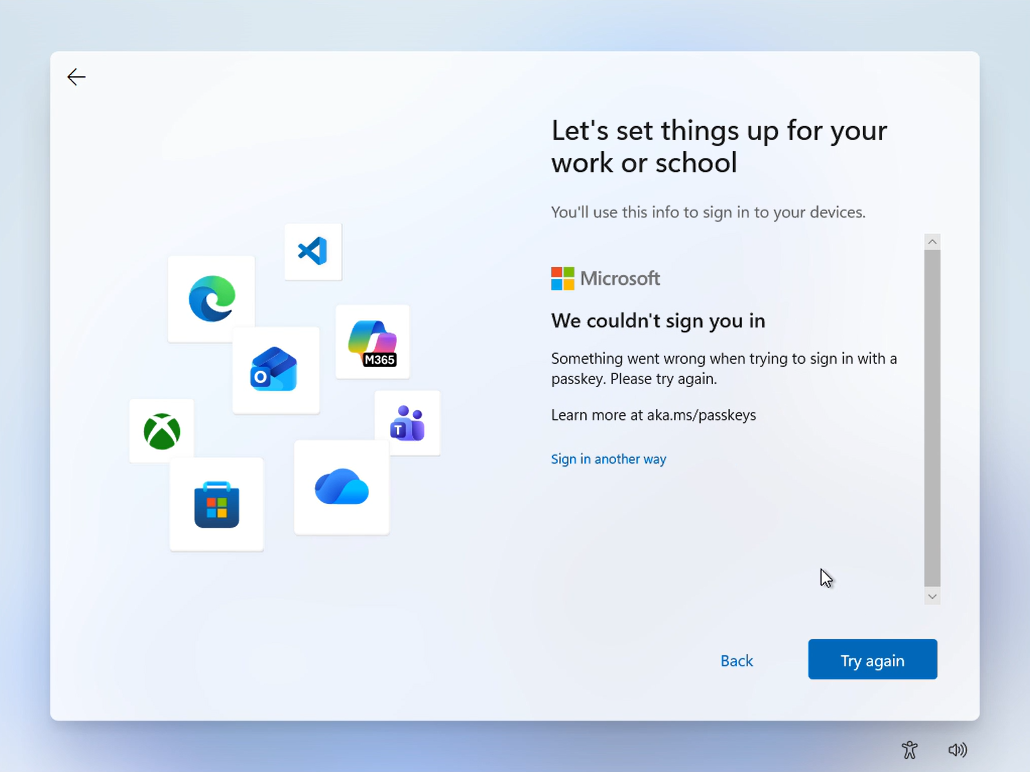
In these highly technical, edge-case scenarios, requesting an SMS code was the ultimate, foolproof fallback. It just worked.
Passwords and SMS codes are ubiquitous. Typing in a six-digit text code is an instinctive, habitual behavior for billions of people. To successfully change a deeply ingrained habit, the replacement technology must be utterly flawless across every conceivable scenario.
Microsoft could drop the forced Microsoft account sign-in during Windows 11 setup; now that’s one less place where you’ll need to sign in!.
Either way, Microsoft will soon begin prompting all personal account holders with a “Sign in faster with your face, fingerprint, or PIN” screen, urging them to set up a passkey and verify a backup email address. While losing the convenience of SMS codes may be a bitter pill to swallow for some, it is a necessary step to secure Windows 11 against modern threats.
The post Microsoft is killing SMS codes for Microsoft account sign-in, aggressively pushes passkeys on Windows 11 appeared first on Windows Latest
“}]]
[[{“value”:”Microsoft is phasing out SMS authentication for personal accounts, citing SIM-swap fraud and phishing risks. While the tech giant pushes users toward biometric passkeys and passwordless logins, the death of text message verification could cause serious headaches for developers and power users.
The post Microsoft is killing SMS codes for Microsoft account sign-in, aggressively pushes passkeys on Windows 11 appeared first on Windows Latest”}]] Read More Windows Latest