
[[{“value”:”
Epomaker P65 review
In the world of mechanical keyboards, it can often look like brands are all trying to one up each other simply for the sake of it. It’s as if they feel they must be the most feature-packed, the most outlandishly designed, or have the highest spec numbers.
Epomaker has gone the other way with its premium P series, and the Epomaker P65 arrives as the most compact entry in a lineup, which also includes the P75 (75%) and P87 (TKL). All three share the same core DNA: CNC aluminum construction, gasket mounting, five-layer sound dampening, and VIA/QMK programmability. The P65 I’ve been testing takes that formula and squeezes it into a 65% layout with 66 keys and a rotary knob.
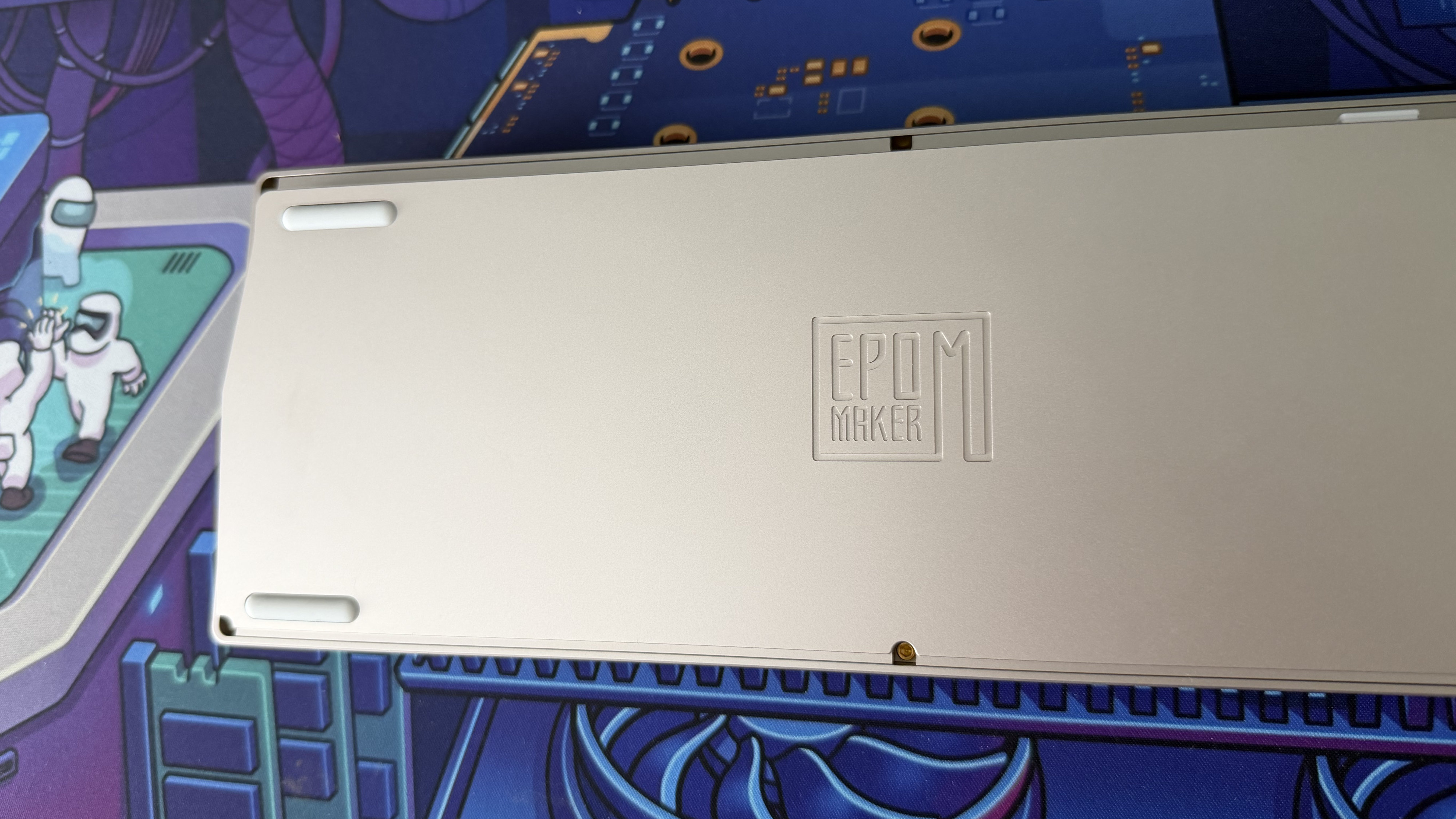
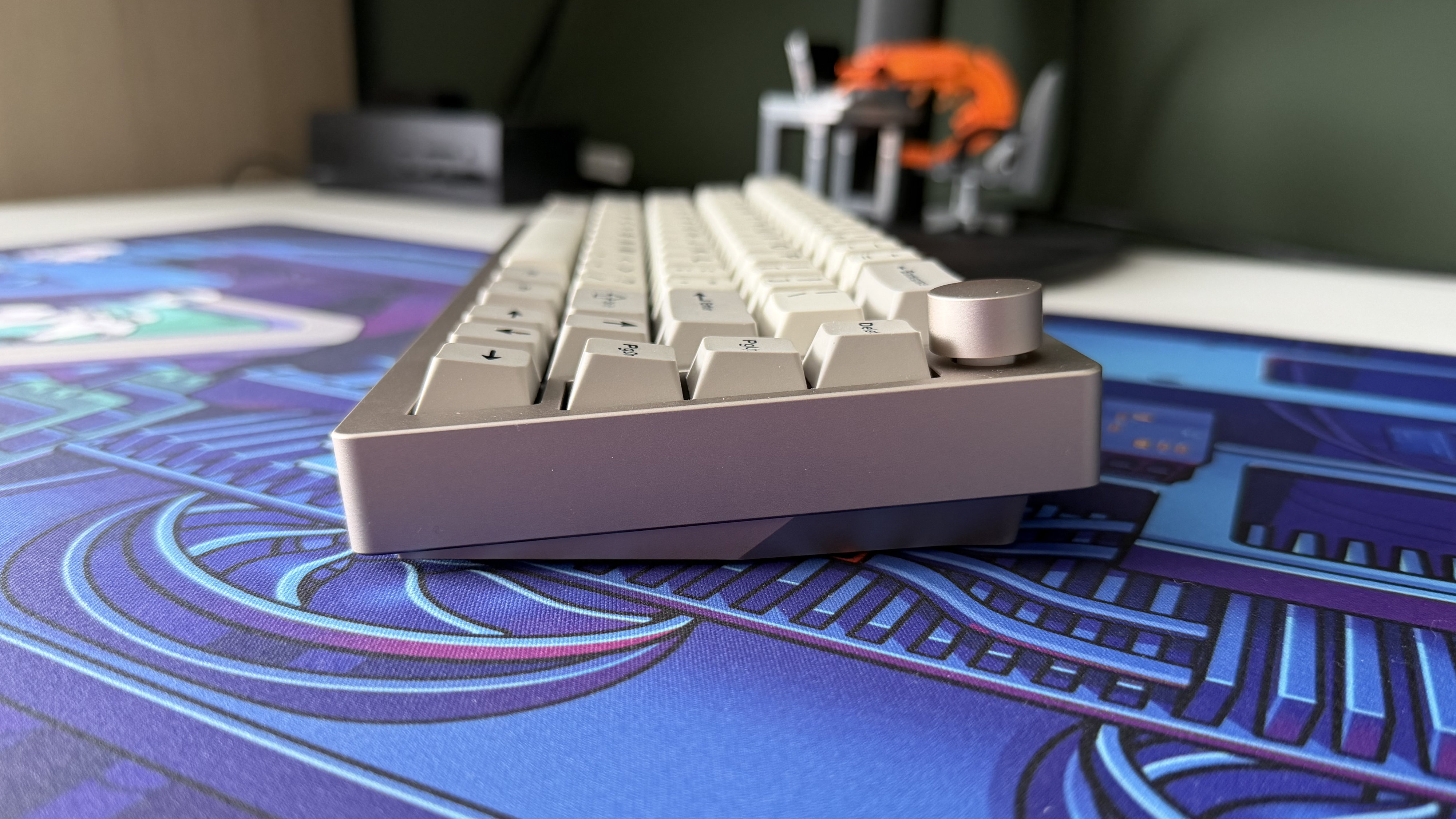
The first thing that hits you with the Epomaker P65 is its weight. At 1.3kg, this is a dense, planted keyboard that both looks and sounds like one solid hunk of metal, because it essentially is. Both the top frame and the bottom chassis are CNC-machined aluminum with a lovely anodized finish. That’s an unusually premium build for a $119 keyboard, as most boards in this bracket use an aluminum top plate over a plastic base.
My Khaki review unit has a retro, old-school aesthetic that’s reminiscent of stock keyboards from school computer labs, just significantly more upmarket. It’s a look that won’t appeal to everyone, and there’s a plain black option available too if that’s the case, but I found it refreshingly understated in a market full of aggressive RGB-littered designs.
Speaking of which, the P65 does include south-facing per-key lighting, but it’s quite muted when viewed from a normal typing position. I’m not particularly disappointed by that because it feels slightly at odds with the vintage vibe of the Khaki colorway, though you can always turn it off and I imagine it looks a little more at home in the black trim.

The double-shot PBT keycaps are well-made, with a subtle texture that feels good under the fingers. The font is simple and clear, though I did notice some strangely inconsistent stroke weights on keys like Backspace and Enter. Some letters appear thinner than others in a way that looks less like a stylistic choice and more like a rendering issue or printing problem.
Where the Epomaker P65 really shines is sound. My unit uses Epomaker’s own Zebra linear switches, or you could opt for the heavier Wisteria option instead. Combined with the aluminum case and five-layer dampening stack, the result is one of the most satisfying sound profiles I’ve tested in a while.
It’s deliciously smooth and creamy. Every keystroke has a clean, rounded character that scratches a very specific part of my brain. A warning though: it’s loud. This is not a keyboard for a shared office or an open-plan workspace. I can’t blame it wanting to be heard when it sounds this good, but there’s no missing it.
Typing performance is strong. I hit 129 words per minute at 97% accuracy in testing, which is comfortably above my average of 116/96. This result surprised me since the board didn’t feel quite that fast or clean during use, though I did notice I settled in with it much easier than other mechanical keyboards. The Zebra switches actuate at just 40g, making them light and snappy with a softness from that gasket-mount design.

However, the fixed six-degree typing angle is less ideal. I don’t actually mind the angle myself, but there are no adjustable feet at all and I would have liked the option to go a little flatter and steeper to see the difference. There’s also quite a tall, sheer front edge that isn’t ideal for extended typing sessions. For gaming and general messing about it’s not an issue, but for all-day productivity usage, I’d recommend adding a wrist rest.
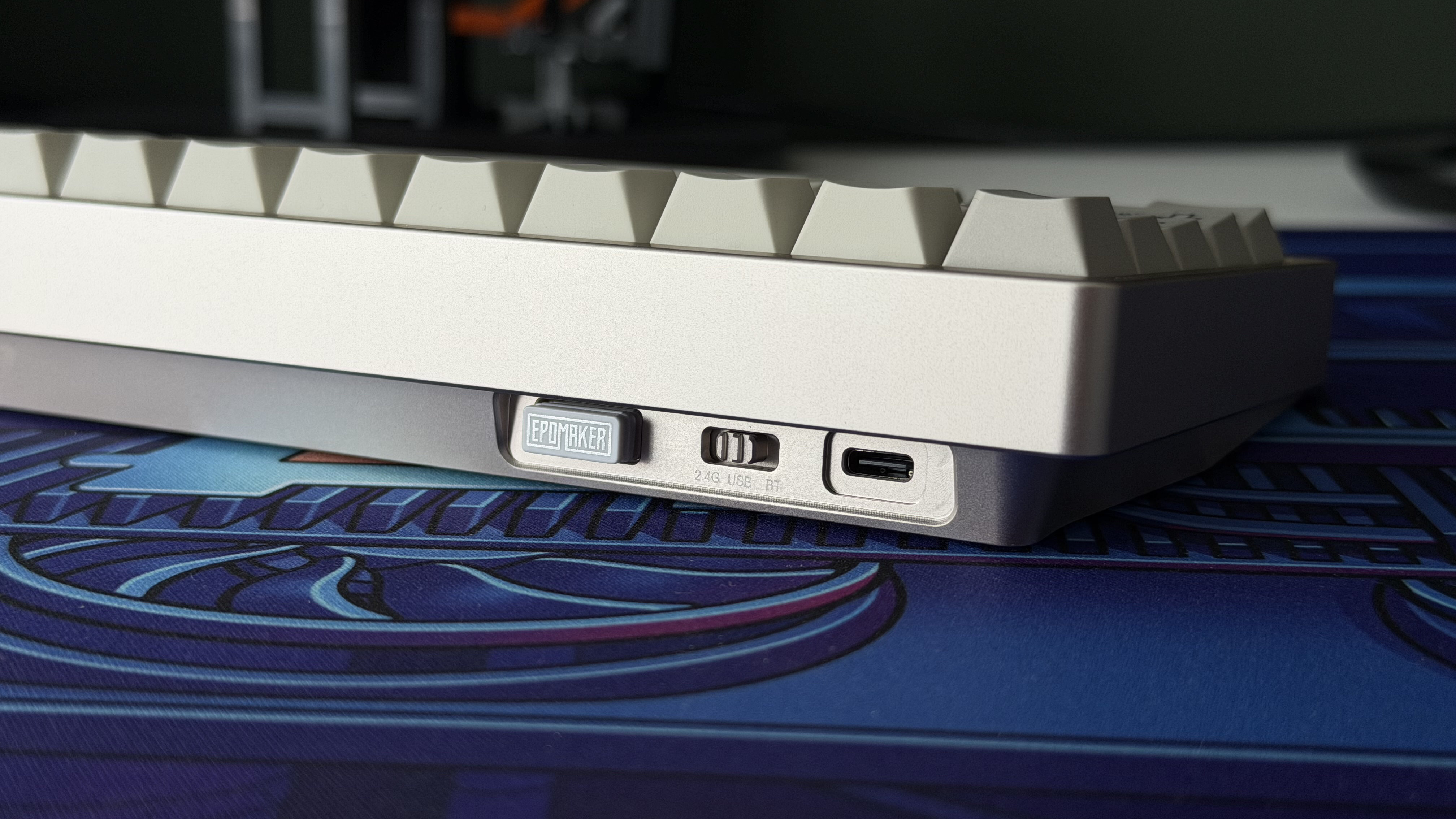
Connectivity covers the three usual bases: three-device Bluetooth 5.0, 2.4GHz wireless via an included USB-A dongle (that has a neat magnetic cubby on the back), and wired USB-C. The Bluetooth connection was solid and reliable in my testing, though I had to dig into the manual to find the function key shortcuts for pairing and switching between device slots. There’s nothing printed on the keycaps to indicate which keys handle Bluetooth functions, which is a minor inconvenience during initial setup.
It’s also worth noting that while this keyboard is fully compatible with both Windows and macOS, there’s no toggle switch to jump between modes and no alternate keycaps included to swap between platforms. I don’t necessarily need entirely different caps, but having the relevant symbols printed on there would have been nice to see.
The 4,000mAh battery delivers decent life without being a standout, offering roughly 16 hours with RGB on and up to 260 hours without. For gaming, the 1,000Hz polling rate over both 2.4GHz and wired is perfectly adequate and I never felt like my inputs were lagging behind. The P65 doesn’t pretend to be a competitive gaming weapon, and it lacks the adjustable actuation and rapid trigger features of Hall Effect boards, but as a general all-rounder it handles itself well.
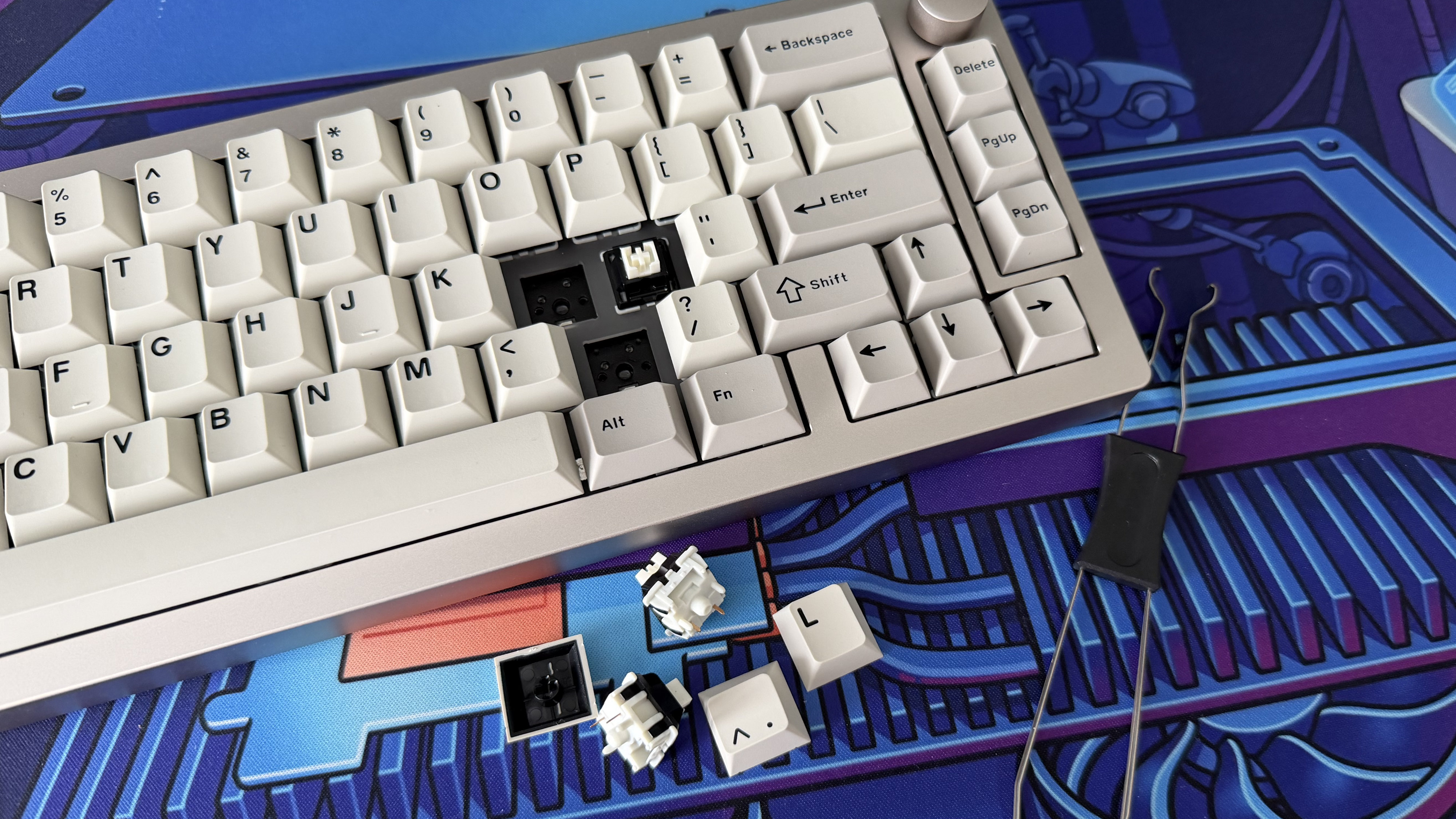
If you’d like to mix things up, the P65’s hot-swappable PCB supports both 3-pin and 5-pin switches, which is welcome given that limited stock selection of just two linear options. Swapping switches is straightforward with the included tool, but the tiny metal pins demand care and attention to get them lined up. It’s more nerve-wracking than boards where you can just slap a switch on without much ceremony. It’s not difficult and they do largely line themselves up; it’s just fiddly.
The weakest link is software. The Epomaker P65 uses VIA for customization, which is powerful once it’s running, but getting there is more effort than it should be. Both the web app and the downloadable version required manually uploading a JSON file from Epomaker’s product page to identify the keyboard, and even that took a couple of attempts before it stuck. Once recognized, all the expected functionality is here: key remapping, macros, lighting control, and a fun keyboard testing mode that plays sounds as you hit each key. But the overall experience feels more like you’re accessing a developer tool than a customer-facing app. Other brands in this price range are delivering smoother software onboarding, and Epomaker needs to close that gap.
Epomaker P65 review: Price & release date
- $119.99 / £89, often seen on sale
- Available via retailers but strangely absent from Epomaker’s website
At $119.99 / £89, the Epomaker P65 sits in a competitive price bracket and undercuts most of its aluminum-bodied rivals while maintaining build quality. Despite being a relatively new release, it’s not difficult to find it on sale with one retailer or another, which makes the value proposition even harder to argue with.
Epomaker P65 review: Specs
|
Layout |
65% (66 keys + rotary knob) |
|
Switches |
Epomaker Zebra or Wisteria linear (hot-swappable, 3/5-pin) |
|
Connectivity |
Bluetooth 5.0, 2.4GHz wireless, USB-C wired |
|
Polling rate |
1,000Hz (2.4GHz and wired) |
|
Actuation force |
40g (Zebra) / 45g (Wisteria) |
|
Features |
Aluminum construction, 5-layer dampening, per-key south-facing RGB, 4,000mAh battery, NKRO |
|
Compatibility |
Windows / macOS / Linux |
|
Software |
QMK / VIA |
Should I buy the Epomaker P65?
|
Attribute |
Notes |
Score |
|---|---|---|
|
Features |
Hot-swappable switches, tri-mode wireless, rotary knob, no alternate macOS keycaps. |
4/5 |
|
Performance |
Wonderful sound, responsive switches, 1,000Hz polling, decent battery, VIA integration needs work. |
4/5 |
|
Design |
Fully aluminum build, premium feel, understated aesthetic, no tilt adjustment and minor keycap printing quirks. |
4.5/5 |
|
Value |
Outstanding build quality for $119, competitive feature set, frequently discounted further. |
4/5 |
Buy it if…
You’re looking for a gateway to mechanical keyboards
The Epomaker P65 would make an excellent first mechanical keyboard that doesn’t break the bank. You get premium build quality backed by a solid spec sheet and that signature mechanical sound.
You do more than high-level gaming on your PC
This isn’t the highest spec keyboard and it lacks some of the top-end features of more dedicated gaming boards. The trade off is an improved typing experience and a nicer board to live with day to day.
You prefer an understated style
Both color options of the Epomaker P65 are dialed back with flat, uniform styling. The Khaki option in particular has a certain old-school vibe that looks elegant and refined.
Don’t buy it if…
You need a quiet keyboard
Even with five-layer dampening, the P65 is loud and commands attention. The gorgeous sound profile is one of its biggest selling points, but if you’re working in a shared space, you might get a few side-eye glances.
You need bleeding-edge gaming performance
The Epomaker P65 cuts back on some of the pro-level gaming tech in favor of a more modest price point and higher build quality. You won’t find 8K polling or customizable actuation switches here.
You’re a Mac user who wants a seamless experience
While it’s fully compatible with Mac, there are no alternate keycaps in the box featuring macOS labels.
Epomaker P65 review: Also consider
Keychron V1 Ultra 8K
If you’re OK with a slightly larger 75% layout, the Keychron V1 Ultra 8K offers an 8,000Hz polling rate, ZMK firmware, and an absurd 660-hour battery life at a similar $114.99 price point. It’s plastic rather than aluminum, but delivers higher performance value with smoother software. Read our full Keychron V1 Ultra 8K review.
Asus ROG Falchion Ace HFX
If you’re willing to spend more for a gaming-focused 65% board, the Asus ROG Falchion Ace HFX offers Hall Effect switches with adjustable actuation and a unique touch-sensitive control bar. It’s wired only and considerably pricier, but it’s a serious step up for competitive play. Read our full Asus ROG Falchion Ace HFX review.
How I tested the Epomaker P65
- Tested over a week as my daily driver for writing, browsing, and gaming
- Used across a Windows PC and MacBook Air via all three connectivity modes
- Typing speed tested using 10fastfingers, gaming tested across casual and competitive titles
I used the Epomaker P65 as my primary keyboard for a week, switching between a Windows desktop (wired and 2.4GHz) and a MacBook Air (Bluetooth). Daily use included writing (including this review!), general browsing, Discord chats, and gaming across a mix of casual and competitive titles. I tested typing speed and accuracy using 10fastfingers, played with settings in both the installed and web version of VIA, swapped switches using the included tool, and assessed battery life with RGB enabled during normal use.
- Read TechRadar’s reviews guarantee
- First reviewed: May 2026
“}]]
 The Epomaker P65 is a 65% wireless mechanical keyboard that keeps it simple. It delivers stunning build quality and lovely acoustics, though a clunky app and a fixed typing angle hold it back from true greatness. Read More Latest from TechRadar US in Reviews