
[[{“value”:”
Snakebyte Gamepad RGB S2: one-minute review
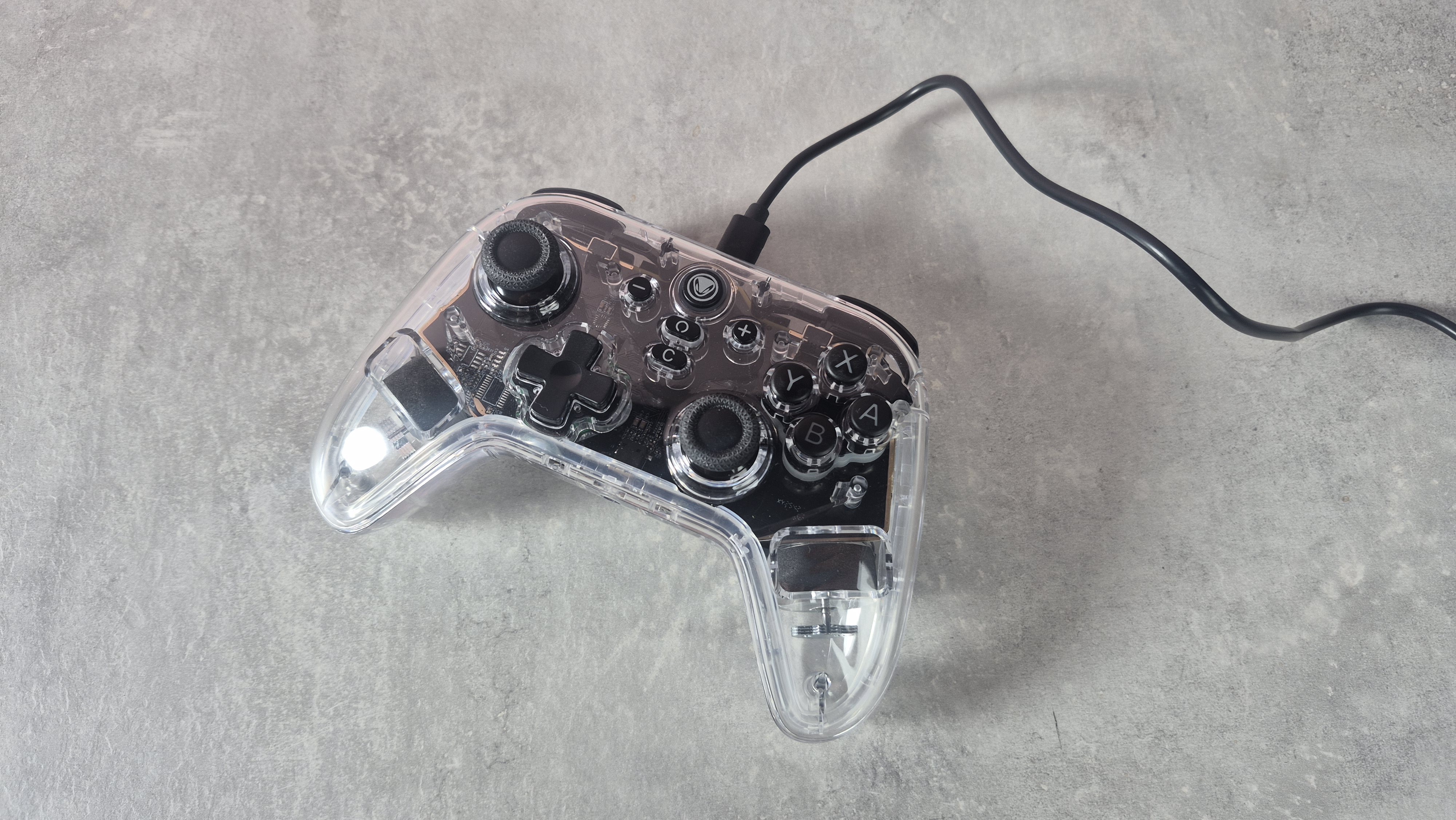
The Snakebyte Gamepad RGB S2 is a wireless Nintendo Switch 2 controller that comes in at the fairly modest price-point of $39.99 / £29.99 (about AU$55).
With Hall effect thumbsticks, rumble, and customizable RGB lights, it seems like an absolute bargain. Especially when you consider that the official Switch 2 Pro Controller is twice as expensive. But is it actually any good?
Well, the answer, unfortunately, is: not really.
See, the RGB S2 is plagued by a few too many issues when being used wirelessly, that it’s impossible to recommend. Firstly, it requires a dongle to connect to the Switch 2, which is already a little inconvenient compared to many rivals in our guide to the best Nintendo Switch 2 accessories.
But the controller refused to connect to said dongle for some time, until I eventually discovered that it needed a firmware update, accessible via my Windows PC. Despite some initial problems, I eventually got the firmware update downloaded, and was able to connect the RGB S2 to my Nintendo Switch 2. But there was more trouble ahead.
A combination of input lag issues and random disconnections made using the controller feel extremely grating. And although it worked decently with a wired connection, I’d expected much better wireless performance.
This is a shame, too, as this Snakebyte controller actually has a decent feature-set given its low price. I mentioned the Hall effect sticks, but there are also remappable M1 and M2 buttons, switchable analogue and digital triggers, a 3.5mm port for wired headsets, and rumble as well.
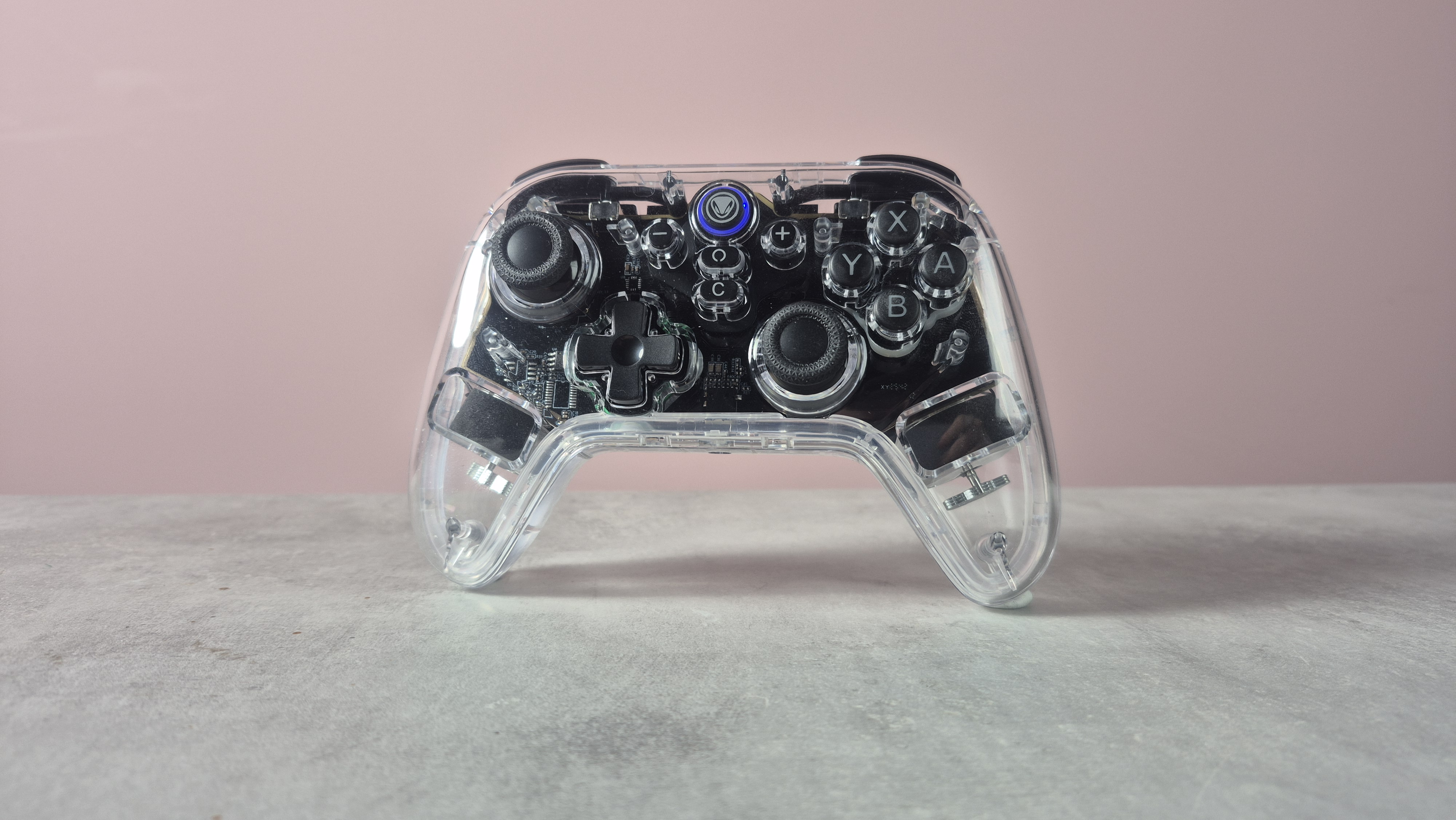
OK, there’s no NFC or gyro, and the controller is hardly the prettiest I’ve seen — the translucent design is a little cheap-looking, in my view. But its fairly comfortable to hold, and I can see the customizable RGB lights appealing to some gamers.
Ultimately, though the Snakebyte Gamepad RGB S2 is impossible to recommend, due to its painful pairing process, input lag issues, and unreliable connectivity. If you’re looking for a more solid budget-friendly Switch 2 controller, then the Turtle Beach Rematch Wireless Controller for Nintendo Switch 2 is well-worth checking out — or you can even go for the official Nintendo Switch 2 Pro Controller if you’ve got the cash.
Snakebyte Gamepad RGB S2 review: price and release date
- List price of $39.99 / £29.99 (about AU$55)
- Which is significantly cheaper than the official Switch 2 Pro Controller
- Launched in June 2025
The Snakebyte Gamepad RGB S2 was released in June 2025 with a list price of $39.99 / £29.99 (about AU$55). This wireless controller is firmly in the budget category — after all, it’s far cheaper than the official Switch 2 Pro Controller, which comes in at $84.99 / £74.99 / AU$119.95.
Snakebyte Gamepad RGB S2 review: specs
|
Price |
$39.99 / £29.99 (about AU$55) |
|
Weight |
0.5lbs / 229g |
|
Dimensions |
6.1 x 2.4 x 4.1 inches / 156 x 60 x 104mm |
|
Compatibility |
Nintendo Switch 2 |
|
Connection type |
Wireless |
|
Battery life |
Not stated (1,000mAh capacity) |
Snakebyte Gamepad RGB S2 review: design and features
- Not the prettiest controller, but RGB lights are customizable
- Relatively comfortable and includes rumble, C button, and 3.5mm port
- Leaves out NFC and gyro
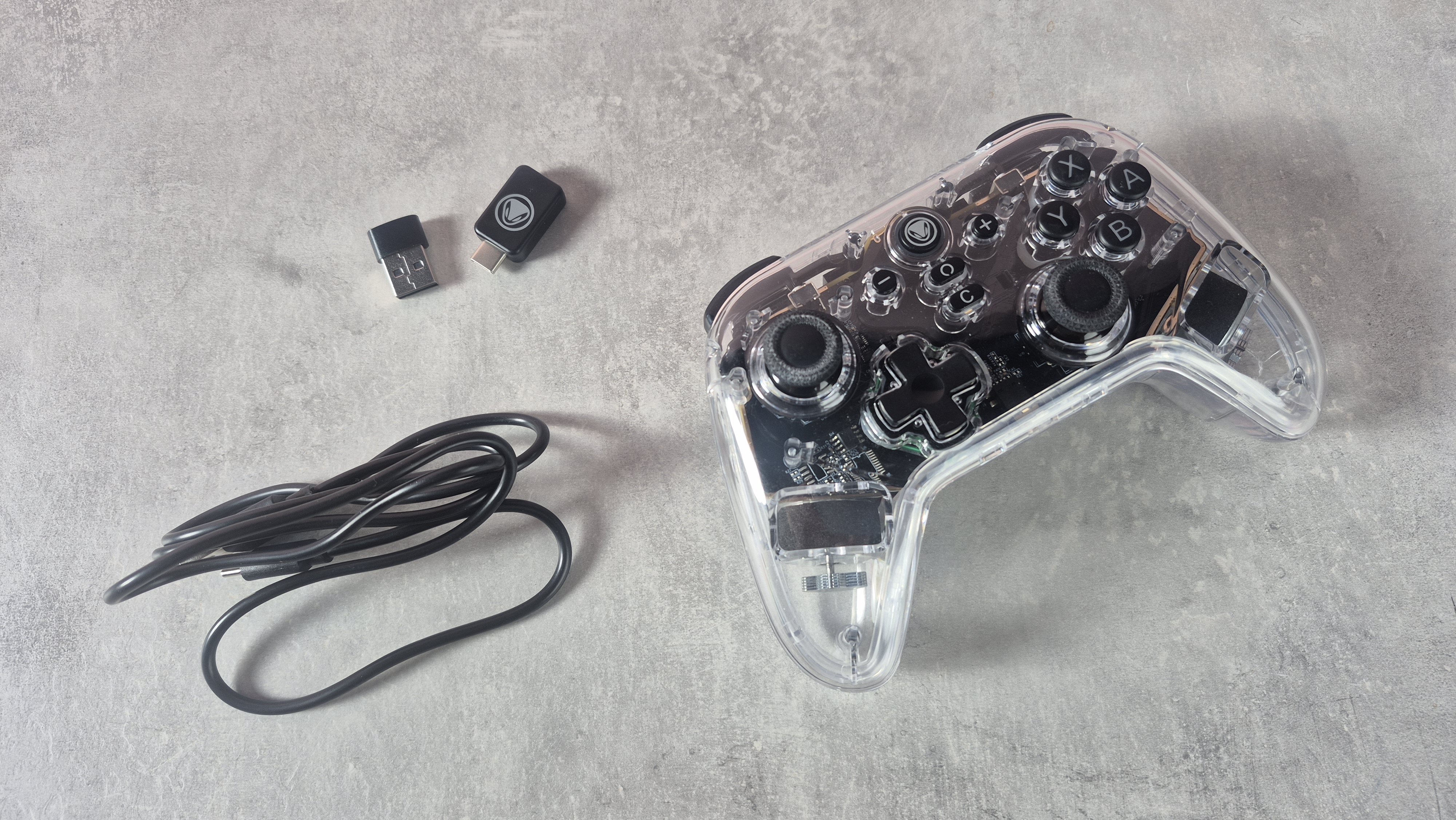
In total honesty, I’m not a huge fan of the Snakebyte Gamepad RGB S2’s look. Its fully transparent plastic outer casing just feels a little bit cheap — although in fairness, this whole controller is. I also felt that some of the buttons — especially the D-pad — just lacked that quality I’d expect, even if this isn’t a particularly pricey model.
The LED lights aren’t too bad, though. Again, the loud RGB design isn’t my favorite, but the lights are customizable, and can even be switched off if you want to conserve some battery life. The controller is also relatively comfortable in-use, with a smooth, rounded feel.
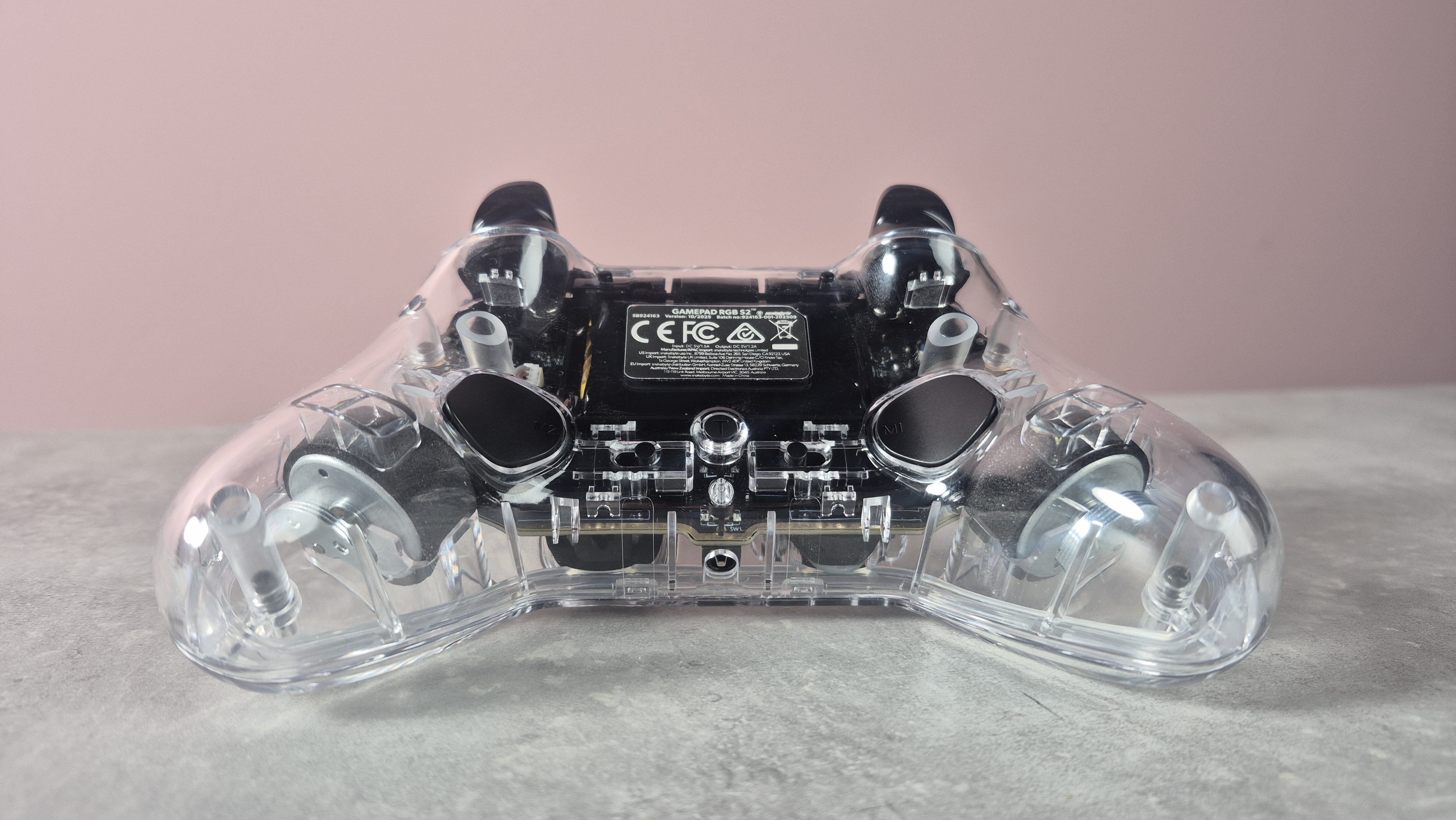
In terms of features, this Snakebyte model has a fair bit to offer. It’s good to see customizable M1 and M2 buttons on the reverse side of the controller, which can easily be remapped — useful for inventory management in games like The Legend of Zelda: Tears of the Kingdom, for instance.
You can also physically toggle trigger stops on or off on the controller, there’s a C button for accessing GameChat in an instant, and there’s a turbo button on the reverse side — though I never felt the need to use this. A 3.5mm port is also present on the underside of the controller if you want to hook up a wired headset.
However, there are some notable omissions to point out. First of all, there’s no gyro, which means that motion controls in titles like Mario Kart World and Super Mario Galaxy won’t be accessible. There’s also no NFC support, meaning you can’t tap amiibo figures, which can be used in titles like Kirby Air Riders and Donkey Kong Bananza.
Still, there is rumble — something the Turtle Beach Rematch Wireless Controller for Nintendo Switch 2 left out, and the feedback is relatively powerful on Snakebyte’s wireless controller.
Snakebyte Gamepad RGB S2 review: performance
- Clunky set-up and pairing process
- Constant input lag issues and occasional disconnections
- Hall effect sticks are welcome, but controller only really usable wired
Although the Snakebyte Gamepad RGB S2 has a solid feature-set for a budget-friendly controller, I have to say, I had a pretty awful time using it.
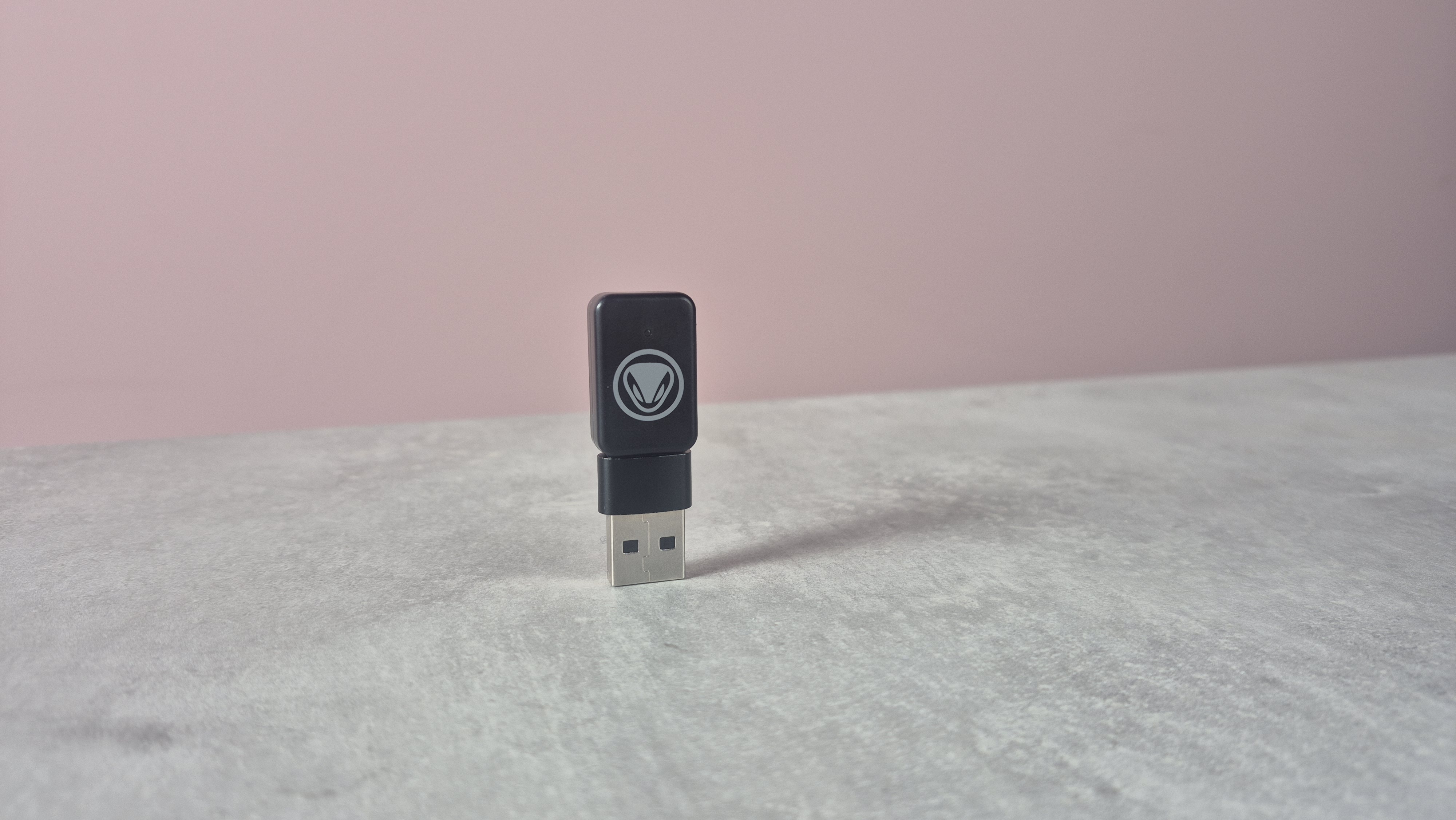
Let’s start by talking about setup. Now, in order to use the controller wirelessly, you need to use a dongle, which is included in the box. This is already a bit of a sore point, given that many rival budget Switch 2 controllers can connect without one, but I inserted it into the system, and got ready for pairing. However, I was surprised to find that the controller wouldn’t pair to my console at all.
I was able to set it up wired, by toggling on ‘Pro Controller Wired Communication’ in system settings, but whatever I tried, I couldn’t get a wireless connection. After a bit of research, though, I discovered that the controller and dongle required a firmware update, available on my Windows PC, before using on my Switch 2.
The update itself — available on Snakebyte’s website — wouldn’t work for me at first, but after swapping the included USB-A to USB-C cable for one of my own, I managed to see it through. But I wasn’t expecting what followed.
Sure, after updating the controller’s firmware, I was finally able to pair it to my Nintendo Switch 2, but I soon realized that my troubles had only just started. While sifting through the console’s main menu, I encountered constant input delays, making basic navigation feel troublesome.
And after firing up Mario Kart World, I realized that these issues weren’t going to go away. While drifting, the release felt sluggish and unresponsive. Turning also seemed less fluid than usual, and input lag delayed my ability to use items.
It was the same for other games too. When trying the GameCube Classics version of Chibi-Robo! I encountered similar problems, with the titular character’s movement often lagging behind my inputs. After a few minutes, the controller even randomly disconnected, which was pretty frustrating.
For reference, I was sitting close to my Switch 2 console, with the dongle inserted into the USB-A port. After this, I decided to use the dongle in the USB-C port instead, and the controller did feel a lot more responsive. However, I did still experience the odd bit of input lag, even when sitting closer to my console than usual.
So, even though this Snakebyte controller comes with Hall Effect thumbsticks — something that even the official Switch 2 Pro Controller leaves out, these wireless problems largely dampen the joy of that inclusion.
In fairness, the controller worked totally fine in wired mode, and while playing Pikuniku, I wasn’t subjected to the same input lag issues or random disconnections. But if I wanted a wired controller, I’d easily be able to grab a competent one for less than $39.99 / £29.99 (about AU$55).
When combining the clunky pairing process, occasional input lag, and random disconnections, I have to say, the Snakebyte Gamepad RGB S2 is tough to recommend.
Should I buy the Snakebyte Gamepad RGB S2?
Buy it if…
You want a controller with customizable lighting
If you love vibrant RGB lights, then you’ll likely enjoy the design of this Snakebyte controller. Its transparent outer casing combined with multi-colored LEDs is sure to appeal to many, and its easy to customize the pattern and color of the internal RGBs.
You’re fine using your controller wired
If you’re OK with using your controller wired, then the Gamepad RGB S2 could work well enough for you. With hall effect sticks and customizable back buttons, a wired connection makes the controller a lot more user-friendly than when it’s in its temperamental wireless state.
Don’t buy it if…
You want consistent, reliable performance
The Snakebyte Gamepad RGB S2 had constant performance issues when I used it wirelessly. With input lag and random disconnections, it’s hard to rely on, and fails to compete with the pricier official Pro Controller.
You want the most simple setup
Not only does this controller require a dongle to be used wirelessly, but you’ll have to go through a pesky firmware update before using it on your Switch 2. A lot of budget-friendly wireless controllers will pair to Nintendo’s latest console without the need for any of this, making the RGB S2 tough to recommend.
Snakebyte Gamepad RGB S2 review: also consider
|
Snakebyte Gamepad RGB S2 |
Turtle Beach Rematch Wireless Controller for Nintendo Switch 2 |
Nintendo Switch 2 Pro Controller |
|
|---|---|---|---|
|
Price |
$39.99 / £29.99 (about AU$55) |
$64.99 / £54.99 / AU$99 |
$84.99 / £74.99 / AU$119.95 |
|
Weight |
0.5lbs / 229g |
0.8lbs / 360g |
0.5lbs / 235g |
|
Dimensions |
6.1 x 2.4 x 4.1 inches / 156 x 60 x 104mm |
6.3 x 5.3 x 2.6in / 160 x 135 x 65mm |
5.8 x 4.1 x 2.4in / 148 x 105 x 60mm |
|
Compatibility |
Nintendo Switch 2 |
Nintendo Switch 2, Nintendo Switch |
Nintendo Switch 2 |
|
Connection type |
Wireless |
Wireless |
Wireless |
|
Battery life |
Not stated (1,000mAh capacity) |
40 hours |
40 hours |
Turtle Beach Rematch Wireless Controller for Nintendo Switch 2
Although it leaves out rumble and NFC, the Turtle Beach Rematch Wireless Controller is very solid. Its TMR thumbsticks feel great to use, and its various Nintendo-filled designs are a joy to behold. With great battery life and customizable GL and GR buttons, the Rematch is a tempting budget-friendly option.
Read my full Turtle Beach Rematch Wireless Controller for Nintendo Switch 2.
Nintendo Switch 2 Pro Controller
Nintendo’s official controller doesn’t have TMR or Hall effect, but we’re still big fans of it here at TechRadar Gaming. Its high build quality, top-class battery life, and smooth thumbsticks help it feel worth the relatively high cost. Its inclusion of NFC and rumble tech are also absent from a lot of budget models, so if you’ve got the cash, it’s well worth considering.
Read our full Nintendo Switch 2 Pro Controller review.
How I tested the Snakebyte Gamepad RGB S2
- Tested across multiple days
- Compared against other wireless controllers
- Played a range of Nintendo Switch 2, original Switch, and retro titles
I spent days testing the Snakebyte Gamepad RGB S2 controller, during which time I played a number of games, made use of its various features, and compared it against a a few rivals.
To fully assess the controller’s capabilities, I played classic titles via Nintendo Switch Online, such as Chibi-Robo!, as well as games for the original Switch and the Switch 2. I typically used the controller while my Nintendo Switch 2 was docked, and connected to my Sky Glass Gen 2 TV and Marshall Heston 120 soundbar.
More generally, I’ve tested a bunch of Nintendo Switch 2 accessories – not only controllers, but also cameras like the Hori Piranha Plant Camera, screen protectors including the Genki Aegis Shield, and cases such as the official Nintendo Switch 2 All-In-One Carrying Case.
- First reviewed: May 2026
- Read more about how we test
“}]]
 Despite featuring Hall effect thumbsticks, Snakebyte’s RGB-equipped Switch 2 controller is plagued with wireless connectivity issues. Read More Latest from TechRadar US in Reviews