
[[{“value”:”
I asked Microsoft whether it has any plans to give presenters or organizers greater control over AI features in Teams, including the ability to turn off meeting AI features, such as Copilot, entirely. The company pointed me to a recent update on its admin portal, where it clearly states Teams will finally add an in-meeting toggle to manage AI features.
Microsoft says this feature is called “Meeting AI” and it’s supposed to give organizers or presenters greater control over AI features in a meeting.
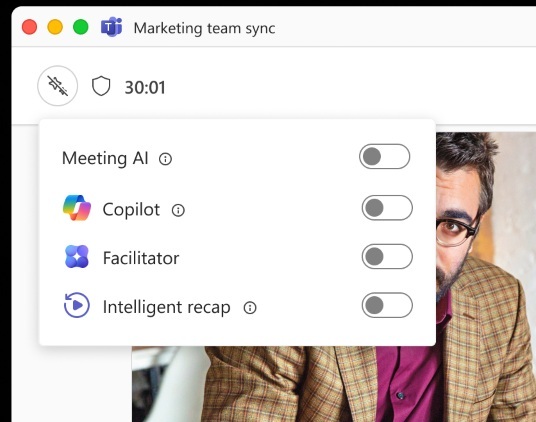
I personally find AI in Teams quite useful for certain meetings and unnecessary for others. For example, Facilitator, which can automatically take notes during meetings, is useful when you’re supposed to finish tasks after the call. I have found it useful for my use cases, and I can say the same about transcription or AI translation.
However, some of you might simply dislike AI features, and Microsoft appears to understand that after all the backlash.
Now, as first spotted by Windows Latest, Microsoft shared the following note in a post on the admin center:
“Microsoft Teams will add an in-meeting toggle for licensed organizers and presenters to turn Meeting AI (Copilot, Facilitator, recap) on or off during live meetings,” the company said. “Rollout starts early July 2026, with no changes to existing compliance or licensing requirements.”
Microsoft also shared a screenshot that shows off the Meeting AI toggle in Teams, and it’s quite straightforward. You can independently turn off Copilot and Recap, and just keep Facilitator if you prefer that feature.
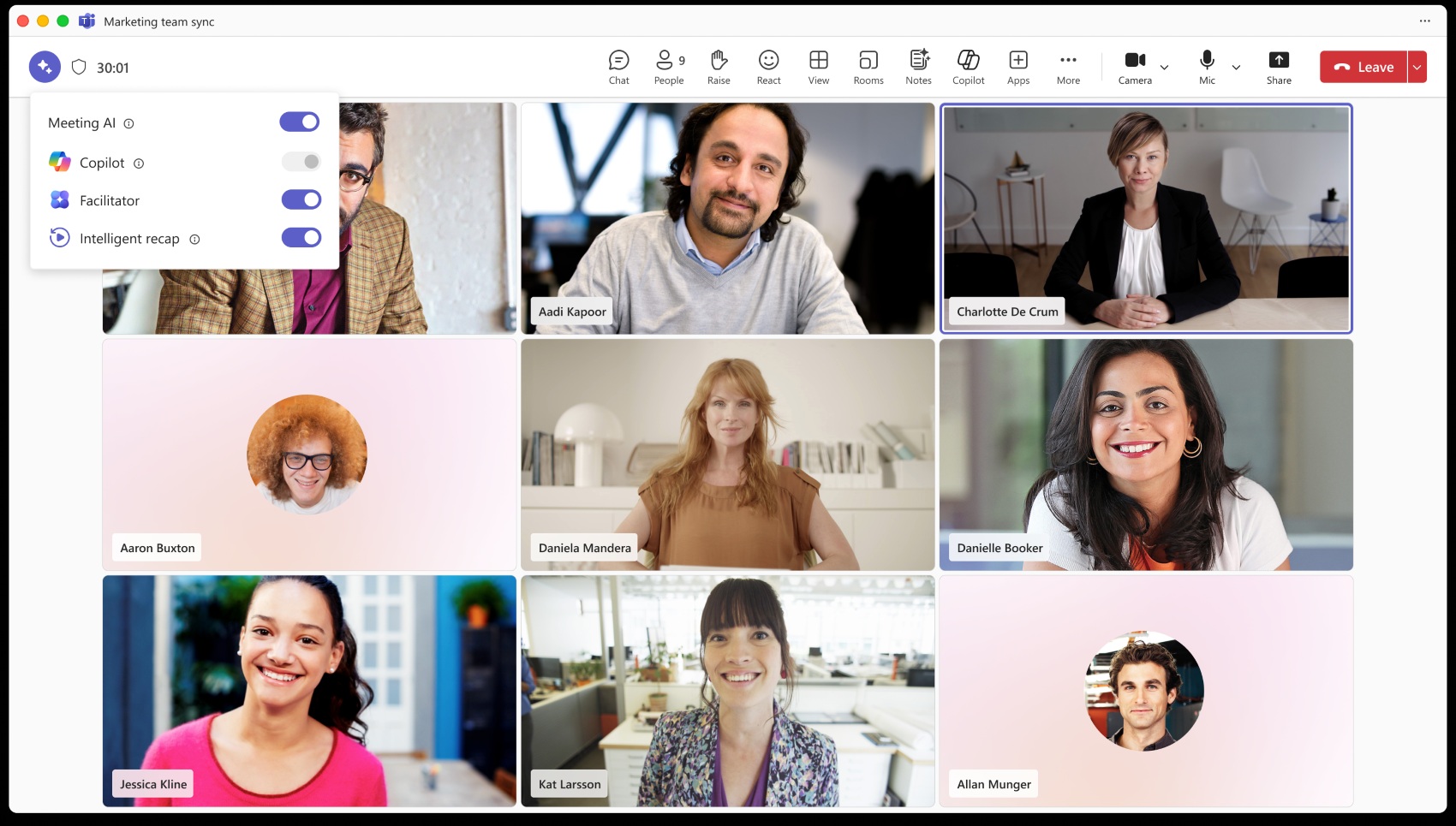
Likewise, you can also choose to turn everything off, turn everything on, or manually toggle each option.

I’m neither advocating for AI nor against it, but regardless of which side we stand on, we can all strongly agree that AI needs to be entirely optional, and presenters or organizers should be given greater control. Microsoft is finally delivering it, and the company could help make it an industry standard.
Can you manage meeting AI controls even when AI is turned on by your tenant?
Microsoft notes that Meeting AI appears only when it’s allowed by policy, so existing tenant policies are respected. That means the toggle will not appear if Meeting AI is specifically turned off by policy.
By default, it’s supposed to appear when the policy allows it, and it should make it easier for organizers and presenters to control what AI features are active during meetings.
When Meeting AI is turned off, Teams won’t generate Copilot responses, Facilitator responses, or Notes. However, it does not affect previous meetings, as the control only applies to new meetings.
There’s also an important transcription dependency. If Meeting AI is used with transcription, the two remain connected. Turning on Meeting AI automatically turns on transcription and generates a recap. Likewise, starting transcription automatically enables Meeting AI and recap.
In other words, if a meeting must avoid AI entirely, transcription and Meeting AI must both remain off.
The rollout begins with Targeted Release in early July 2026 and should complete by mid-July. General Availability begins in mid-July and is expected to complete by the end of July 2026.
Microsoft officials say the ability to turn off all AI features easily in Teams will show up across all devices, including Windows, macOS, mobile, and web.
Other AI and general improvements coming to Microsoft Teams
At the same time, Microsoft is testing a controversial feature in which AI (Facilitator) will automatically listen to your meetings and start a conversation in the chat when it detects a knowledge gap or members appear uncertain. Teams AI will automatically try to fill the gap by answering using Bing-powered search queries.
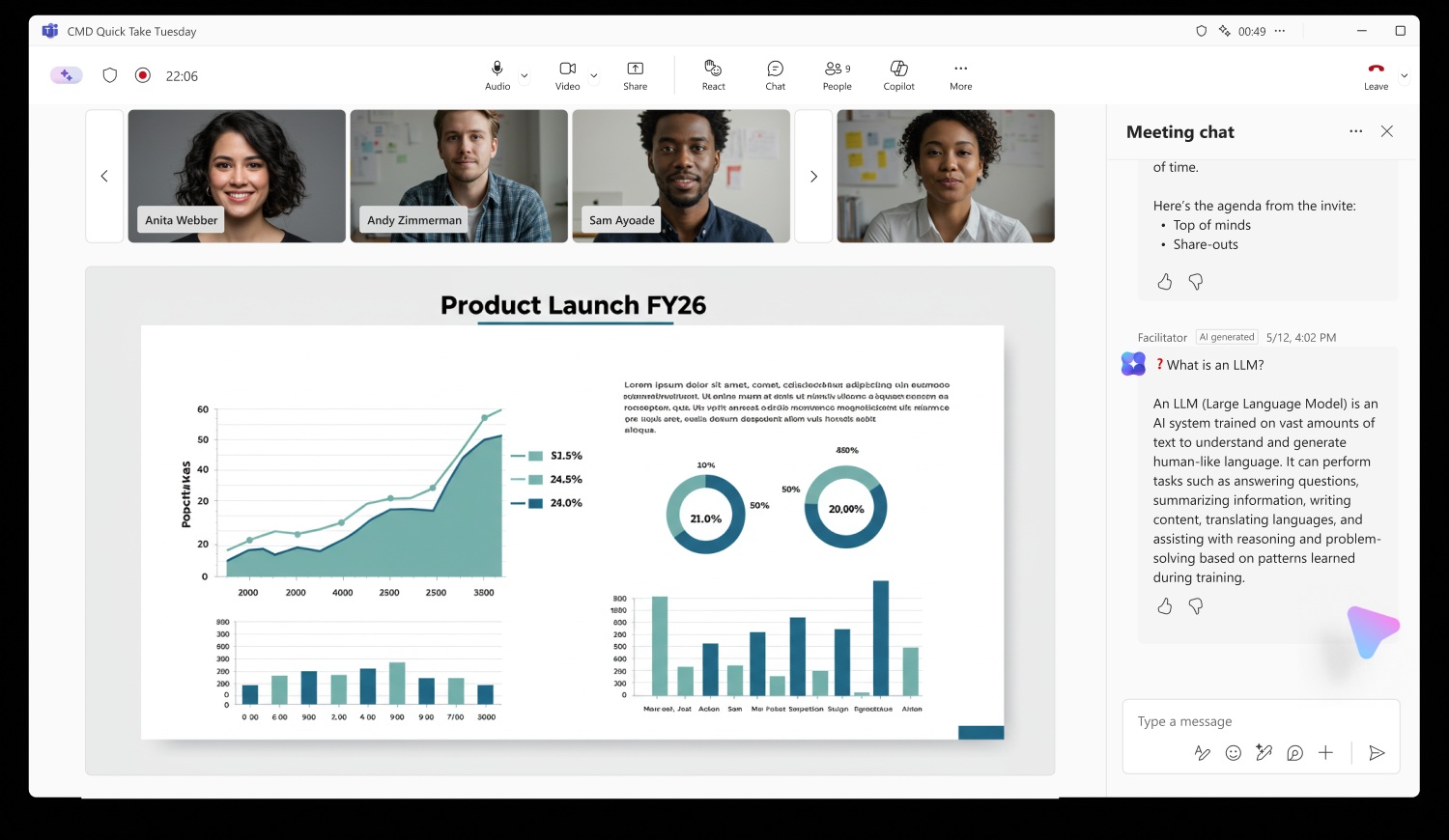
This is being seen as a major concern for privacy, so there are no plans to turn it on by default, and if it’s turned on in your organization, Meeting AI will let you turn it off.
In addition, Teams is testing simpler meeting controls to reduce accidental clicks (screen share), and faster performance via Efficiency mode on low-end PCs.
The post Microsoft caves after Teams AI backlash, will let you turn off Copilot, Facilitator and Recap mid-meeting appeared first on Windows Latest
“}]]
[[{“value”:”Microsoft caves on Teams AI, will let you turn off Copilot, Facilitator, and Recap during meetings on Windows and other platforms.
The post Microsoft caves after Teams AI backlash, will let you turn off Copilot, Facilitator and Recap mid-meeting appeared first on Windows Latest”}]] Read More Windows Latest