
[[{“value”:”
ExpressVPN, one of the best VPNs around today, is a highly trusted brand in the online privacy and security space.
Naturally, then, it’s worth digging into its dedicated password management solution to see whether it works only as an extra integrated feature bundled with the VPN subscription or if it can hold its own against the best password managers around – especially now that ExpressKeys is available as a dedicated app for iOS and Android devices, along with browser extensions.
It offers unlimited password storage with security and encryption protocols in line with modern market standards. You can autofill credentials, generate strong passwords, and even generate 2FA codes, all from within its dedicated app.
ExpressKeys: Plans and pricing
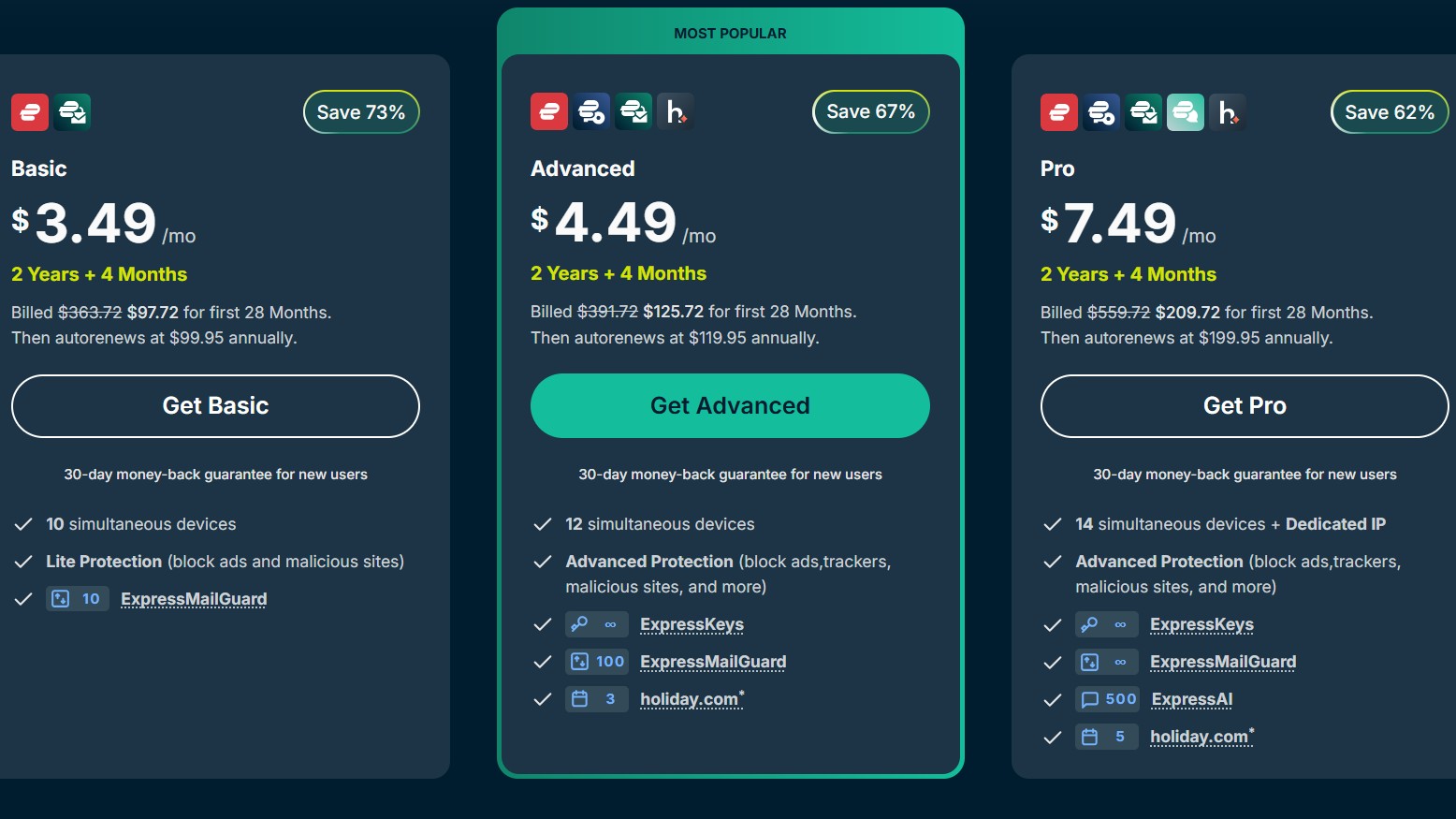
Right off the bat, you should note that ExpressKeys is not available as a standalone product – there’s a standalone app, yes. But you will have to get a full bundle of security products from ExpressVPN, which includes ExpressKeys. The bundle starts at $4.49 per month (Advanced plan) for a 24-month commitment, and you get four additional months free.
Along with access to all ExpressKeys features, you also get ExpressVPN, with 12 simultaneous connections and thousands of servers in 105 countries. There’s also ExpressMailGuard with six email domains and five dedicated subdomains, as well as three days of unlimited daily data with holiday.com eSIM access.
Agreed, the price may seem a bit steep when compared with alternatives like Keeper, which costs $3.58/month, or Bitwarden at $1.65/month. However, those prices only include a password manager. ExpressVPN, on the other hand, offers a full suite of security products, including a VPN, password manager, and a secure email provider.
You can also upgrade to its Pro plan, starting at $7.49 per month for 28 months, with expanded ExpressMail Guard features and additional ExpressAI access with 500 credits per day.
ExpressKeys: Features
ExpressKeys packs all the basics and, simply put, gets the job done for most users. You can store an unlimited number of passwords, credit cards, and secure notes in your vault, with the option to import passwords from other password managers you may have used previously.
There’s also a handy temporary one-time password generator (TOTP), which removes the need for multiple authenticator apps. You can securely generate temporary codes for services such as social media logins or banking applications.
Once you have added or imported your passwords, you’ll also find ExpressKeys’ password health feature quite useful. It can quickly assess your vault to identify weak, reused, or exposed passwords, then alert you to update them before they become a security risk.
ExpressKeys also follows a zero-knowledge architecture, meaning your data is encrypted on your device before being stored on the provider’s servers. As a result, not even ExpressKeys can read or decrypt your information, which can only be accessed using your master password.
However, ExpressKeys still does not support password sharing, which may be a deal breaker for users who regularly need to share credentials securely. Similarly, there is no passkey support yet.
ExpressKeys: Interface and in use
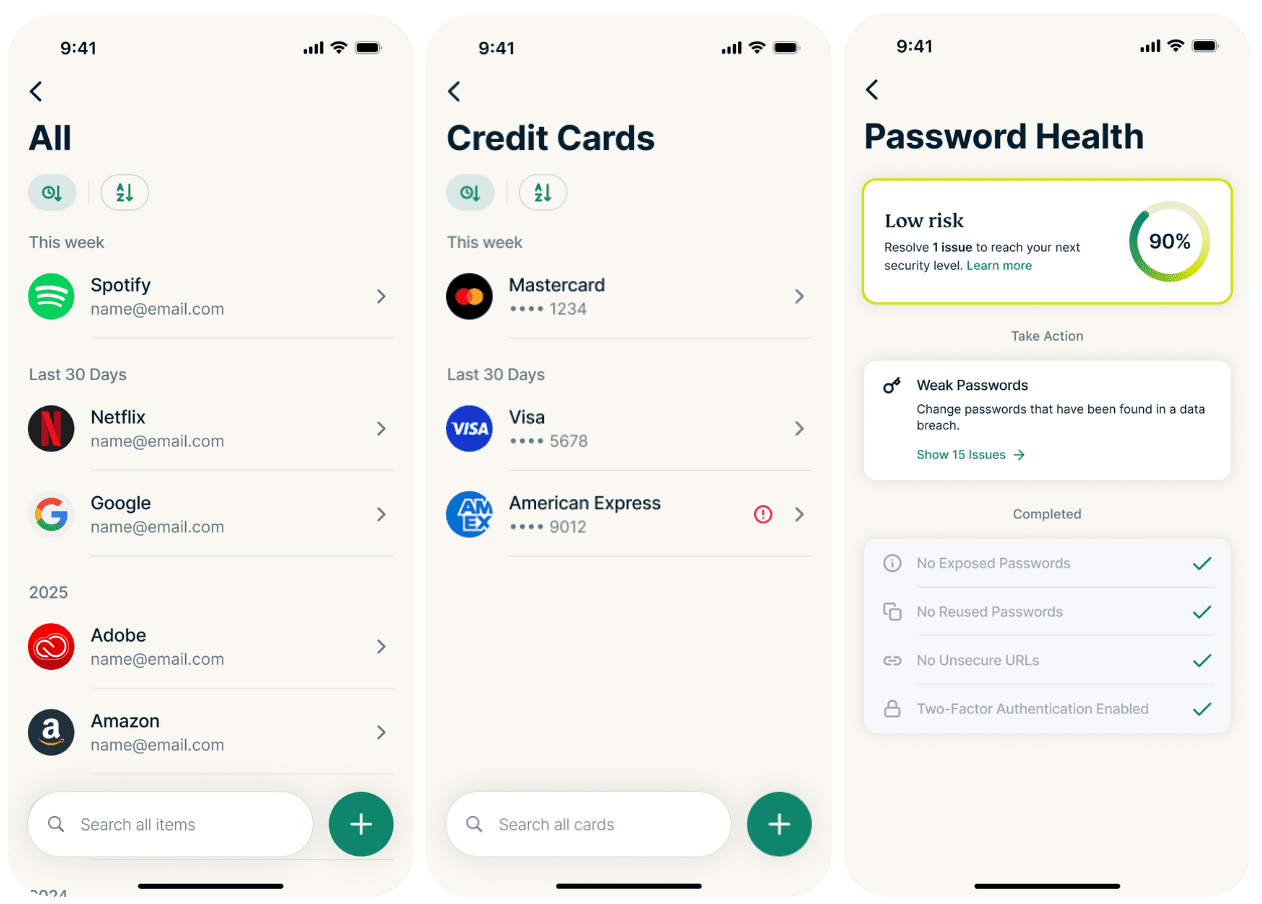
Up until recently, ExpressKeys functionalities were bundled with the ExpressVPN app on mobile devices. However, a dedicated ExpressKeys app is now available for Android and iOS, making the initial setup process much easier than before.
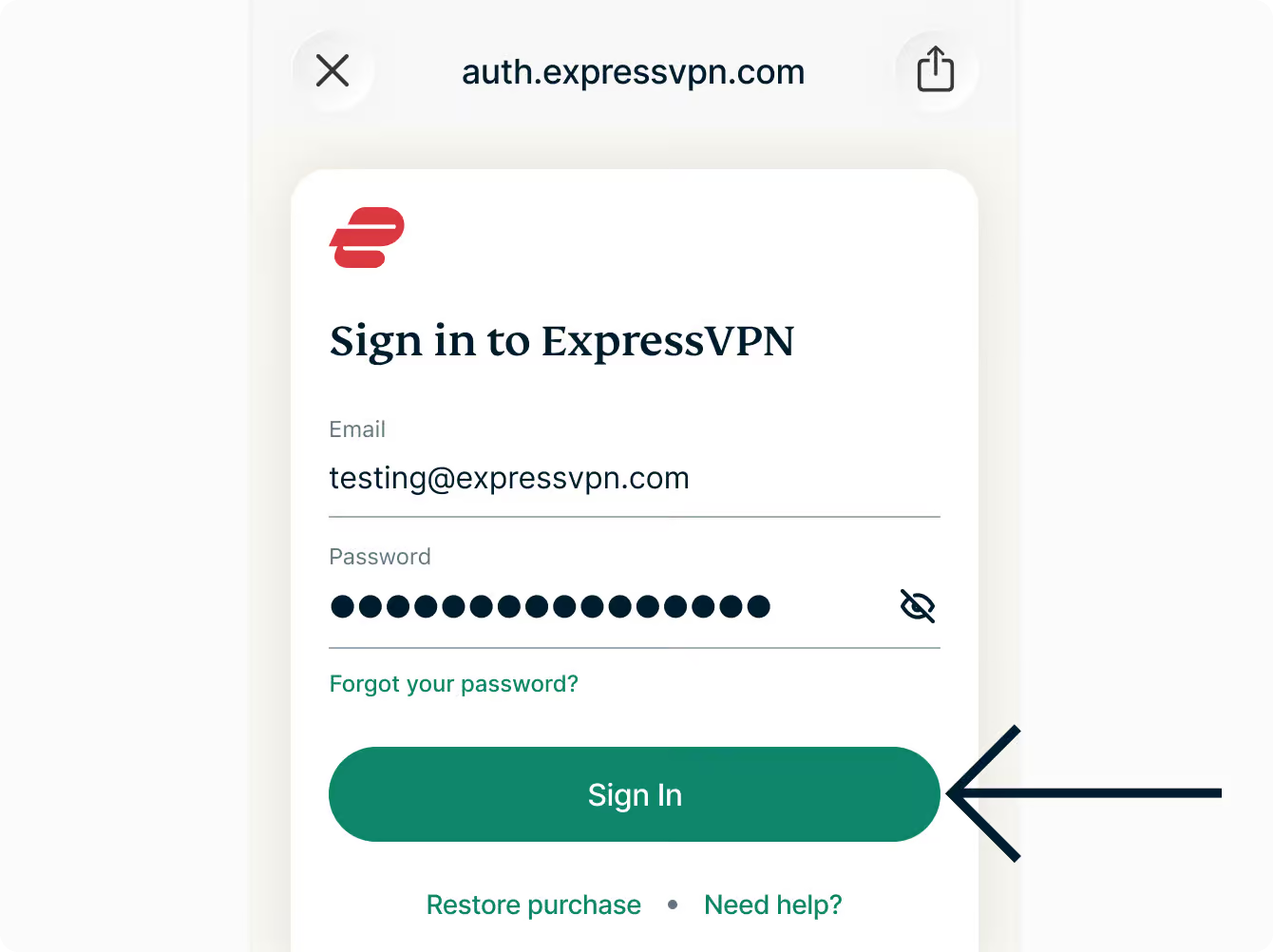
Once you download the application, you need to log in with your email account and enter the six-digit verification code sent to your email.
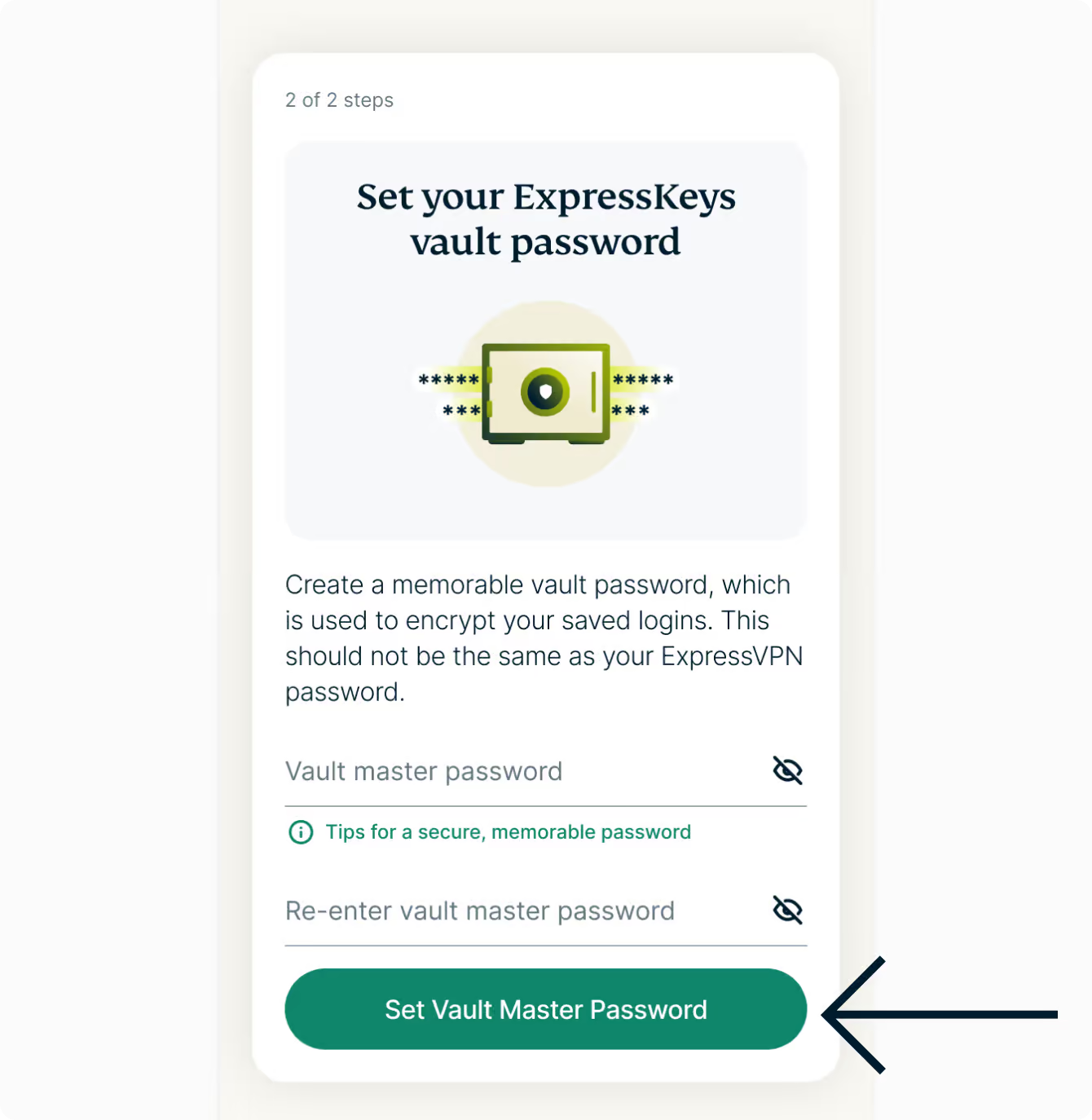
Next, you have to set a primary password. It should be strong yet something you can remember easily. That’s because if you lose the master password, you could lose access to all the passwords stored in your ExpressKeys Vault. Note that you will also receive a recovery code, which you should store securely offline.
Once the initial setup is complete, you can start adding passwords by clicking the plus icon in the top-right corner and creating new logins. If you want to use ExpressKeys on desktop, you’ll need to rely on the official browser extensions available for Edge, Chrome, and Safari. Unfortunately, there is still no Firefox extension.
The setup process for the browser extensions is fairly similar. After installing the extension, click on it to open ExpressKeys in a new tab.
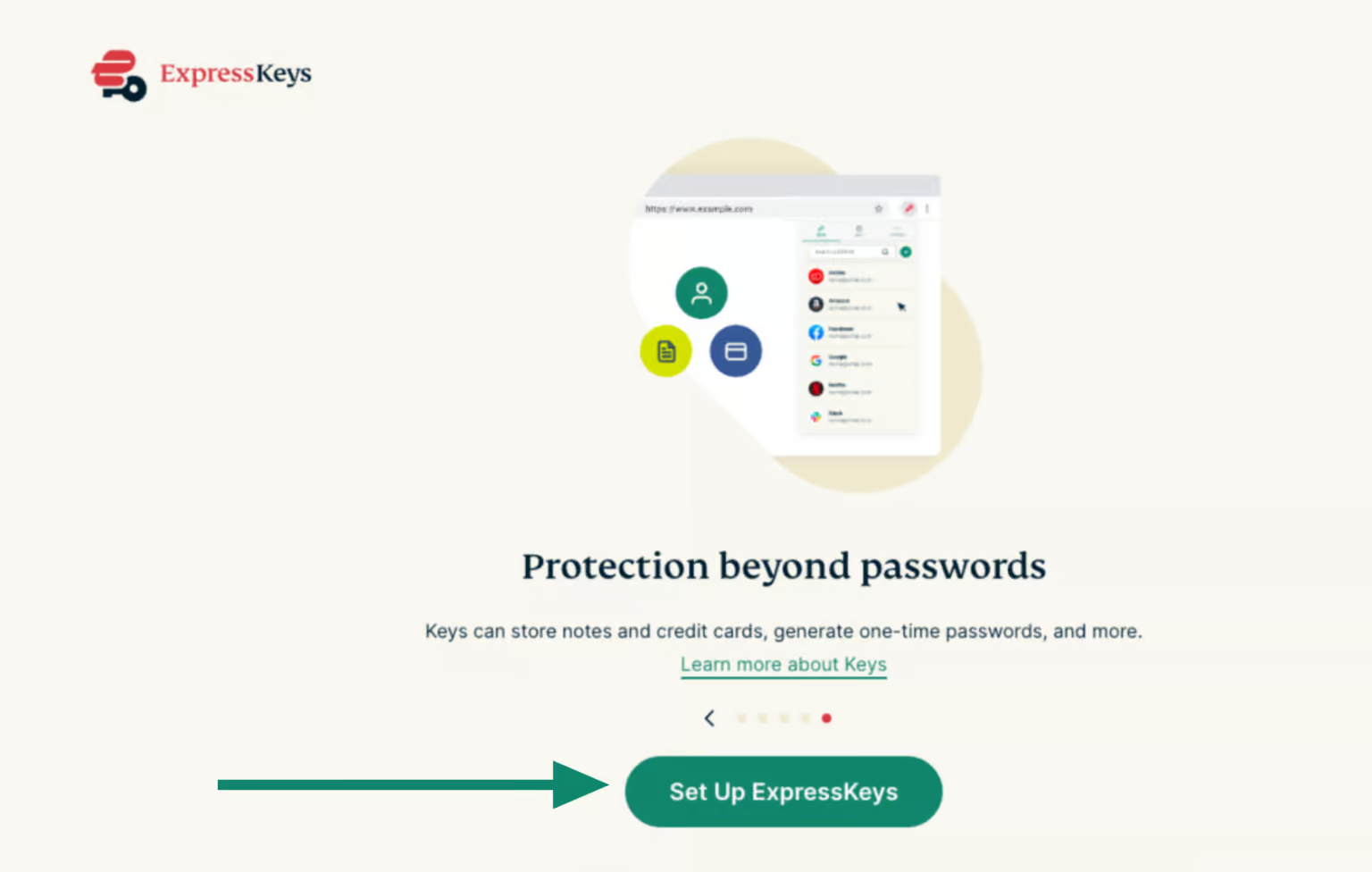
Click “Set up ExpressKeys,” choose a primary password, and save your recovery code. After that, you will be required to verify your account using the six-digit code sent to your email.
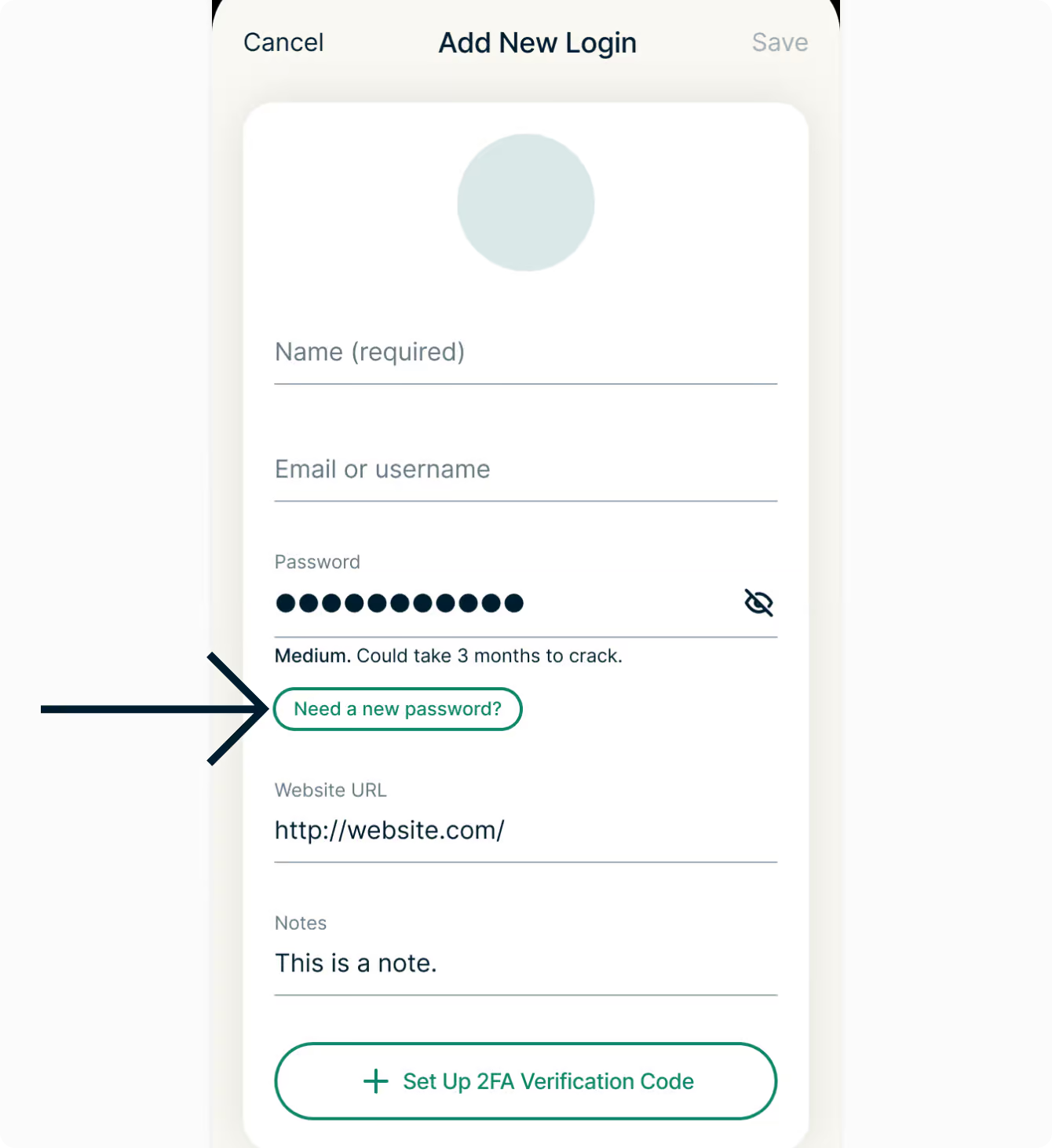
I also found it quite easy to add passwords within the ExpressKeys app. All you have to do is click the plus icon in the bottom-left corner and enter your login details. If you need a new password, you can select the “Need a new password” option, and ExpressKeys will automatically generate a strong one for you.
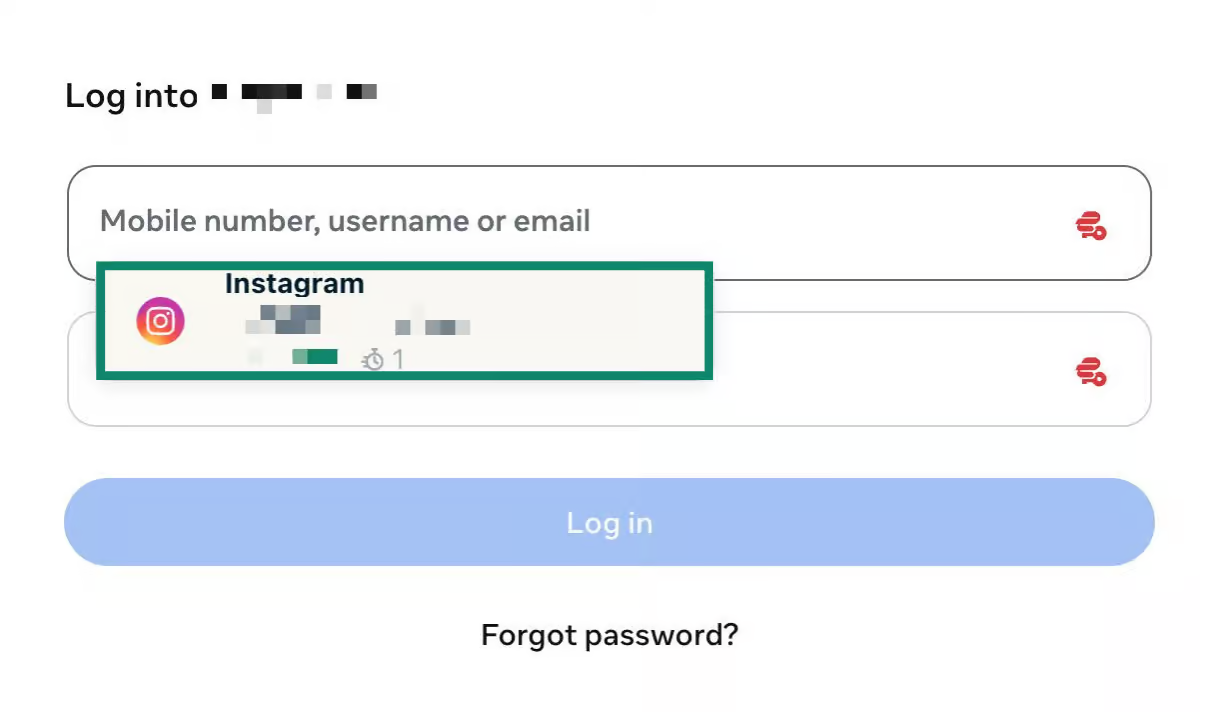
Once your passwords are saved in the vault, you can use ExpressKeys’ autofill feature to automatically populate usernames and passwords on supported websites. A small ExpressKeys icon appears on login pages – simply click it and choose the account you want to use.
Overall, I found ExpressKeys easy to set up and use. The interface closely resembles the ExpressVPN app, with minimal lag or delays. Most features are easily accessible from a single menu across both the mobile app and browser extensions, making it a beginner-friendly option.
ExpressKeys: Support
ExpressVPN offers a vast library of how-to and help articles, with detailed step-by-step guides for tasks like setting up your account, saving passwords, or importing them from other password managers. I found this especially useful, as it can quickly resolve common queries without the need to contact a support representative.
However, if you run into an issue not covered by these articles, you can contact customer support through the 24/7 live chat feature. Although the platform lacks direct email or phone support, the knowledge base and live chat should be sufficient for most users.
ExpressKeys: The competition
Since ExpressKeys isn’t a standalone password manager, it lacks some of the advanced features you’ll find in high-end password managers like Dashlane or Bitwarden.
For instance, Dashlane allows users to create passkeys on websites that support the technology. Passkeys work by creating two cryptographic keys for each account: a private key stored in your password manager and a public key stored on the website. Whenever you log in, the password manager authenticates your account using these keys instead of traditional usernames and passwords. ExpressKeys currently lacks this feature.
That said, Dashlane is on the more expensive side, with plans starting at $4 per month. In comparison, ExpressVPN gives you a password manager, VPN, and secure email service for just $4.49/month (2-year plan), which makes it a compelling overall package.
ExpressKeys also lacks shared vaults, a fairly standard feature offered by many competitors. For example, Bitwarden provides shared vaults for teams, allowing multiple users to securely store, manage, and share credentials collaboratively. It is also highly affordable, with plans starting at just $1.65 per month.
ExpressKeys: Final verdict
ExpressKeys is a solid basic password manager aimed at users looking for an all-in-one security bundle. It includes essential features like password generation, autofill, unlimited vault storage, zero-knowledge architecture, and 256-bit AES encryption to keep your credentials secure. However, these are features you can expect from most modern password managers today.
Where ExpressKeys falls short is in more advanced functionality, particularly secure password sharing and passkey support. Still, many individual users may never feel the absence of these features in day-to-day use.
To put it simply, if you’re looking for both a VPN and a password manager, ExpressKeys is easily out as one of the better bundled offerings available. But if you already use a VPN and simply want a feature-rich standalone password manager, alternatives like Dashlane, Bitwarden, or Keeper Security may be a better fit.
“}]]
 In our ExpressKeys review, we thoroughly examine the pros and cons of the platform relative to other top password management solutions. Read More Latest from TechRadar US in Reviews