
[[{“value”:”
Dreo Smart TurboPoly Fan 765S: two-minute review
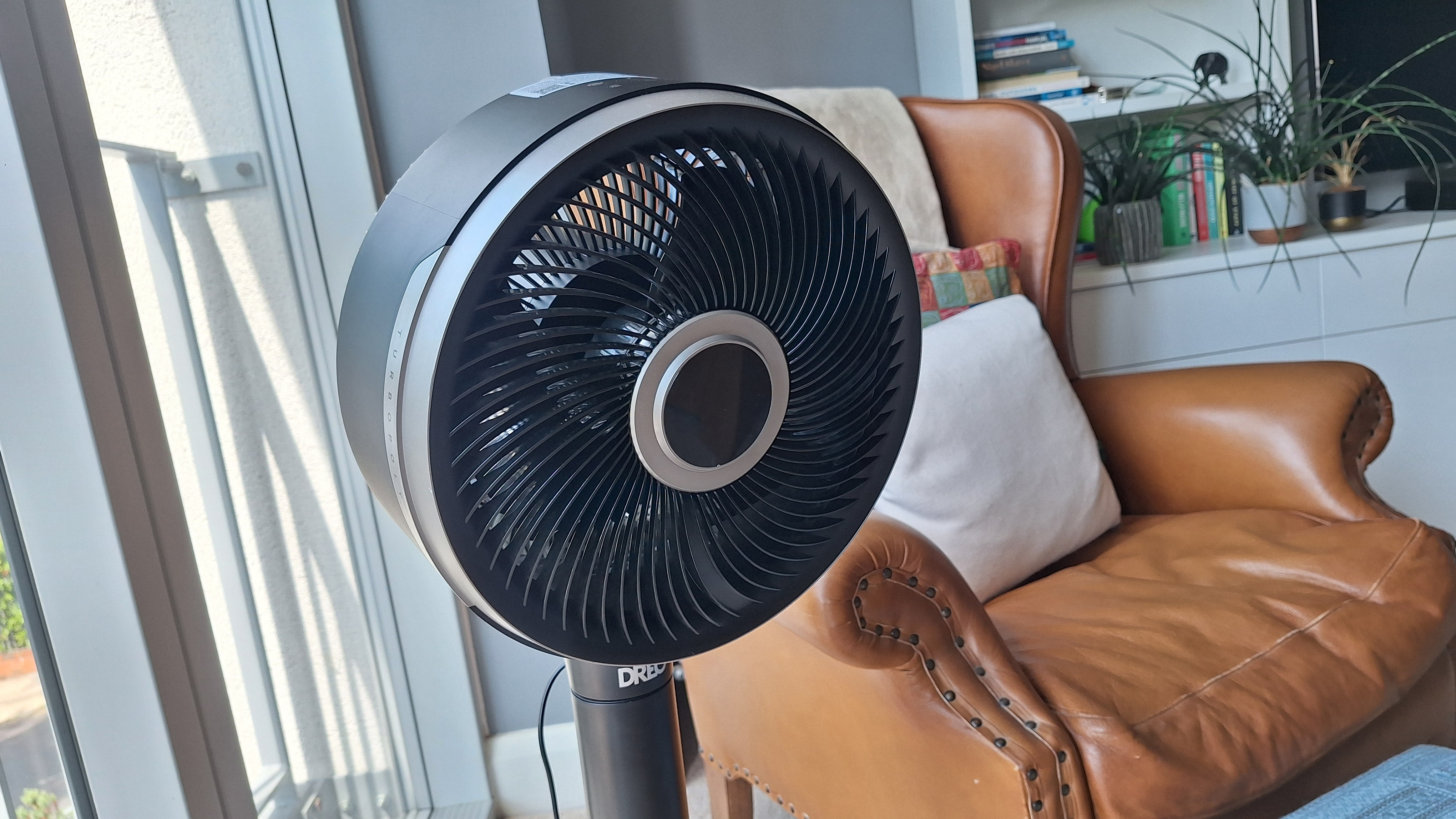
The Dreo Smart TurboPoly 765S is one versatile fan. It can be tall or short pedestal fan, or you can swap out the base and turn it into a desktop model. You can choose from a generous 11 speed modes, as well as six ‘special modes’, and horizontal or vertical oscillation (or both at once, turning it into a very effective air circulator).
You’re spoiled for choice when it comes to control options, too — you can use the remote, touchscreen buttons on the top of the fan head, or adjust settings on your phone using the Dreo companion app.
In that app you’ll find an absolute ton of customization options: I’ve tested some of the best fans on the market, and it’s rare to see a fan that offers such precise control over when, where and how it blows. While Dreo does a good job of laying out the app so it’s nice and useable, I do wonder how many people really need quite so many options.
So what about that basics? The Dreo Smart TurboPoly 765S delivers an even, effective flow of air, with a great range of settings. The lowest speed is whisper-quiet and gentle yet still perceptible, and the highest is impressively punchy. The Turbo setting — separated out as a special mode — is a miniature tornado. At higher settings, it’s not the quietest fan I’ve used, but neither is it excessively loud.
You’re paying a premium for the versatile form factor, as well as the extensive customization options and smart functionality. If you don’t need all those things, there are cheaper, equally effective fans that’ll fit the bill better. However, if flexibility and precise control is what you’re after, the Dreo Smart TurboPoly 765S is a standout choice.
Dreo Smart TurboPoly Fan 765S review: price & availability
- List price: $159.99 / £169.99
- Available: US, UK
At list price, the Dreo Smart TurboPoly fan 765S costs $159.99 in the US and £169.99 in the UK (which equates to about AU$230, though at the time of writing it’s not available in Australia). That puts in in the premium price bracket for fans, but it goes some way to justifying the cost with its versatile desktop-or-pedestal design and smart features.
That’s especially true when you compare the wider market alternatives. For example, the original Shark FlexBreeze costs $199.99 / £199.99 / AU$249.99 at list price. The Shark option lacks smart features, but it can be used cordless (whereas the Dreo can’t). Another alternative is the Meaco 1056P, at $189.99 / £149.99 (about AU$270). This is the model I have at home, and it’s less versatile than the Dreo TurboPoly 765S, but quieter at higher speeds.
If you don’t need app control and are happy to commit to either a desktop or a pedestal model, there are cheaper options available to you.
- Value for money score: 4 out of 5
Dreo Smart TurboPoly Fan 765S specs
|
Type: |
Pedestal / tabletop |
|
Speeds: |
12 |
|
Oscillation: |
150° horizontal, 100° vertical |
|
Dimensions (W x H, floor mode): |
11 x 39–44 inches / 27.9 x 99-111.8cm |
|
Dimensions (W x H, desktop mode): |
16.7 x 19.3 inches / 42.4 x 49cm |
|
Control: |
Buttons, remote, app |
|
Cordless: |
No |
|
Special modes: |
Auto, Turbo, Natural, Sleep, Custom |
|
Max reach: |
121.4ft / 37m |
|
Timer: |
Yes (12 hours) |
Dreo Smart TurboPoly Fan 765S review: design
- Versatile design can be a desktop or pedestal fan or air circulator
- App control is excellent; buttons / remote best for basic functions
- Wide speed range, precise oscillation control and multiple special modes
As fans go, the Dreo Smart TurboPoly 765S is one versatile performer. You can choose from a generous 11 speed modes, as well as six ‘special modes’, horizontal and vertical oscillation, and a timer option. You can direct the fan head at a specific target, or unleash the full range of oscillation to use it as an air circulator.
It can be used as pedestal fan, and in this mode it’s possible to adjust the height to a taller or shorter floor-standing option. Alternatively, you can remove the base altogether and swap on a different one to turn it into a desktop fan. I especially like the design of the tabletop base — its opening mechanism protrudes so when you press it down on a flat surface the legs extend outwards to form a stable base.
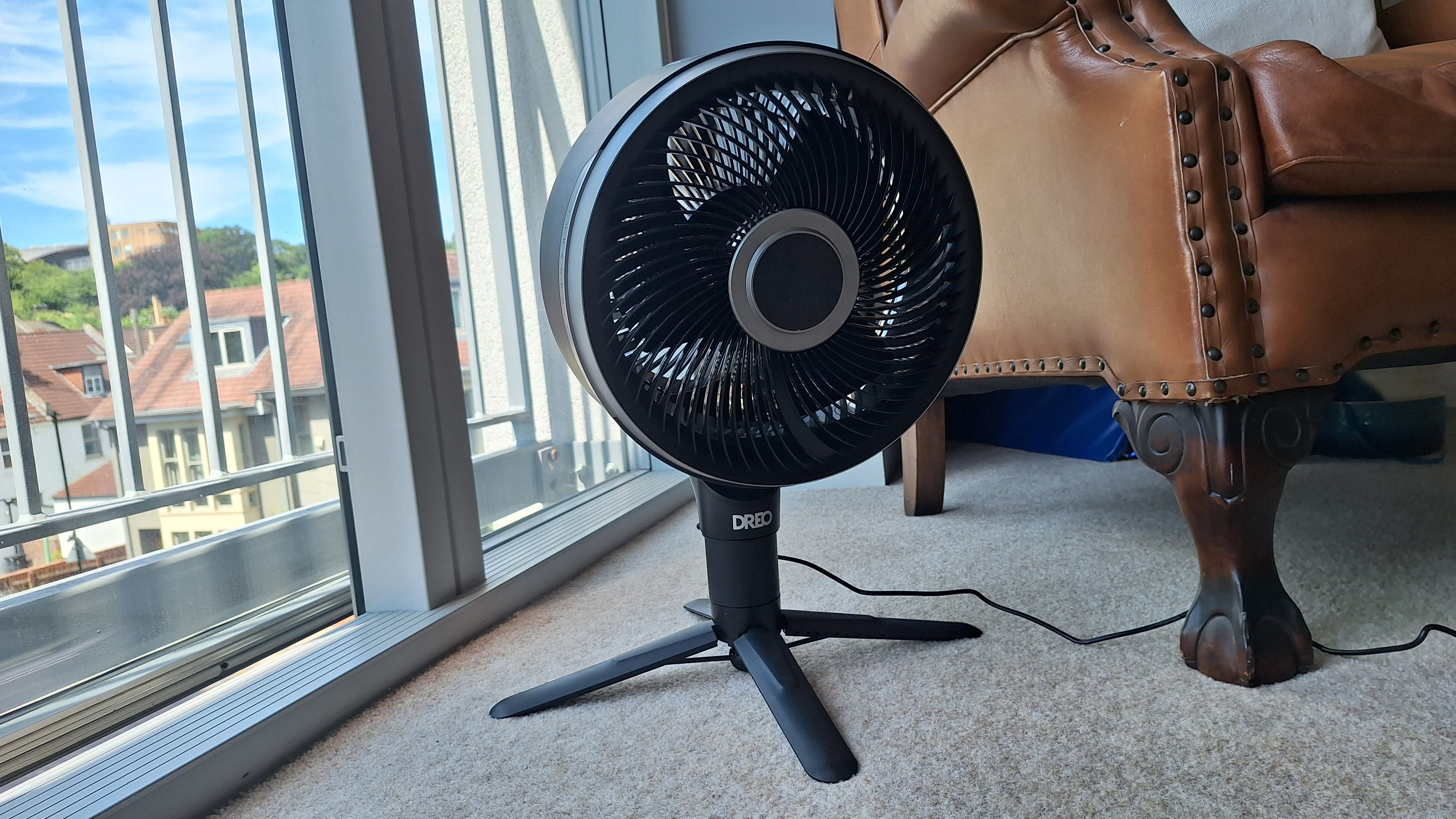
The fan feels well-built and sturdy, and the pedestal base is reassuringly heavy, so I was never concerned about knocking it over. I also appreciated the inclusion of a moulded handle on the fan head, which makes it easy to carry it from the top.
Some competitors offer magnetic remotes that snap onto the fan itself when not in use, but that’s not the case here. Instead there’s a remote control holder that snaps onto the pole. It could feel more intentional but does the job perfectly fine.
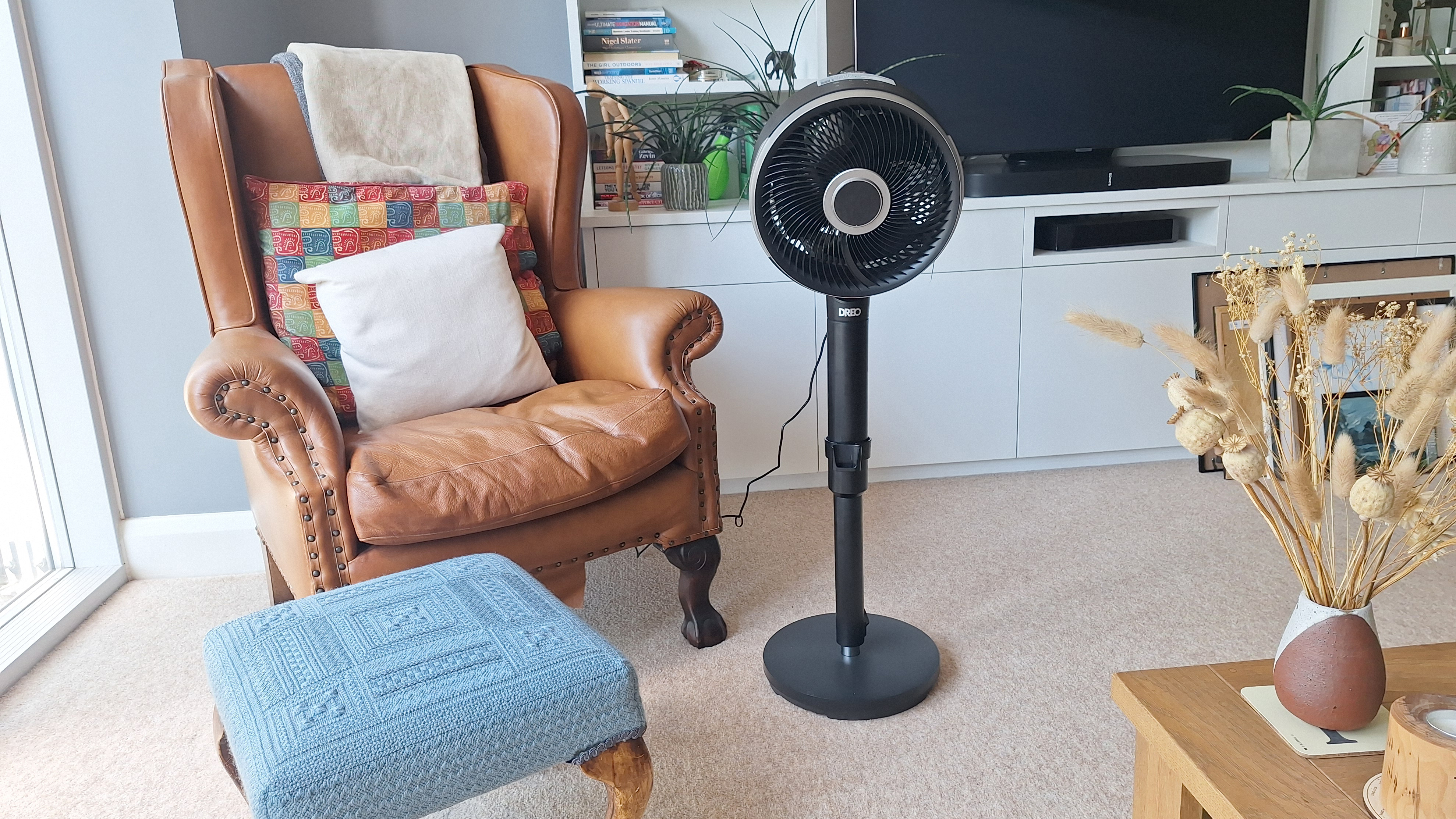
There are a couple more advanced features the Smart TurboPoly 765S lacks. It can’t be used cordless, so you’ll have to commit to staying near a power outlet. There’s also no misting capability — this is a newly popular concept in the fan world, and appears on a handful of modern fans including the Dreo 516S. It can be a bit of a game-changer if it’s really hot.
App and controls
That ‘S’ in the product code tells me there’s an app I can use to control this fan. I can’t overstate how jam-packed with options this app is. You can use it to turn the fan on and off, switch modes or adjust fan speed, and change the angle of the fan head. You can also precisely set the oscillation angles, including an option for asymmetrical oscillation.
There’s a scheduling area where you can either choose when the fan will go on or turn off, and you can also set it to come on at a certain time (and speed / mode) on certain days. One minor missed opportunity is that you can’t then schedule when it turns off — I wanted to set it to run for a couple of hours each evening as I go to sleep, but that doesn’t seem to be possible.
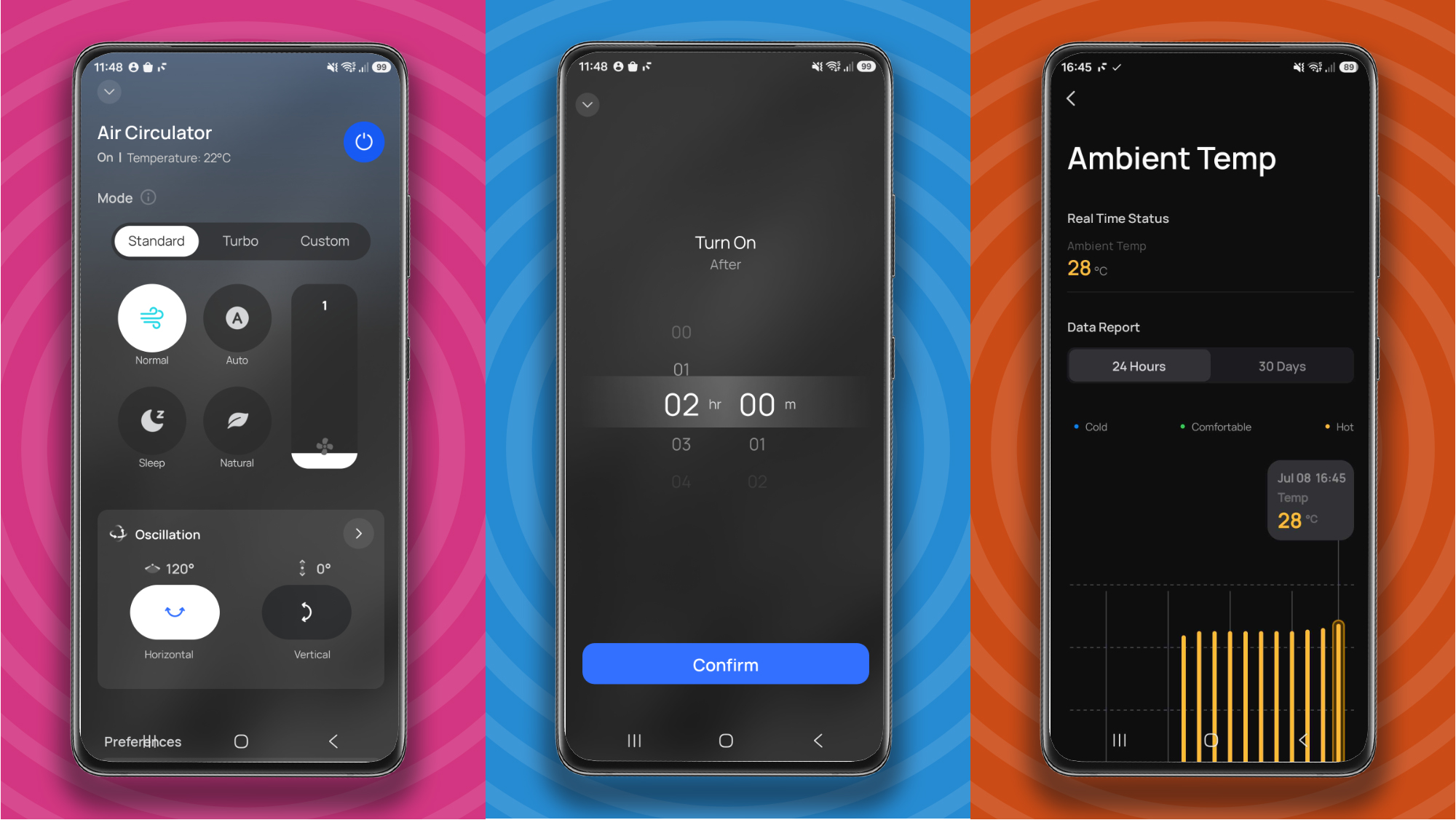
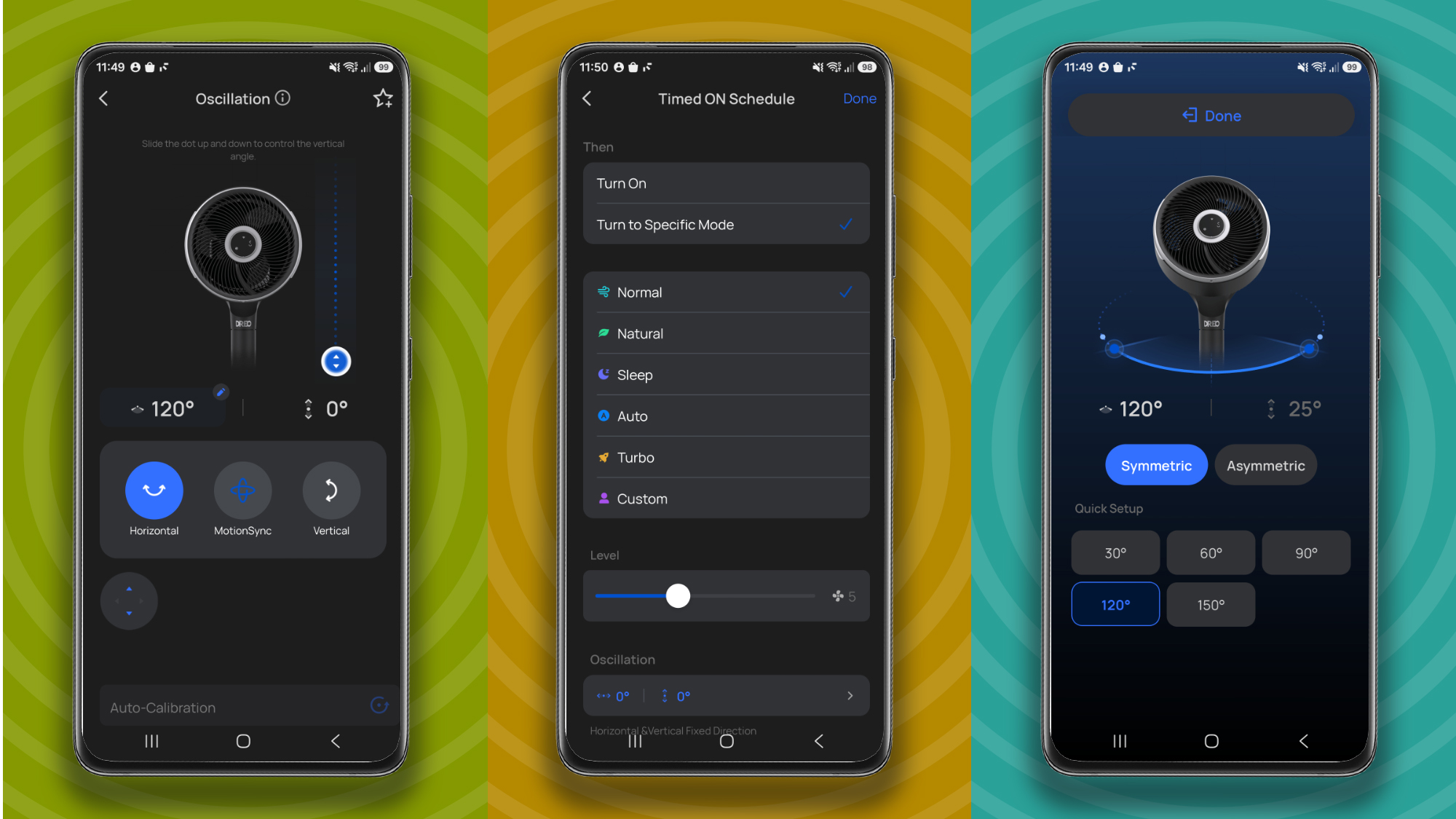
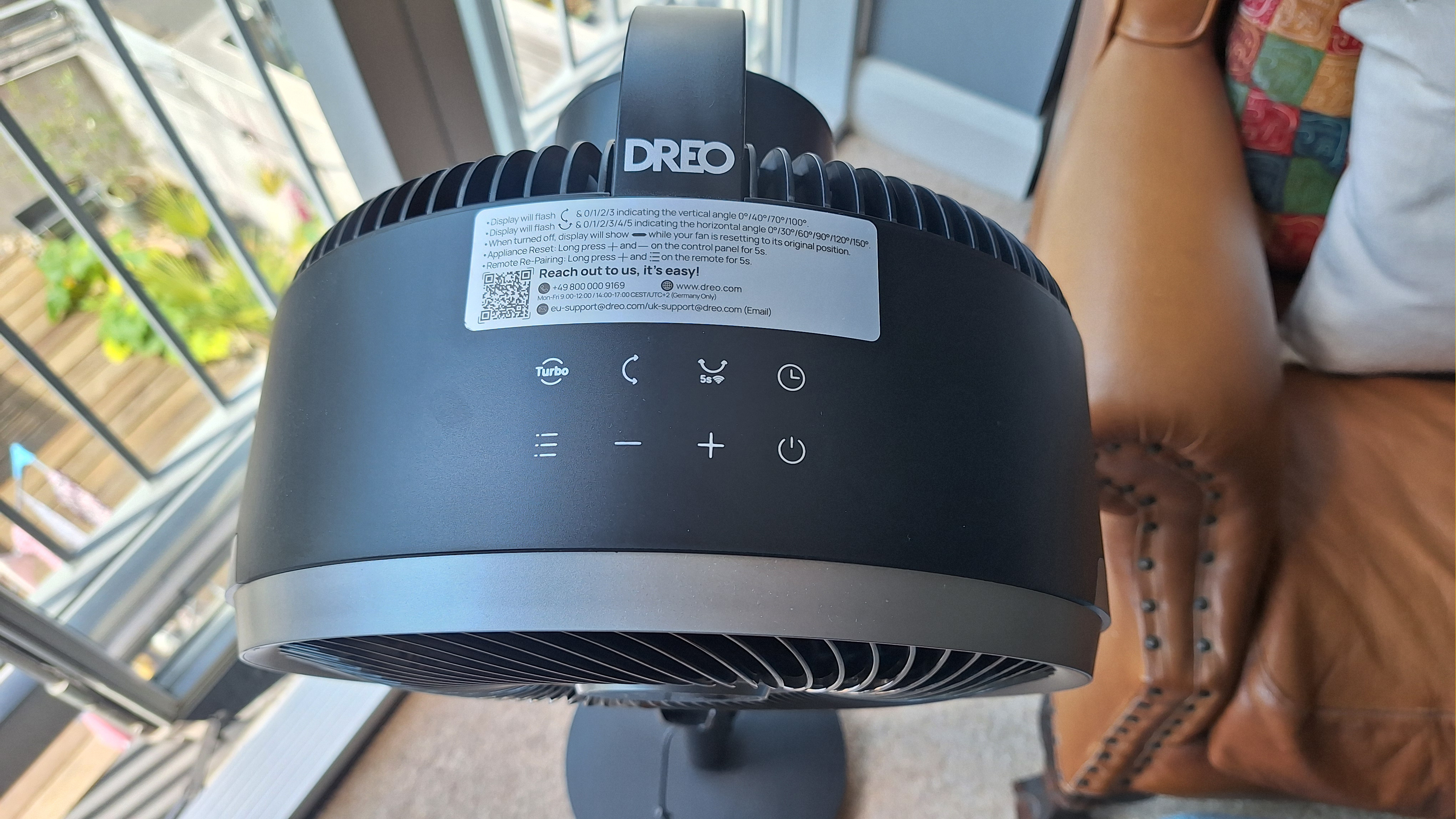
The app is well laid-out and easy to use, although the fact there are so many precise customization options means it can feel fiddly at times. If you don’t want to get your phone out, you can also control the fan using the remote control, or via touchscreen buttons on the top of the head.
These are responsive, and, to a point, straightforward. Changing the speed, swapping modes or adjusting the angle the head is pointing in is easy. However, for fine-tuning I found it far easier to use the app. (In fact, I had such trouble working out some of the functions that I emailed Dreo’s general customer services address to help — and they get major brownie points for replying quickly, with a clear answer.)
- Design score: 4.5 out of 5
Dreo Smart TurboPoly Fan 765S review: performance
- A little noisy on higher settings
- Great range of settings, including an ultra powerful Turbo mode
- Easy to direct the air exactly where you want it
Overall, I was very impressed with the Dreo Smart TurboPoly Fan. The speed settings cover a good range, with level 1 delivering a gentle but perceptible flow of air, while level 11 is pleasingly powerful, and Turbo mode all-but blew me away. I can’t imagine many situations where you’d need such strong airflow, but it’s nice to have the option.
One small but welcome detail is the fact that the windspeed settings cycle from 11 straight to 1. That meant if I knew I wanted a higher setting, I could work backwards and save some button presses.
Also in its favor is how precisely you can adjust where the airflow is directed. In static mode, arrow controls enable you to easily change where the fan head is pointing. It’s also possible to finely adjust the vertical and horizontal oscillation; even making it asymmetrical if you want. And of course, you can extend / retract the pole or swap from pedestal to desktop mode if you want to alter the height more dramatically.
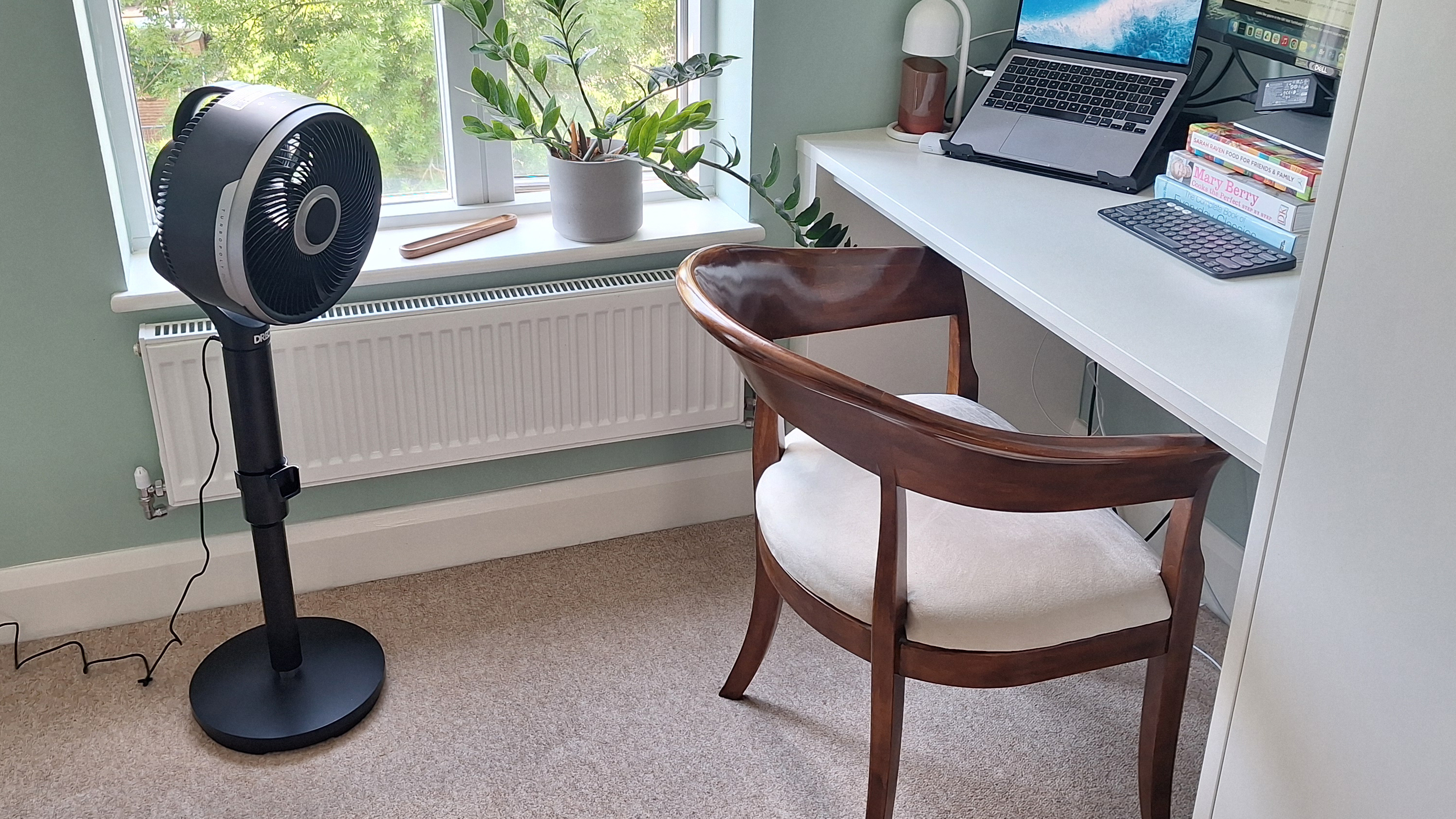
I used it to keep me cool in my home office during two UK heatwaves, and adjusted it to a very narrow range of oscillation where it was essentially just blowing from side-to-side on my back. The effect was absolutely dreamy.
I also used it as an air circulator (in its full vertical and horizontal range of oscillation) to amplify the effects of our newly-purchased portable air con unit. It did an excellent job of rapidly distributing the cool air as it was being pumped in, filling the bedroom much quicker than the AC could manage on its own.
In terms of noisiness, I’d give the Dreo middling marks. On setting 1 it’s whisper-quiet, but as I moved up the settings the sound ramped up, and on level 11 it was noticeably louder than my usual fan (a Meaco air circulator). It’s certainly not the noisiest fan I’ve come across, though.
Moving on to the special modes. They are as follows:
- Normal: runs at fixed speed
- Auto: speed increases or decreases depending on room temperature
- Turbo: runs at maximum speed
- Natural: speed fluctuates to mimic a natural breeze
- Sleep: decreases speed after 30 mins, up to two times
- Custom (via Dreo app): speed changes at specified times or temperatures
I was pleased to see there’s a Sleep mode included, and the setup for this one is pretty standard, allowing you an hour to drop off. It’s worth pointing out that the lights on the Dreo Smart TurboPoly 765S switch off automatically as standard a few seconds after you’ve finished adjusting them — something I appreciated as I hate to have a glowing LED illuminating my room as I’m trying to sleep. (You can change this setting if you prefer the display to stay on.)
Auto mode is useful, too, if you’re using the fan throughout the day. The ambient temperature measurement seems accurate, and matched that of my other fan.
I wasn’t so enamored with the Breeze mode. I’ve seen this mode listed on a few different fan models recently, and have always been curious about it. On test, though, I found the fluctuations in speed and accompanying shifts in noise distracting more than anything. That said, it did feel somewhat like a natural breeze, and I can imagine some people enjoying this effect.
- Performance score: 4.5 out of 5
Should you buy the Dreo Smart TurboPoly Fan 765S?
|
Attribute |
Notes |
Rating |
|---|---|---|
|
Value |
Premium pricing, somewhat justified by its versatility and smart functionality. |
4 / 5 |
|
Design |
Versatile design — can be used at a range of heights, controlled in a number of ways, and with plenty of setting options to explore. |
4.5 / 5 |
|
Performance |
Great range of airflow settings, including an ultra-powerful Turbo mode. A little noisy on higher settings, and controls can feel fiddly. |
4.5 / 5 |
Buy it if…
You need a tabletop and a pedestal fan
The Dreo Smart TurboPoly 765S can be used as a pedestal fan with a telescopic pole, or the base can be switched to turn it into a tabletop model.
You want lots of precise control
This fan is not lacking in customization options — there are plenty of ways to change exactly how, when, and where the Dreo TurboPoly 765S unleashes its airflow.
You’d like to be able to control the fan remotely
Smart functionality means you can operate this fan via a companion app on your phone.
Don’t buy it if…
You just want a tabletop OR pedestal fan
There are cheaper, as effective options if you don’t need the 2-in-1 functionality.
You like to keep things simple
Some people won’t want all the various control options, in which case there are cheaper and more straightforward fans that would fit the bill better.
How I tested the Dreo Smart TurboPoly Fan 765S
I tested the Dreo Smart TurboPoly 765S over three weeks in June/July, which happened to encompass two UK heatwaves, with temperatures reaching 37C or higher (around 98F). I used it extensively during the day while working from home, as well as at night, and tested all the special modes. I also tried out all the control methods, including digging into the app. I compared my findings with other fans I’ve used, but predominantly my trusty Meaco air circulator.
Read more about how we test
- First reviewed July 2026
“}]]
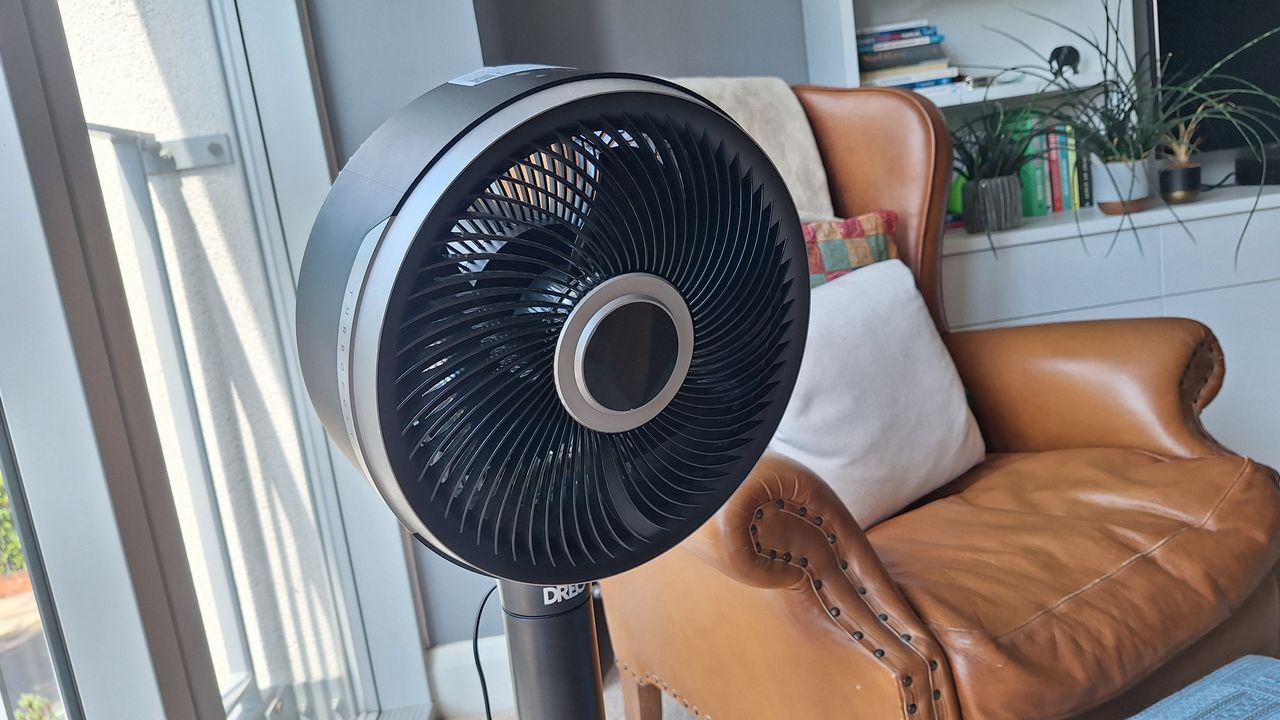 The Dreo Smart TurboPoly 765S is one versatile fan. Read More Latest from TechRadar US in Reviews