
[[{“value”:”
Whether it’s helping your kids improve their cyber hygiene, restricting internet access for discipline or productivity purposes, or simply keeping a watchful eye on their internet activities, a parental control app has become a much-needed defense against today’s worsening digital threat landscape.
FamilyTime is one such popular child monitoring application that gives you a granular view of the applications and websites your child visits and allows you to manage their screen time with active limits.
In this review, we’ve taken a deep dive into FamilyTime Premium’s best features, plans, user experience, and customer support to help you decide if it’s the right choice for you. Read till the end because we also compare it with some of the best in the business.
FamilyTime review: Plans and pricing
FamilyTime Premium offers a pretty straightforward pricing structure. There are three plans for you to choose from: My Family, My Family 3, and My Family 5. While the first plan covers only one device, the other two cover three and five devices, respectively.
The single-device plan costs $2.41 per month, billed at $29 annually. My Family 3 costs $4.08 per month, billed at $49 annually, while My Family 5 costs $5.75 per month, billed at $69 annually.
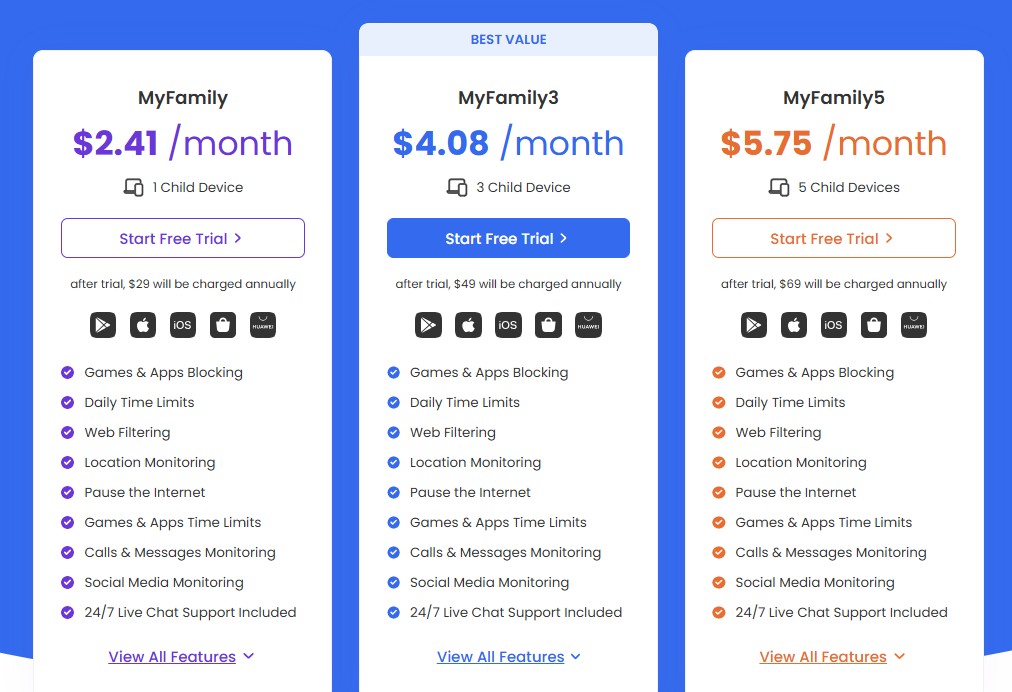
The good news is that there are no feature differences between the three plans – the only difference is the number of devices they cover. This means you get everything FamilyTime Premium has to offer, even with the basic $2.41 plan.
Before you commit to a paid plan, you can try FamilyTime Premium’s 3-day free trial, where you can test various features to see how they work.
However, note that the free trial isn’t particularly extensive and lacks certain features, especially social media monitoring on platforms such as WhatsApp, Instagram, TikTok, Twitch, and Signal. Similarly, you can’t read your child’s text messages or view their calls during the free trial.
That said, it’s still one of the most comprehensive free trials we’ve seen, even if it’s for a very limited time. That makes it worth trying if you’re considering FamilyTime and want to explore its features to understand whether it’s right for you.
FamilyTime review: Features
FamilyTime Premium offers a slew of features to help you manage your child’s screen time and phone usage. One of the best is its Balance feature, which gives parents a great degree of control over how much time their child spends on their device.
For starters, parents can define daily usage limits along with individual app limits. There’s also Screen Schedule, which lets you schedule limited screen time for your child during different parts of the day.
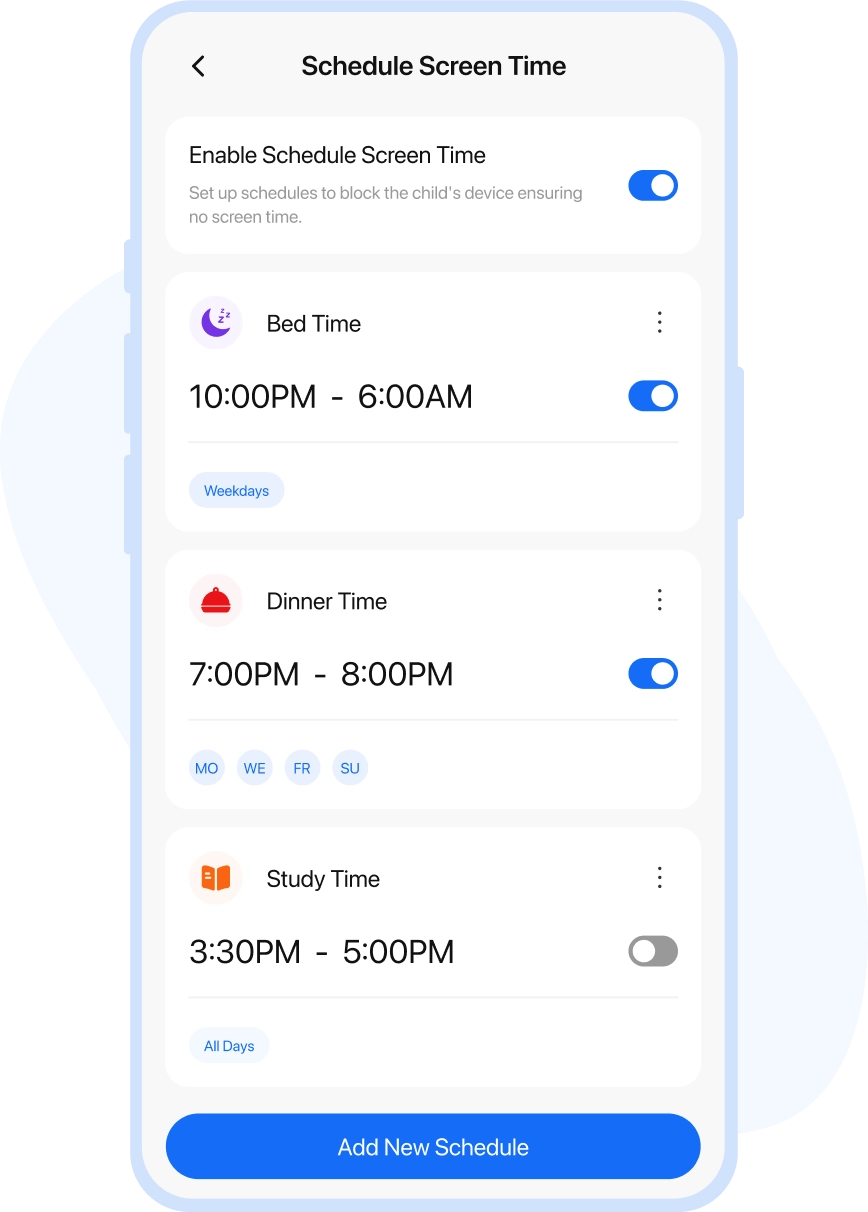
Next, the Scheduled Internet feature offers a finer level of control, letting you block internet access on your child’s device for a specific period. They’ll still be able to use non-internet apps.
What we liked the most, though, is its Time Bank function, which allows a child to carry forward their unused daily allowance. For instance, if you’ve allowed five hours of screen time during weekdays and your child uses their phone for only three hours on a particular day, they can carry the remaining two hours forward for later use.
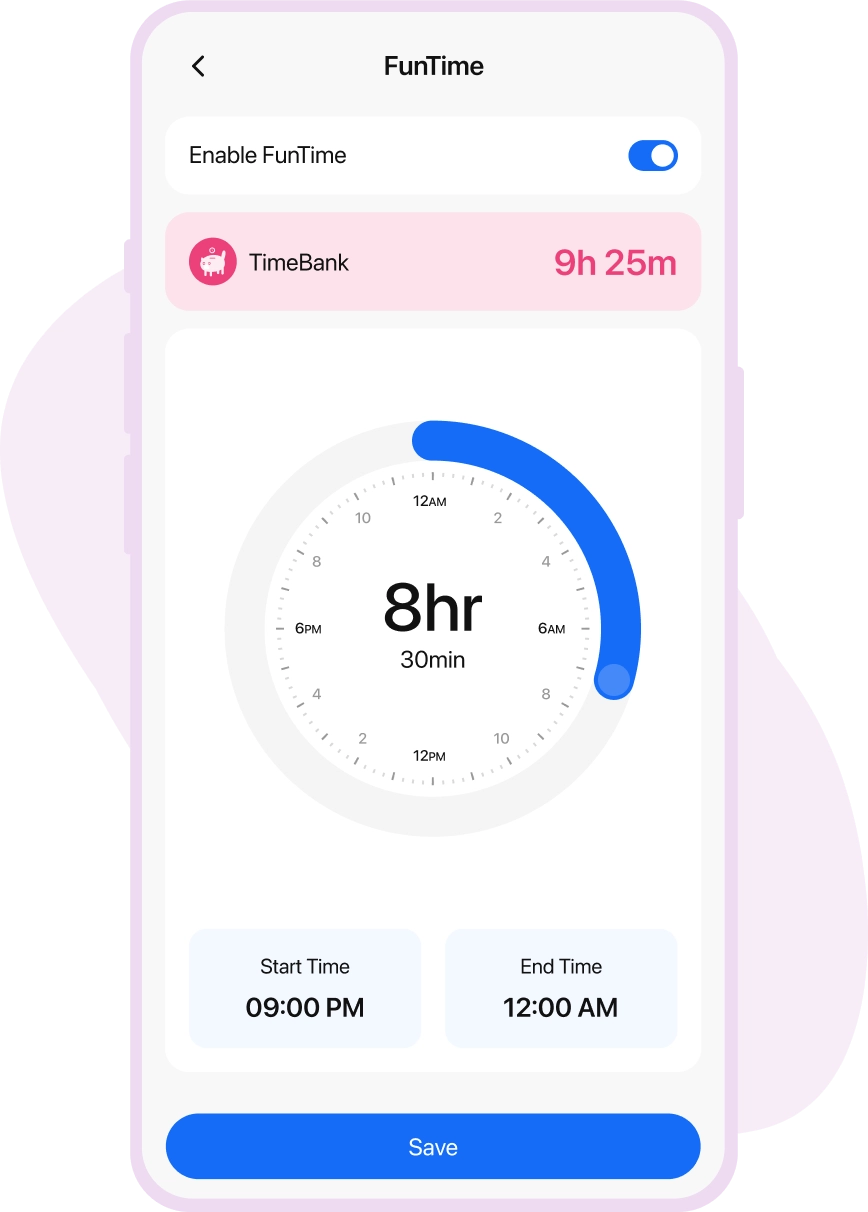
Lastly, there’s Family Pause, which can immediately lock your child’s device in case of an emergency. In addition to extensive screen-time controls, FamilyTime also offers several safety features. For example, you can outright block apps or games that you don’t approve of on your child’s device, or block inappropriate and age-sensitive websites.
On the flip side, you can choose to allow your child to access only approved applications and games and enable search filters to block explicit websites, videos, and images.
There’s also a handy SOS Panic Button that your child can use during an emergency. When they activate it, parents receive an immediate SOS alert notifying them that their child needs help.
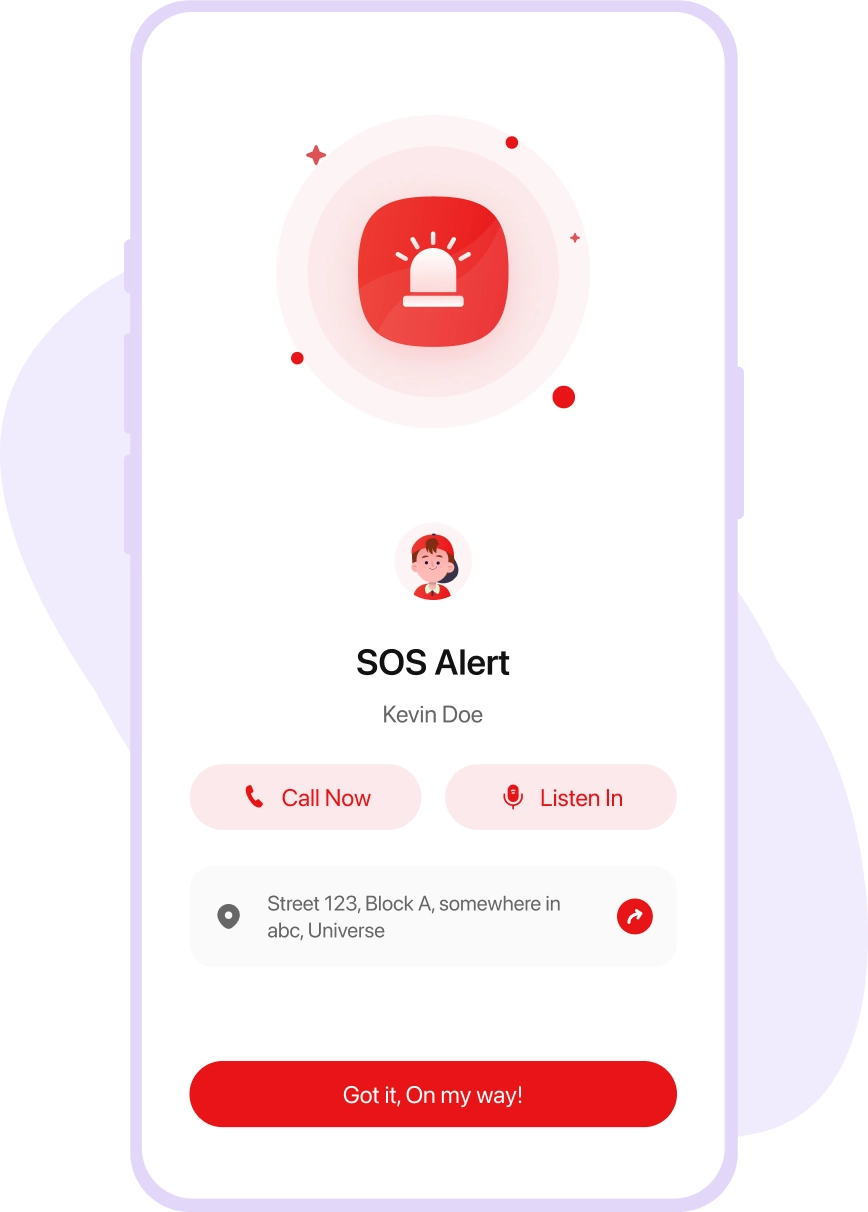
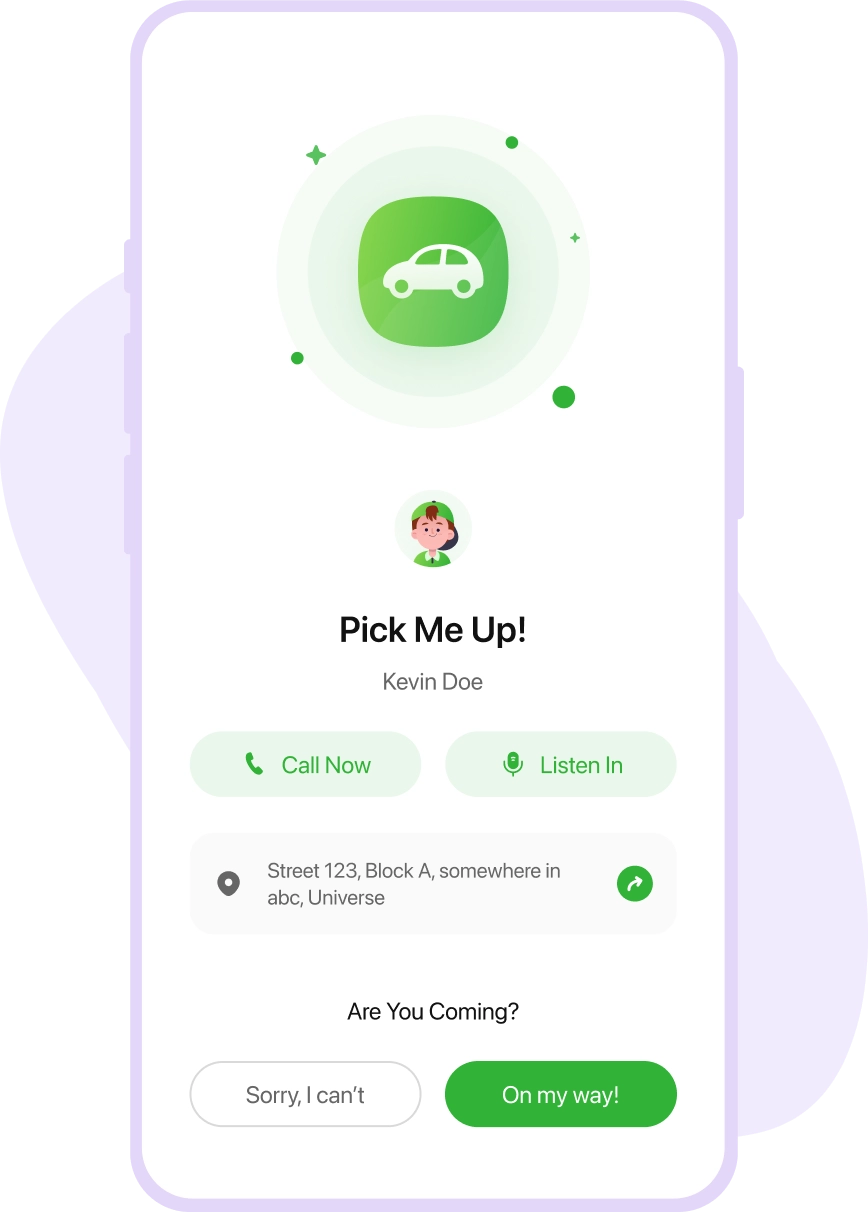
FamilyTime also offers a pretty nifty PickMeUp Request feature, which sends real-time reminders and lets you plan your child’s pickup on a day-to-day basis.
On top of this, FamilyTime offers several visibility features, giving you granular insights into your child’s phone activity. For instance, you can view all the contacts on your child’s device, read their text messages, and access their call logs.
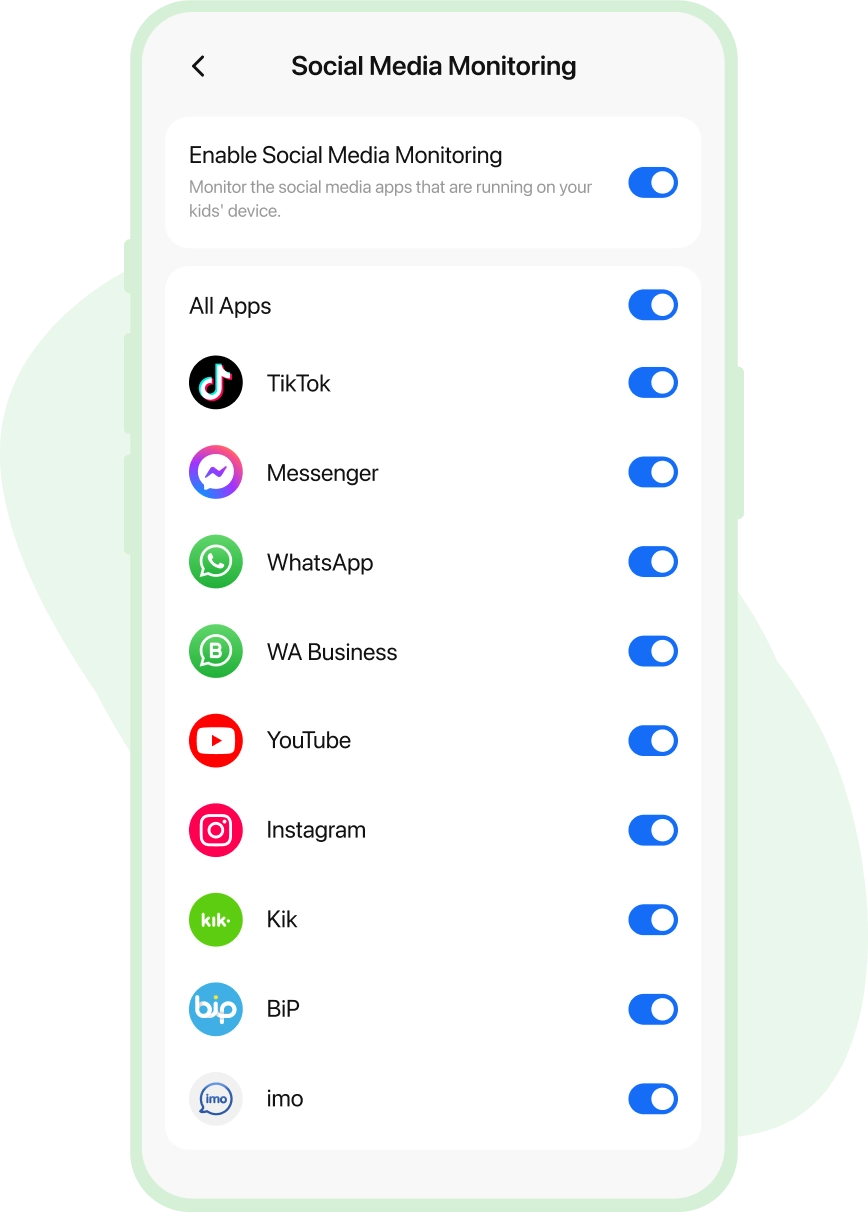
Moreover, you can check the list of installed apps, view your child’s web history, and even monitor their social media activity on platforms such as WhatsApp, Instagram, TikTok, Twitch, and Signal.
Lastly, there are location-tracking features as well, which can help you locate all your family members on a live map at a glance. You can also define specific areas on the map and receive instant alerts whenever your child enters or leaves a designated zone.
FamilyTime review: Interface and in-use
FamilyTime works on both Android and iOS. Unlike some other apps that claim they can be installed remotely using iCloud credentials, FamilyTime Premium makes no such claim.
Parents will need physical access to their child’s device to download the FamilyTime Junior app, while installing the FamilyTime Dashboard app on their own device. Once that’s done, the two applications are linked by scanning a QR code.
On Android, parents will need to grant several permissions, such as overlay access and device administrator rights, and allow installations from unknown sources for all the application’s features to work.
Parents will also need to set a four-digit PIN during installation to prevent the child from removing or disabling the FamilyTime Junior app.
A good thing about the platform is that it gives children greater visibility into their own limits, allowing them to check their remaining screen time, send SOS alerts, review their Time Bank balance, and see which applications are blocked.
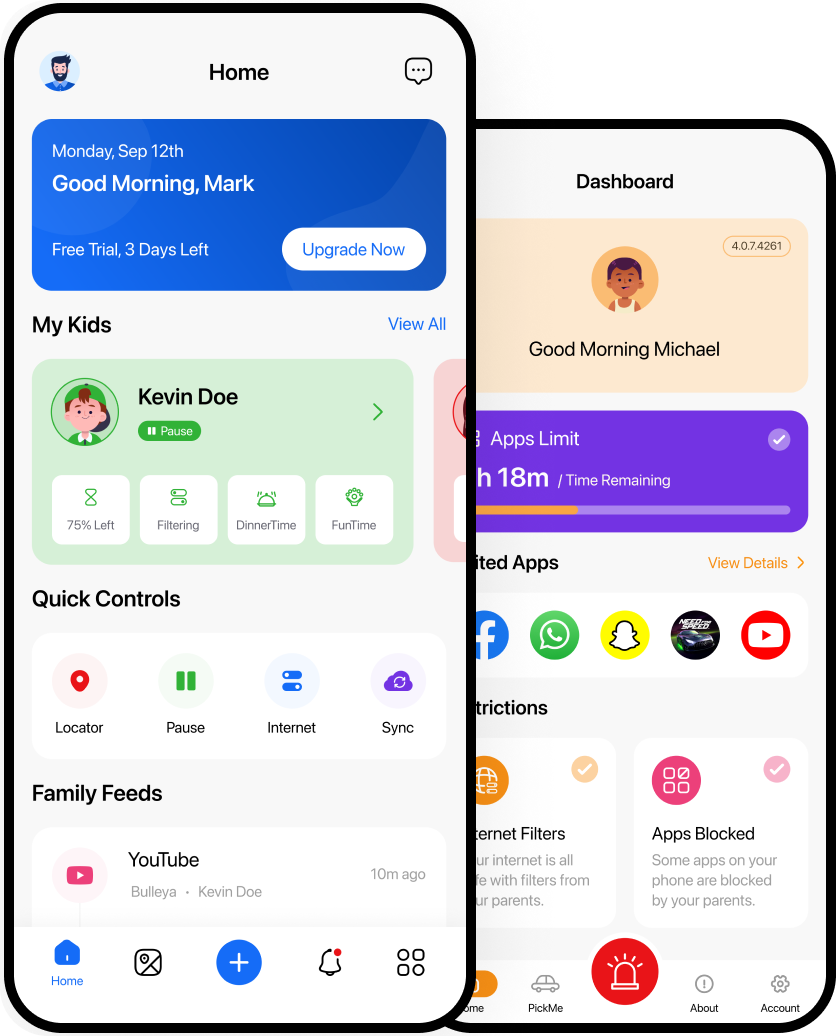
The dashboard itself is very intuitive and easy to use. The layout is clean and simple, and parents can quickly navigate through the various features with just a few clicks. You’ll also appreciate that the setup tutorial is very detailed. That said, the installation process won’t take more than a few minutes.
As with any child monitoring application, users might encounter occasional inconsistencies in FamilyTime’s performance, especially on iOS devices, which operate within a more closed ecosystem. That said, both applications generally work well and don’t come with a steep learning curve.
FamilyTime review: Support
FamilyTime Premium has done well when it comes to customer support. For starters, you can access 24/7 live chat through the website even before making a purchase. That lets you iron out any concerns or queries you might have. This was, in fact, one of our gripes with Parentaler, which didn’t offer live chat, at least not before purchasing a plan.
Once you’ve subscribed to a FamilyTime plan, you also get access to 24/7 Premium in-app live chat as well as 24/7 email support, which should be more than enough for most queries or issues you might have.
There’s also a rich collection of how-to articles and FAQs that provide answers to commonly asked questions. We also like that there’s a detailed collection of step-by-step installation guides and walkthrough articles covering various core functionalities of the platform.
FamilyTime review: The competition
mSpy offers more advanced features, such as keylogging, which helps you view every keystroke your child types on their device, including deleted messages and typed URLs. There’s also a keyword alerts function that can notify you whenever specific keywords are typed, which isn’t typically possible with a standard keylogger.
Furthermore, mSpy offers broader monitoring coverage across several social media platforms, including Snapchat, Tinder, Facebook Messenger, and Viber. There’s also AI chatbot monitoring, which lets you see what your child types into chatbots such as Gemini or ChatGPT.
That said, mSpy is pretty costly, starting at $11.67 per month per device on the annual plan. This can become very expensive very fast if you have a household with multiple children.
Qustodio is another strong alternative, particularly if you want a more traditional parental control app with extensive monitoring and filtering tools. It offers screen-time limits, app and website blocking, location tracking, and social media monitoring, while also supporting a wide range of platforms including Windows, Mac, Android, iOS, Chromebook, and Kindle.
If you’d like alternatives that, like FamilyTime, take a more inclusive approach, you can check out applications like Bark or HeyPolo.
Bark, for example, explicitly addresses children during setup to explain that the goal is safety, not spying. It also uses an AI alert system to flag genuine risks such as predators, cyberbullying, or self-harm, rather than handing parents a full transcript of everyday conversations for them to go through.
FamilyTime review: Final verdict
We’d recommend FamilyTime Premium for several very good reasons. For starters, it’s one of the most inexpensive parental control applications out there, with plans starting as low as $2.41 per month for a single device. Even its multi-device plans are pretty affordable, starting at just $4.08 per month.
Next, the platform offers a relatively transparent Junior app for your child’s device, where they can view their own screen time, check blocked apps, and send SOS alerts when needed. This is in stark contrast to the closed monitoring environment offered by apps such as mSpy.
You also get 30-day activity reports, location tracking and geofencing, social media monitoring, and a free trial with nearly all the available features. However, if you need even more features, such as keylogging, keyword alerts, or remote camera access, consider splurging on mSpy.
- We’ve also featured the best parental control software
“}]]
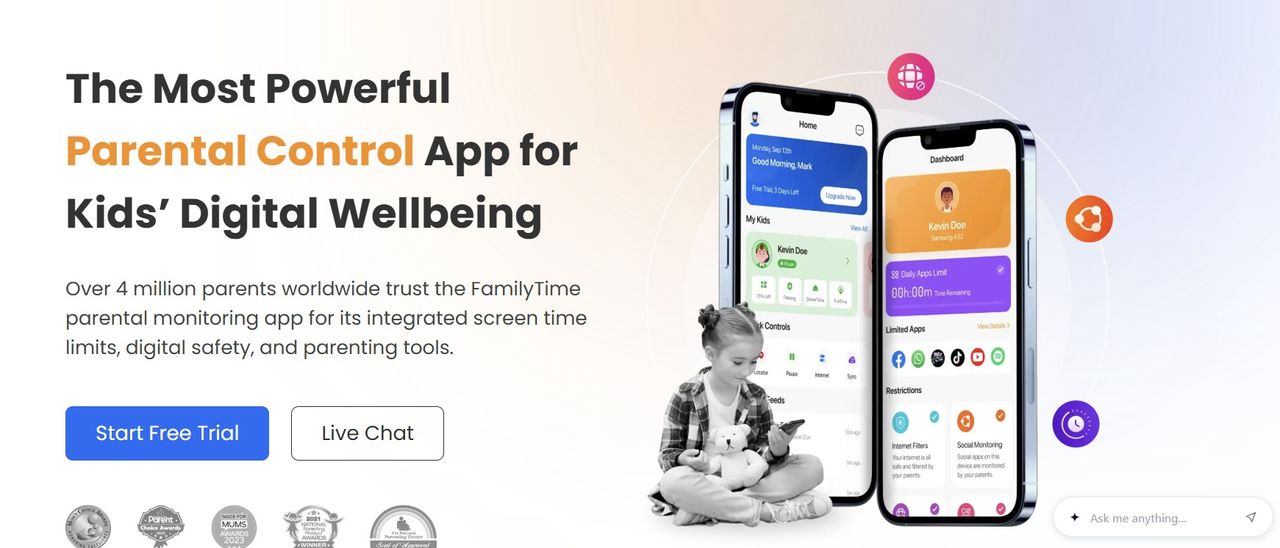 A feature-rich parental control app that makes it easy to manage screen time, apps, websites, and location, all while maintaining parent-child trust and transparency. Read More Latest from TechRadar US in Reviews