
[[{“value”:”
Cloudways, owned by DigitalOcean, sits between conventional web hosting and a do-it-yourself cloud server.
It manages the operating system, web stack, security patches, caching, monitoring, and backups while leaving customers with more infrastructure control than most shared or managed WordPress hosts.
We rated Cloudways the top pick in our best WordPress hosting guide for most users. But the important question is whether the platform still makes cloud hosting easier without giving away the flexibility that attracts experienced users.
- Want to try Cloudways? Check out the website here
Cloudways: Pricing & plans
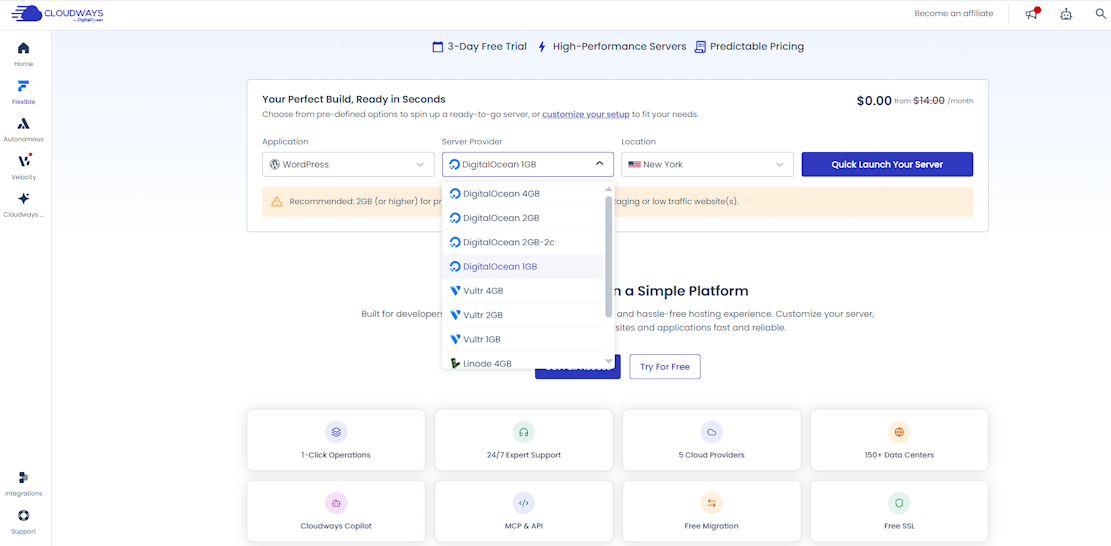
Cloudways Flexible uses pay-as-you-go billing, with prices that vary by provider and server size. The 1GB DigitalOcean option was listed at $14 a month after the free period. Cloudways displayed $0 during the three-day trial and did not require payment details. There is no conventional money-back guarantee, so the trial is the safest way to inspect the platform before upgrading.
The lowest price should not be treated as the default production recommendation. Cloudways itself suggests 2GB or more for production, staging, or low-traffic sites. Larger DigitalOcean, Vultr, and Linode servers remain comparatively straightforward, while AWS and Google Cloud pricing can be more complex. Flexible is billed according to usage, but stopping a server does not end its charges; customers must delete unwanted resources or close the account correctly.
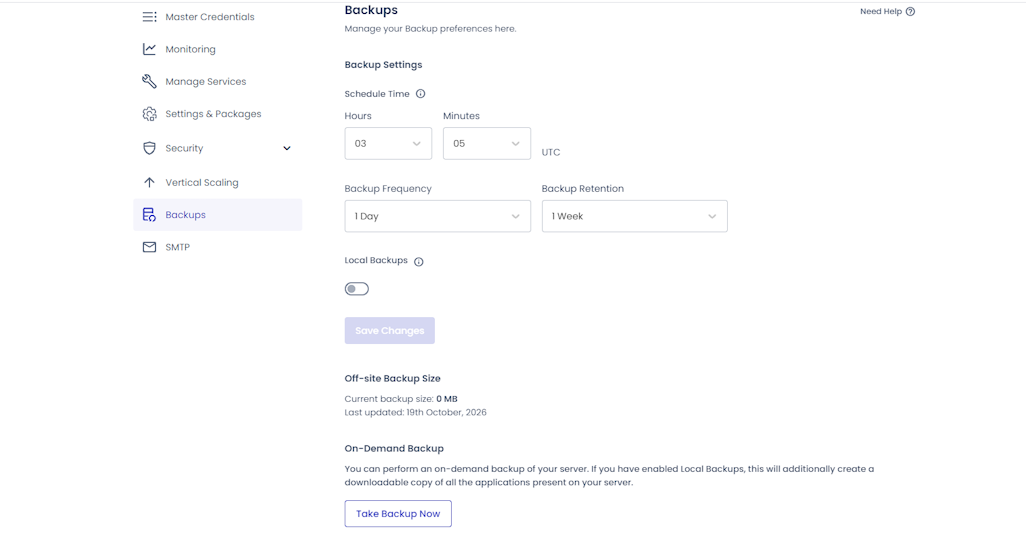
Backups illustrate how small extras affect the bill. My server defaulted to one off-site backup per day with one-week retention, and an on-demand backup completed in 23 seconds. Cloudways support confirmed that off-site storage costs $0.033 per GB per month, with backup charges rounded up in $0.50 increments, so any non-zero usage effectively costs at least $0.50 for the month. Local backups were disabled by default.
Email hosting and domain registration are not included. Cloudways offers services such as Rackspace Email, Elastic Email, Cloudflare Enterprise, DNS Made Easy, malware protection, and enhanced support separately. That modular approach avoids paying for tools you do not need, but an all-in-one host can be cheaper and simpler for a small personal site.
Cloudways: Features
Cloudways Flexible supports WordPress, Magento, Laravel, and other PHP applications across DigitalOcean, Vultr, Linode, AWS, and Google Cloud. Customers choose the provider, server size, and location, then manage applications and infrastructure from the Cloudways panel. Multiple applications can run on one server, which is useful for developers and agencies that do not want a separate hosting account for every site.
The current platform also includes Cloudways Autonomous, a fully managed WordPress and WooCommerce service that scales automatically during traffic spikes. Velocity is a newer product for Node.js applications. Most readers of this review should start with Flexible for granular server control or Autonomous when predictable scaling matters more than choosing the underlying provider.
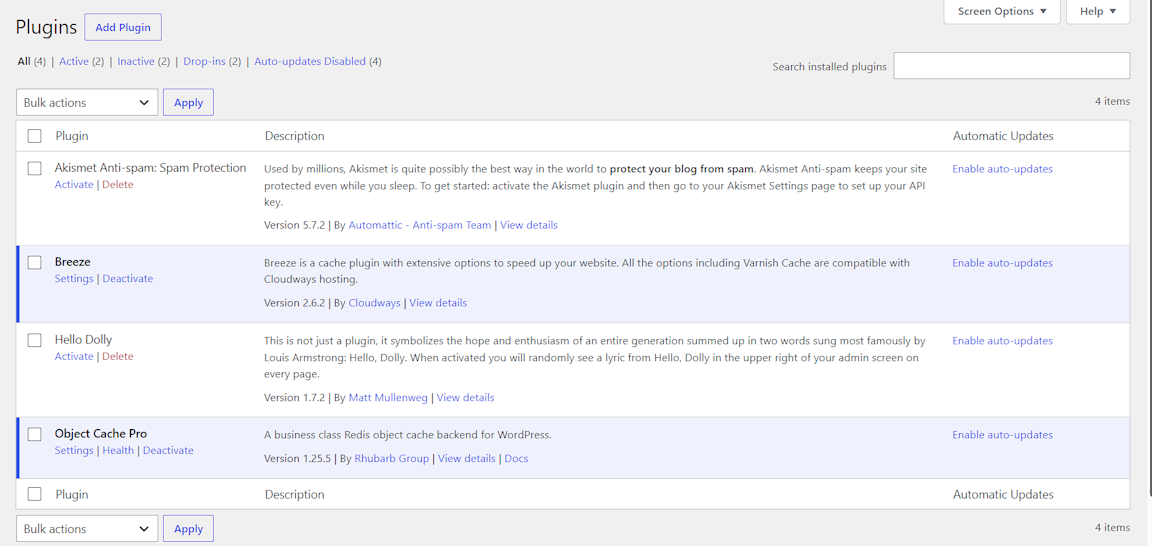
Flexible servers use the NGINX-based Lightning Stack by default, with a Hybrid stack available when an application needs Apache compatibility. WordPress installations include the Breeze caching plugin and Object Cache Pro. In my test, both were already active in WordPress. Free SSL, staging and cloning, scheduled tasks, Git deployment, SSH and SFTP access, firewalls, IP controls, vertical scaling, and real-time monitoring cover most day-to-day hosting work.
Cloudways Copilot adds AI-assisted monitoring, diagnosis, and fixes for common server problems. It is more relevant than a generic content generator because it addresses infrastructure work that would otherwise require log analysis or support. The platform also offers Cloudflare Enterprise, SafeUpdates, malware protection, transactional email, DNS, and enhanced support as paid services. These options are useful, but they make it important to compare the full monthly cost rather than the server price alone.
Cloudways: In use
I opened a three-day Flexible trial without entering a credit card, chose WordPress on a 1GB DigitalOcean server, and selected London. Cloudways estimated seven minutes for provisioning; the server was ready in six. The configuration screen is considerably easier than building the same stack directly on a cloud provider, although it recommends at least 2GB for a production or low-traffic site.
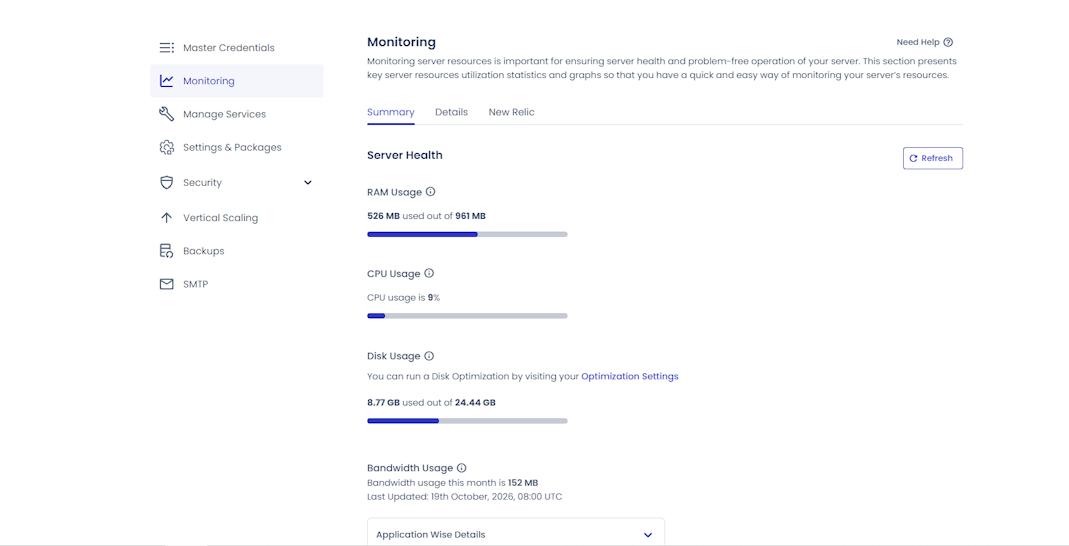
The dashboard separates server controls from application controls. Monitoring presents CPU, memory, disk, and bandwidth without requiring command-line tools. After the setup activity had settled, the test server showed 9% CPU use, 526MB of 961MB of RAM in use, 8.77GB of 24.44GB of disk space used, and 152MB of bandwidth. The interface made it easy to see how much headroom the small server had during testing.
I did hit a genuine onboarding problem. The WordPress admin password shown in Cloudways was rejected, and changing it in Access Details did not fix the login. WordPress reset messages also failed because the new site did not yet have SMTP or an email add-on configured. A support agent checked the account, supplied working credentials through a secure one-time link, and I was able to sign in. The resolution was quick, but credentials displayed in the dashboard should have worked without support.
Cloudways does not provide cPanel or a browser-based file manager. Files are managed through SFTP or SSH, and the panel includes a browser-based SSH terminal. That is normal for many cloud platforms and suits developers, but users accustomed to clicking through File Manager in cPanel may find it an unnecessary extra step.
Cloudways: Speed
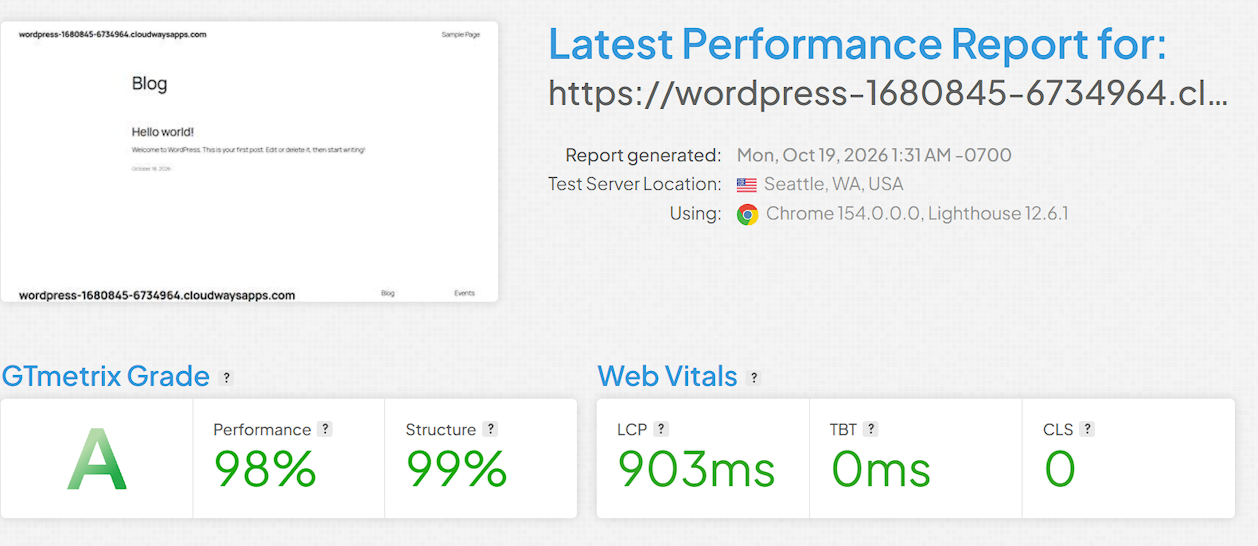
I tested the public WordPress installation three times with GTmetrix and received similar results. One run from Seattle against the London-hosted server returned an A grade, 98% performance, 99% structure, a 903ms Largest Contentful Paint, zero Total Blocking Time, and zero Cumulative Layout Shift. These are excellent numbers for the entry server.
The test used a fresh, lightweight WordPress site, so a large WooCommerce catalog, heavy theme, or crowded plugin stack will be more demanding. Even with that scope, the result shows that Cloudways’ default WordPress setup, Breeze, Object Cache Pro, and managed stack provide a fast starting point before further optimization.
Cloudways: Support
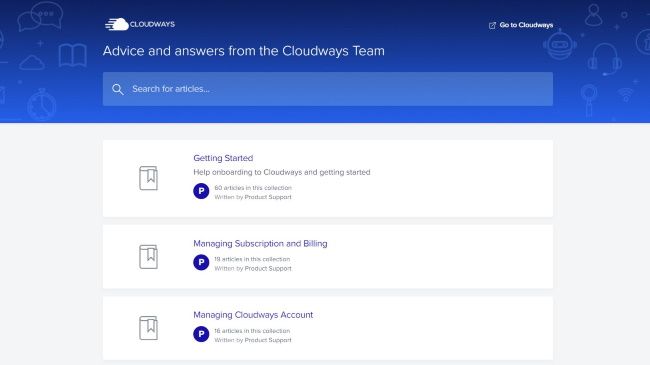
Standard support is available 24/7 through live chat and tickets, with Advanced and Premium support add-ons for customers who need faster responses and deeper application help. The knowledge base is extensive and covers both platform tasks and command-line workflows.
My support check started with an automated assistant, which suggested resetting the WordPress password directly in the database. After I asked for a person, a human agent joined in about 10 seconds. The agent reviewed the existing conversation, tested the credentials, shared screenshots, and provided a secure fallback login that worked. I liked that the agent did not repeat the bot’s checklist and moved directly to resolving the account-specific problem.
The same chat also confirmed the backup charge and explained that Cloudways has no cPanel or browser-based file manager. The answers were specific and useful. In this case, support was fast, technically capable, and willing to inspect the live account rather than simply link to documentation.
Cloudways: Alternatives
Cloudways charges more than renting the same infrastructure directly from DigitalOcean, Vultr, AWS, or Google Cloud, but the comparison is not like for like.
The premium pays for the managed stack, patches, backups, caching, monitoring, staging, security controls, and support. Experienced system administrators can save money with a raw VPS, while WordPress teams without dedicated server administrators may save time with Cloudways.
Bluehost and DreamHost are easier all-in-one choices for a first website because they bundle domain services, email options, and familiar hosting workflows. Kinsta and WP Engine provide similarly polished managed WordPress experiences with less server-level choice.
ScalaHosting combines managed cloud hosting with a browser-based SPanel file manager and email tools. Cloudways stands out when users want to choose their cloud provider, location, and resources while keeping the operating environment managed.
Is Cloudways cloud hosting right for you?
Cloudways is best for a growing WordPress site, WooCommerce store, agency portfolio, or PHP application that has outgrown basic shared hosting. Flexible gives developers meaningful control without the maintenance burden of a raw VPS, while Autonomous is the cleaner option for WordPress teams that expect traffic spikes and do not want to think about server scaling.
It is less convincing for an absolute beginner who wants one bill for hosting, a domain, email, and a simple file manager. The vocabulary, separate server and application layers, and add-on pricing require more attention than mainstream shared hosting. The password issue in my test also shows that onboarding is not friction-free.
Even so, the six-minute deployment, excellent GTmetrix result, detailed monitoring, fast backup, and exceptionally responsive support make a strong practical case for Cloudways. For users who need more power and flexibility than shared hosting but do not want to become their own server administrator, Cloudways remains an excellent choice.
For more options, we’ve tested the best web hosting services.
“}]]
 Powerful managed cloud hosting with excellent WordPress performance, granular control, and a few onboarding rough edges. Read More Latest from TechRadar US in Reviews