
[[{“value”:”
Mozilla is best known for its Firefox web browser, but it also offers a broader suite of software services. Among these services is Mozilla Monitor, a tool that checks whether your personal information has been affected in a data breach and advises you on the next steps. Mozilla Monitor is free to use, just like the Firefox browser and other services offered by the company.
I’m reviewing this data removal service in detail, covering its pros, cons, features, ease of use, and other essential factors. This review will help you decide whether to add Mozilla Monitor to your online privacy toolkit.
Mozilla Monitor: Plans and pricing
Mozilla Monitor is completely free. You may be confused because you’ve previously heard of a paid Mozilla Monitor Plus data removal service. Yes, that used to exist, but it was shut down in March 2026.
Mozilla gave the reason of “refocusing our resources on other privacy and security initiatives,” but kept the core Mozilla Monitor features and expanded free monitoring to 20 email addresses per user.
That means you can use Mozilla Monitor to check if your email address was affected by a data breach, but it no longer scans data broker sites for your personal data and sends deletion requests. You can check out the service by clicking here.
Mozilla Monitor: Setup
Setting up Mozilla Monitor is as easy as it gets. It starts with creating a Mozilla account, and this one account can be used for all Mozilla services. Creating an account is as simple as entering an email address and a password. A verification code will be sent to that email address, and inputting it confirms your newly created account.
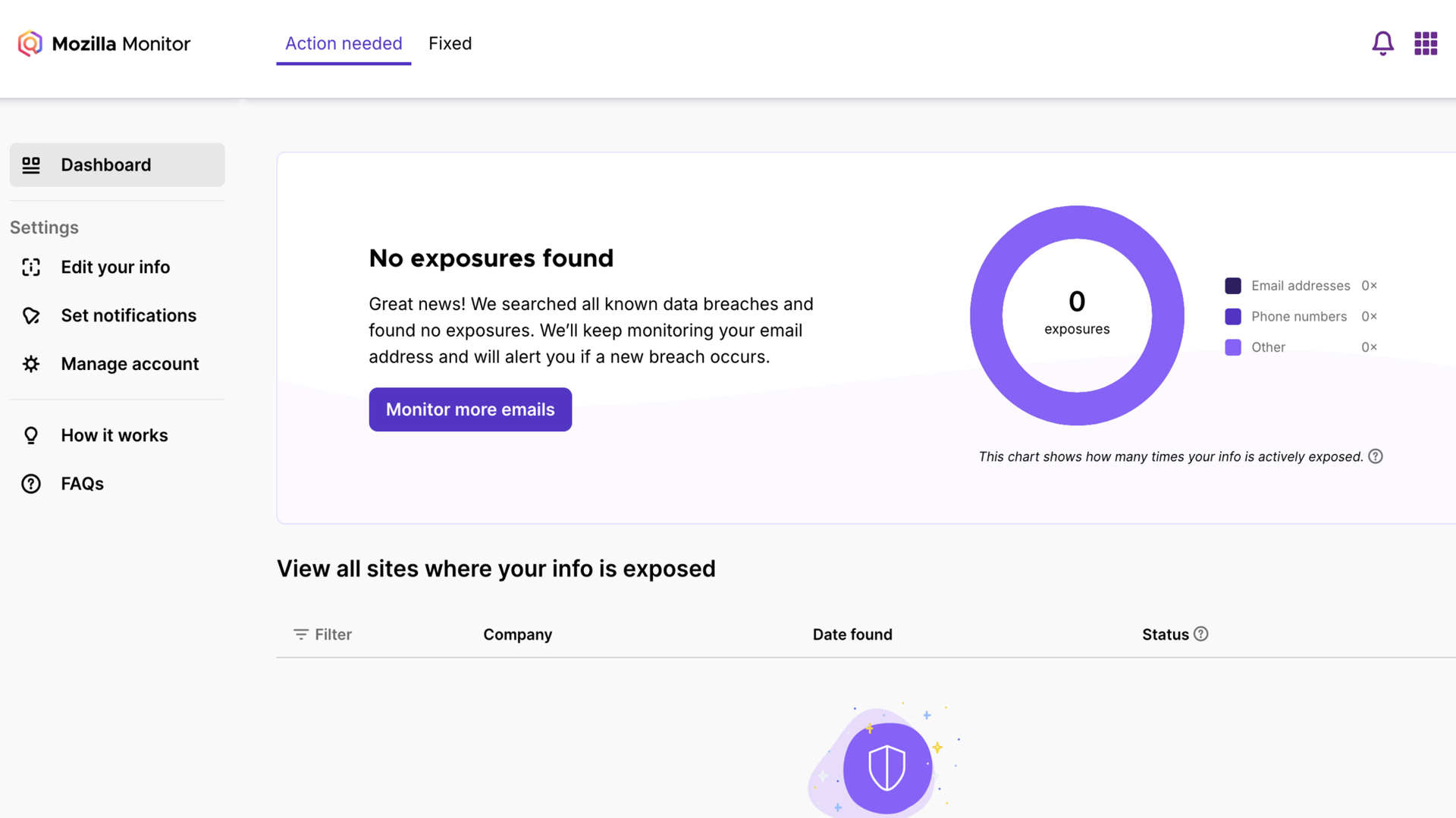
With an account confirmed, you can begin entering email addresses to monitor for data breaches. Each account can monitor up to 20 email addresses, so there’s a lot of room. You could enter your siblings’ and parents’ email addresses and be the de facto family IT staff. If any of their addresses are found in a data breach, you’ll quickly alert them and advise on protective measures.
Note that for each email address you’ll add, Mozilla sends a verification link to that address. The owner has to click on the verification link for Mozilla to start monitoring the email address. If you’re adding a family member, friend, or colleague’s email address, simply tell them to click on the verification link. They don’t have to create a Mozilla account–clicking the verification link is enough.
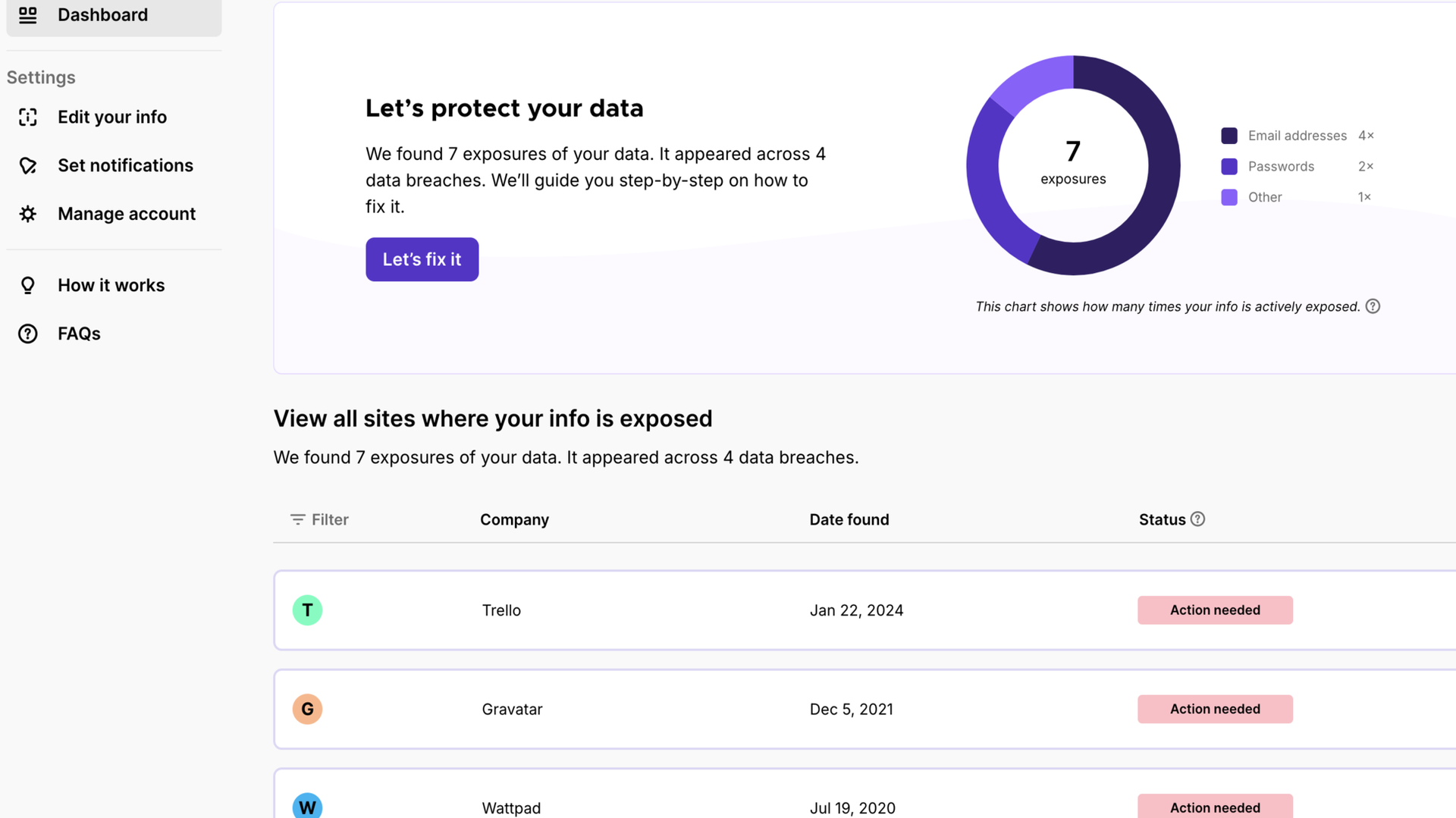
In the example below, I added one of my email addresses, only to discover that it was affected in 7 data breaches all the way back to 2019.
I don’t like to brag, but I think I’m a bit tech-savvy in knowing how to respond to my email address being affected by a data breach. The usual step is to change the password on the affected platform, and also any other platform where I’ve used the same password.
For example, the results show data breaches on Trello, Gravatar, and Wattpad. This meant I had to change the passwords for these platforms and any other platform where I used similar passwords.
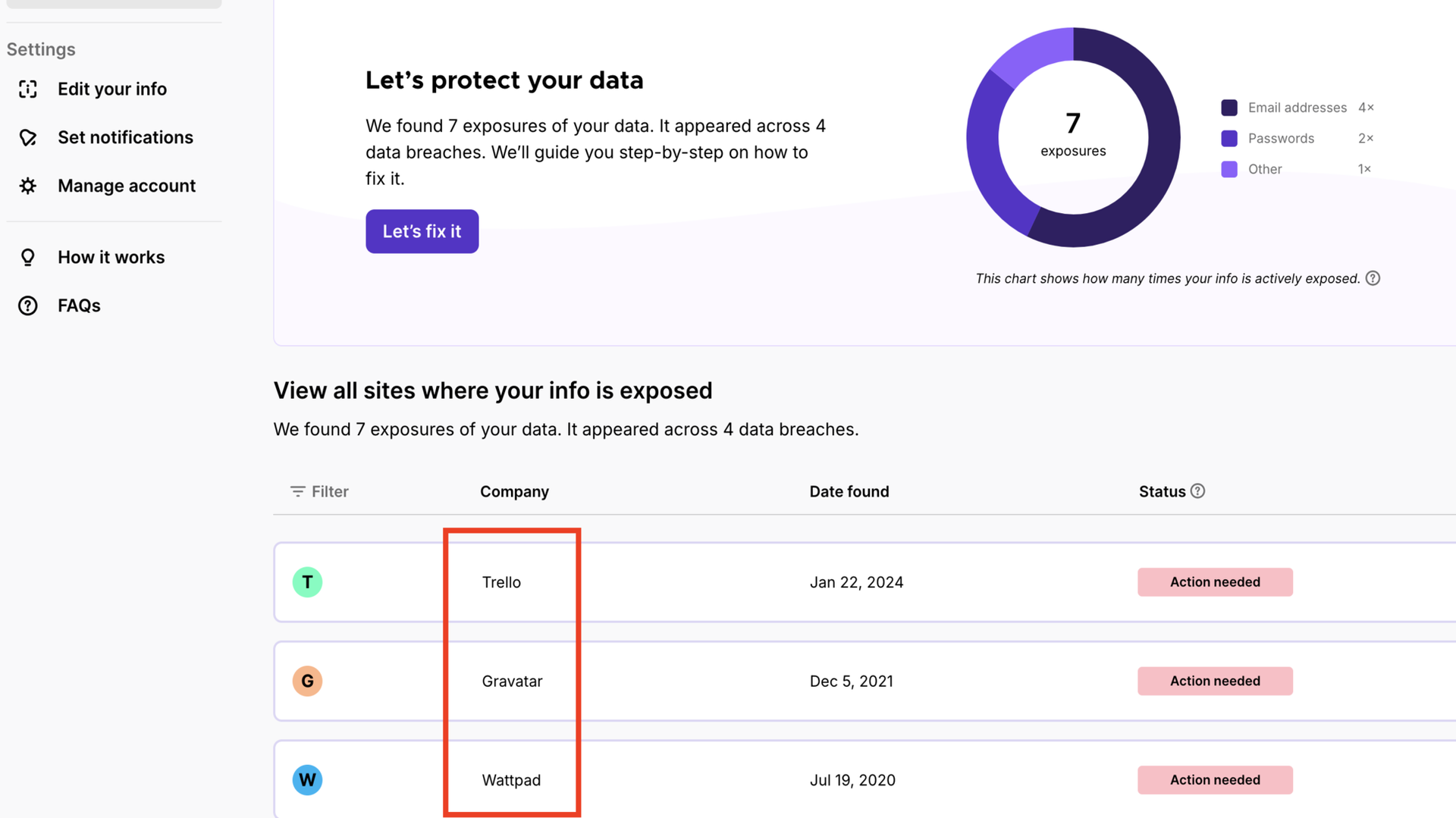
However, users don’t have to be tech-savvy to use Mozilla Monitor. For anyone whose address is found in a data breach, Mozilla suggests the right steps to take. Clicking on the Resolve exposures button (pictured below) takes a user to these steps:
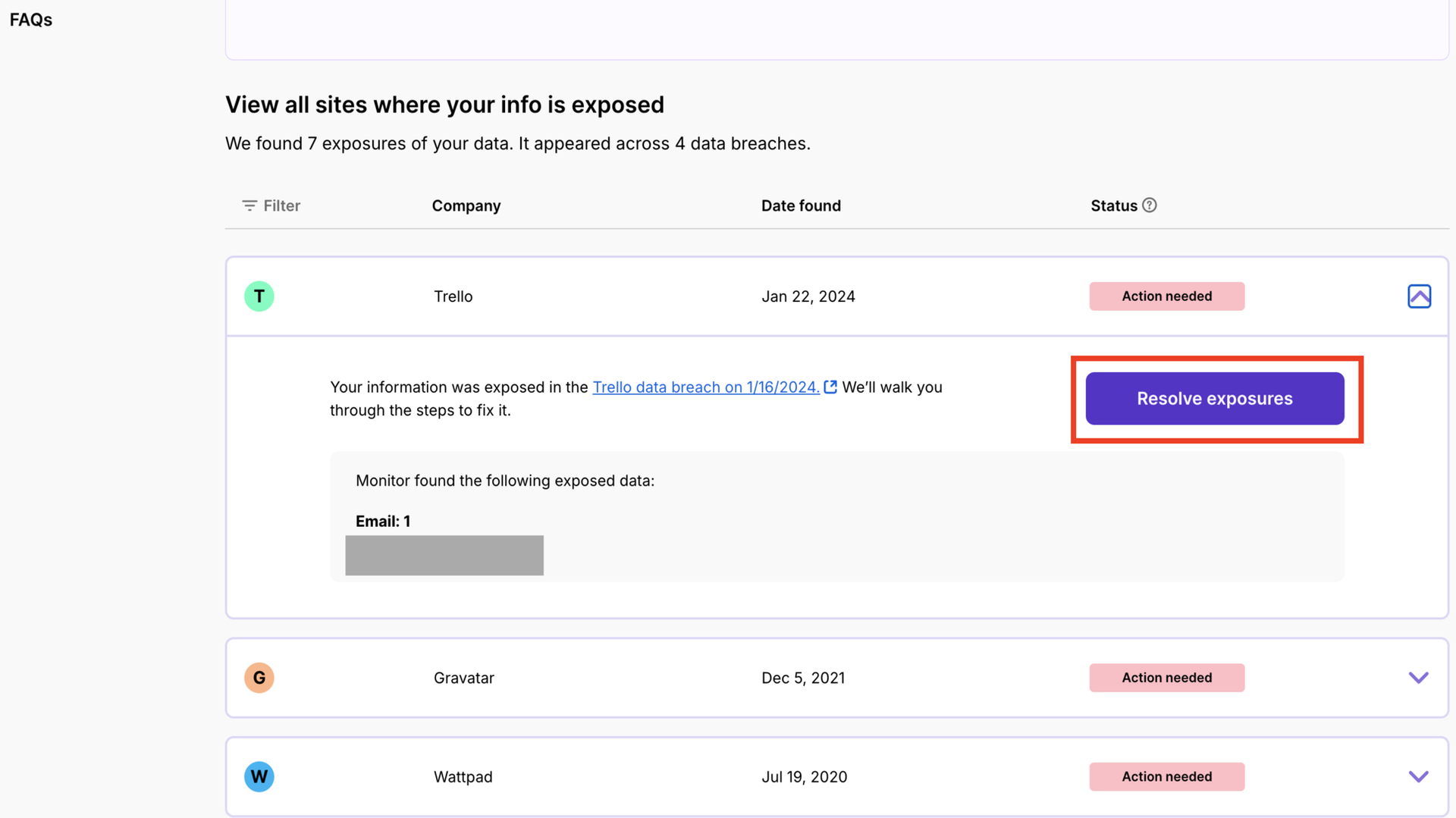
I was glad to know that Mozilla Monitor suggested exactly the steps I recommended: changing the password for that account and anywhere else I’ve used the same password.
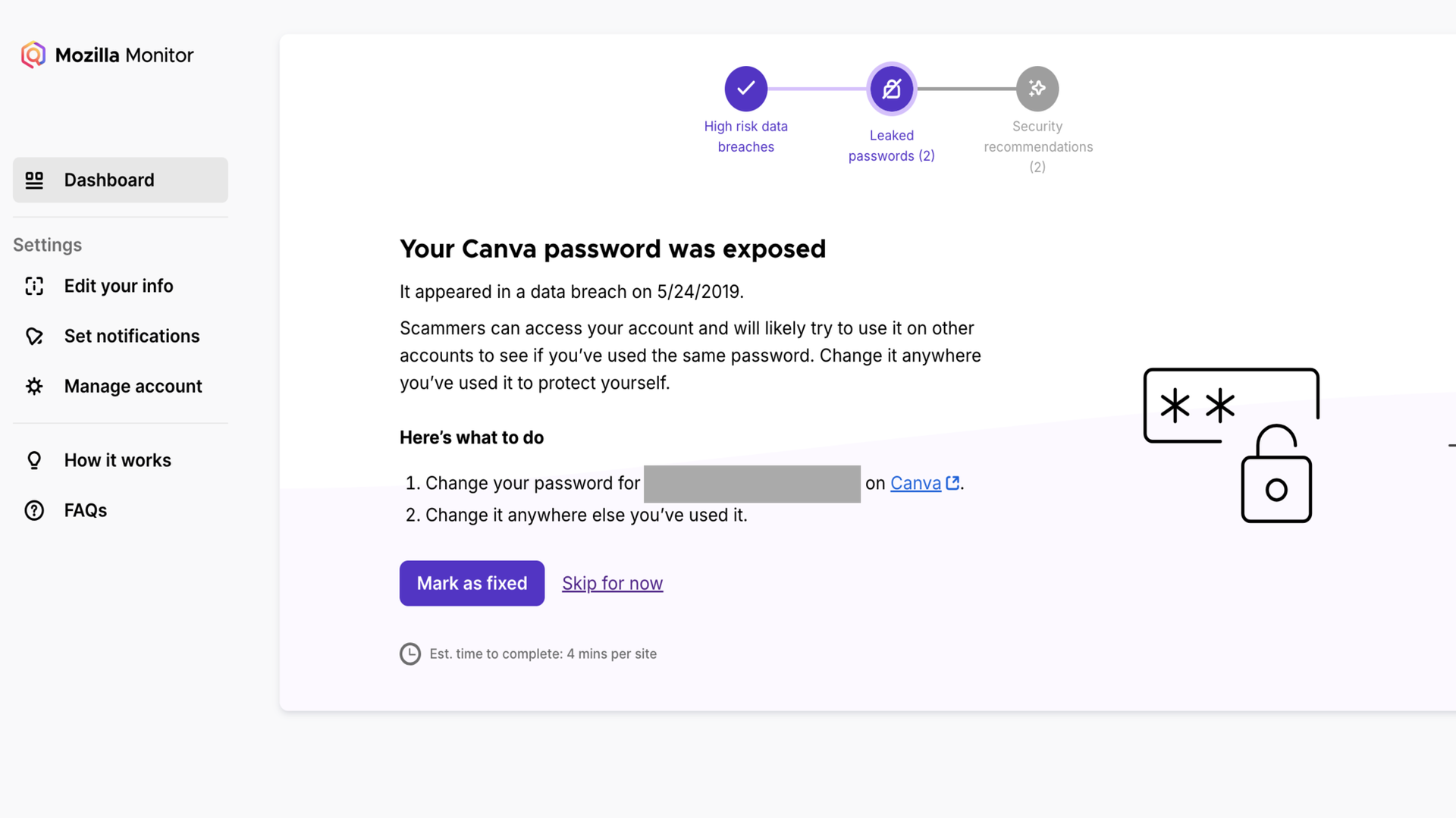
Along with the above advice, I got some other security recommendations like avoiding clicking on unknown links in emails, marking suspicious emails as spam, and being aware of phishing attacks.
You can repeat the same steps for up to 20 email addresses. Mozilla Monitor helps you stay safe online, even when affected by a data breach. You’ll be aware of past data breaches and any new ones, then take immediate steps to prevent further problems.
Mozilla Monitor: Ease of use
Regarding ease of use, Mozilla Monitor is one of the best platforms I’ve reviewed in general, not just among security-related platforms.
The workflow is as smooth as it gets, and everything felt simple to navigate, even as a first-time user. It follows a sequential process, where one step leads to the next, to the next, and so on till you get the final results.
You can access Mozilla Monitor from any web browser, preferably on a PC, to get the best user experience. I give it a near-perfect user-friendliness score.
Mozilla Monitor: Security and privacy
Mozilla Monitor will be a valuable addition to anyone’s security software suite, and it’s available at no cost. When email addresses and passwords get breached on any site, malicious actors often use these breached credentials to attempt to break into accounts, both on the affected and non-affected sites.
Mozilla Monitor helps prevent this problem, letting you know if your email address was found in any data breach and advising immediate steps to take.
I don’t like that Mozilla’s Plus data removal service is no longer available, but I have no control over that. At least, I’m happy Mozilla kept the data breach monitoring service and maintained it for free.
Mozilla Monitor: Support
On the dashboard, users can find an FAQs section with detailed answers to common questions asked about Mozilla Monitor.
This FAQs section explains what a data breach is, how Mozilla monitors data breaches, the risks of your personal information being found in a data breach, and other important topics. It provides valuable help for new users seeking to understand what Mozilla Monitor is about and how it works.
Given it’s a free tool, there’s not much direct help available. You can ask questions on the official Mozilla Discourse forum, but there’s no email, live chat, or telephone support.
Mozilla Monitor: Competition
I’ll mention Incogni and DeleteMe as two top competitors to Mozilla Monitor. These platforms offer data breach monitoring, like Mozilla Monitor, and also let you scan data broker sites for personal data, then send automated or manual deletion requests. Mozilla previously offered a data removal service, but it was shut down in March 2026.
I’d say Incogni and DeleteMe offer a more complete online privacy suite, but they require paid subscriptions, unlike Mozilla Monitor, which is completely free.
Mozilla Monitor: Final verdict
If you’re seeking a free tool that helps protect your privacy online, Mozilla Monitor is highly recommended. At no cost, it’ll alert you to data breach incidents affecting your email address and help you take corrective steps. However, it doesn’t offer much outside this service, so have modest expectations.
“}]]
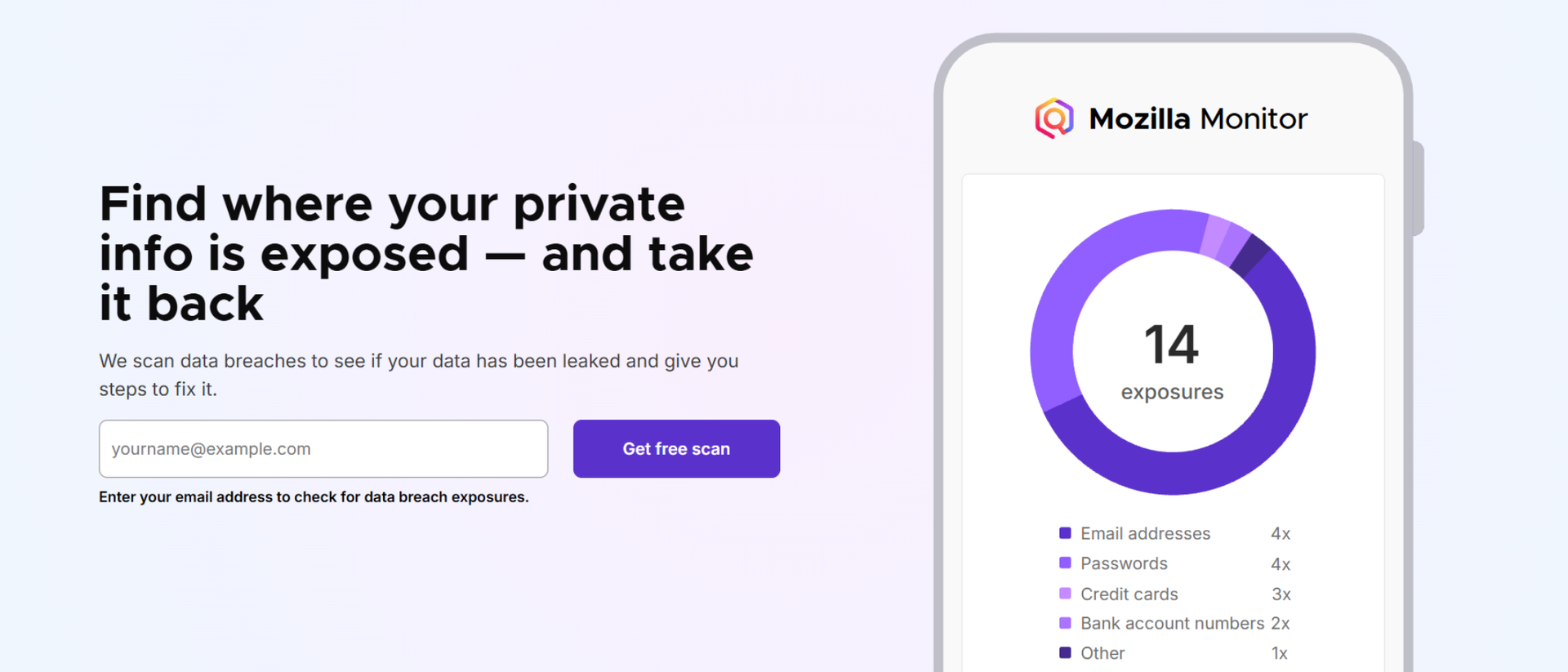 Mozilla Monitor and Mozilla Monitor Plus offer comprehensive tools to keep your data safe across the internet. Read More Latest from TechRadar US in Reviews