
Post Content
 [[{“value”:”📘 Learn how to track down Linux problems fast with my Troubleshooting Strategies eBook: https://learnlinux.link/sysadmin-ebook
🎓 Join my live, hands-on Nextcloud deployment class on December 12th. Bring your questions! Reserve your seat: https://learnlinux.link/nc-12-26
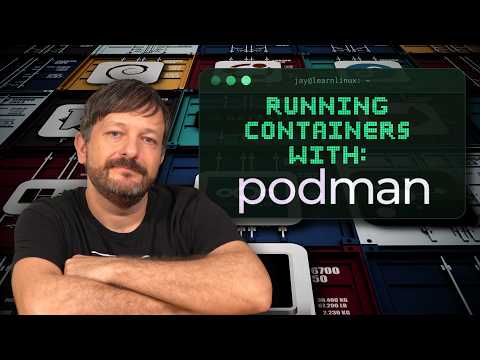
Learn how to use Podman on Linux in this beginner-friendly, hands-on tutorial! We’ll compare Podman vs Docker, install Podman, run your first container, launch an Ubuntu container with an interactive shell, and deploy an NGINX web server with port mapping.
You’ll also learn essential Podman commands for managing container images, stopping containers, and cleaning up unused resources. Whether you’re new to Linux containers or exploring Docker alternatives, this tutorial will help you get started with Podman.
🙌 *If this video helped you out, buy Jay a coffee* ☕ https://learnlinux.link/donate
*Linux Stuff*
– LLTV Merch Shop: https://merch.learnlinux.tv
– Become a Patron: https://learnlinux.link/patron
– “Linux Troubleshooting Strategies” e-book: https://learnlinux.link/troubleshooting-ebook
– Linode Starter Credit: https://learnlinux.link/linode
– Learn Ansible: https://linux.video/ansible
– Save 30% on Linux Foundation Courses & Certs: https://learnlinux.link/get-certified
*🕐 Time Codes*
00:00 – Intro: Getting Started with Podman on Linux
01:31 – Linux Troubleshooting Strategies eBook
02:27 – Why Podman? Podman vs Docker Explained
04:06 – Disadvantages of Podman You Should Know
05:07 – How to Install Podman on Linux
06:09 – Running Your First Podman Container (Hello World)
07:45 – Listing Container Images with podman images
08:32 – Launching an Ubuntu 26.04 Container and Accessing Its Shell
12:07 – Live Training: Deploying Nextcloud (Dec 12)
13:25 – How to Stop a Running Podman Container
14:11 – Running NGINX in a Podman Container with Port Mapping
17:04 – Running vs Exited Containers: What’s the Difference?
18:20 – Removing Unused Container Images with Podman
19:11 – Using the –rm Option to Auto-Remove Containers
*Learn Linux TV*
_Your $HOME For Linux-Related Fun and Learning_
– Official website: https://www.learnlinux.tv
– Community Forums: https://community.learnlinux.tv
– Official Subreddit: https://learnlinux.link/reddit
– Facebook Community: https://learnlinux.link/facebook-group
– Professional Comsulting with Jay: https://learnlinux.link/help
– More about Jay: https://learnlinux.link/jay
*Affiliate and Content Ethics*
Some links in this description are affiliate links. If you purchase through them, Learn Linux TV may earn a commission at no additional cost to you. This helps keep the content flowing.
https://www.learnlinux.tv/content-ethics
*Use Content Responsibly*
Learn Linux TV shares technical content intended to teach and help you, but it comes with no warranty. The channel is not liable for damages resulting from its use. Always ensure you have proper permission, follow organizational policies, protect important data, and comply with applicable laws.
#Podman #Linux #Containers #Docker #DevOps #Sysadmin #LearnLinuxTV”}]] Read More Learn Linux TV
#linux